Viggle AI Dance Generator: Compare Motion References Fairly
To compare motion references fairly in the Viggle AI dance generator, hold the character image, crop, duration, and approval rule fixed, then change only one dance reference per run. Review identity, feet, camera behavior, and occlusions through the whole result; choose the reference that meets the written use case or stop when none does. This is a controlled-evaluation guide, not another basic Viggle how-to.
Last updated: September 28, 2026 · about 9 min read
Disclosure: ClipTrend publishes this independent comparison method. Viggle is a third-party product; controls, templates, plans, and availability can change. Use only images, motion footage, and audio you are allowed to use.
Start with the job, not the most exciting dance
The existing Viggle AI dance-generator guide explains the basic character-image and motion-reference workflow. The next decision is different: which reference is suitable for one specific output?
Viggle’s live AI Dance page says users can choose from its template library or upload a dance video as a motion source in Mix. That confirms the type of comparison you can set up; it does not guarantee that every choreography, source photo, or output will preserve every detail. Fast footwork, turns, body overlap, and camera changes are exactly where a useful comparison earns its keep.
Write a one-sentence job before you choose a reference. For example: “Produce a vertical, full-body character clip with a readable two-step motion and stable feet for a social concept.” That is clearer than “make a viral dance.” It also gives you a reason to reject a beautiful but unusable result.
Lock the four variables that make a comparison meaningful
Use one authorized character image for the whole test set. Keep the delivery crop, the selected duration where the interface permits it, and the same approval rule. The only planned difference among the runs should be the motion reference.
| Variable | Keep it the same | Why it matters |
|---|---|---|
| Character image | One clear full-body or three-quarter image | A new source can change identity and edge stability |
| Output framing | One target vertical or horizontal crop | Different crops hide different failures |
| Review rule | The same must-pass checks | A new rule after each run turns preference into guesswork |
| Motion reference | Change one at a time | You can connect a difference to the choreography |
Do not compare a front-facing standing reference to a spinning, low-angle, fast-cut clip and call the difference a model ranking. You are primarily comparing how well each reference fits the same job.
Build a small reference set
Start with two or three legal, clearly different references rather than a large folder of trend clips. A useful set might include one front-facing, medium-speed dance; one side-facing reference with a modest turn; and one faster sequence only if the final project genuinely needs it.
For each reference, note:
- body coverage: are hands and feet visible when the movement matters?
- camera behavior: is the viewpoint steady, panning, zooming, or cutting?
- occlusion: do props, other dancers, or the frame hide limbs?
- movement load: are there spins, jumps, floor contact, or rapid direction changes?
- rights: did you record, license, commission, or otherwise receive permission to use the motion and audio?
The last point is not paperwork after the creative choice. A public dance clip is not automatically a reusable motion asset, and a recognizable performer may have separate likeness, choreography, music, or platform considerations.
Run each test under the same conditions
Create the first result with the simplest reference. After it is complete, make the next result from the same character image and output settings but with the second reference. Do not “fix” the character image halfway through unless you abandon and restart the entire comparison set.
Give each run a neutral label such as Reference A, B, and C. Avoid labels like “best” before watching the output. Keep a compact log with the reference filename or URL, date, visible settings, output link, and a sentence about the decision. You do not need a fabricated universal score; you need an accountable record for this brief.
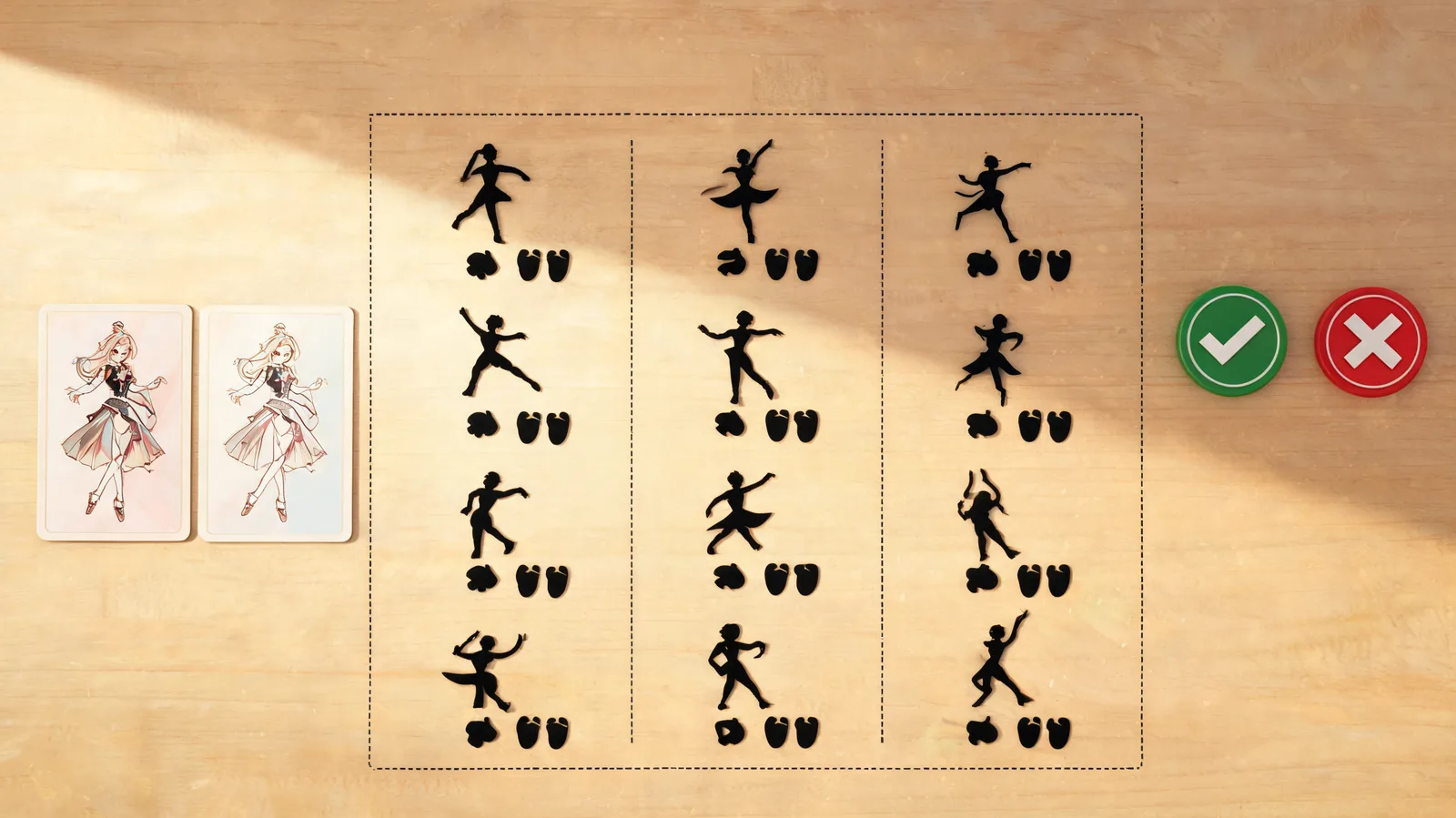
This illustration shows a comparison practice, not a claim that a particular reference will work in Viggle.
Watch for the failures the thumbnail misses
Review every output from first frame to last. Pause where the body turns, a foot lands, the camera changes, or another object crosses the character. Then compare the references against the same decision table.
| Check | Pass looks like | Stop or retry when |
|---|---|---|
| Identity | The approved character remains recognizable | Face, clothing, or silhouette becomes a different character |
| Feet and floor | Contact is believable enough for the intended use | Feet slide, disappear, or detach at a key beat |
| Motion fit | The chosen move reads clearly at final crop | The action is lost or becomes an extra gesture |
| Camera stability | The framing supports the brief | Reframing hides the subject or introduces distracting shifts |
| Occlusion recovery | Limbs recover after overlap | A hidden arm, prop, or body merge persists |
If Reference B looks more dramatic but fails the final vertical crop, it is not the better reference for a vertical deliverable. If all three fail the same foot-contact rule, the correct conclusion may be that this source and task combination is not ready—not that you need endless rerolls.
Make a real choose-or-stop decision
Pick a reference only when it passes the requirement that matters most. Document why: “A preserved the character and feet at the intended crop; B lost the left foot during the turn; C changed the camera.” That decision is useful to a teammate and can guide a later rerun.
When the clips are close, choose the simpler reference that leaves room for editing rather than the busiest one that only works in a perfect frame. When none passes, stop and change the plan: choose a clearer character image, reduce motion complexity, shoot or license a better reference, or use conventional footage.
ClipTrend’s AI dance generator is our own separate photo-to-dance workflow. It is not a benchmark for Viggle, and this article did not run identical media in both services. If you test another tool, start a new controlled set and check its live controls, credits, terms, and output conditions separately.
A relevant workflow video, with a date limitation
This tutorial demonstrates the underlying character-plus-motion idea, but it was published on April 26, 2024. Use it for orientation, not as evidence of current pricing, templates, controls, or policy.
Publish a dance result responsibly
Before you share, confirm the source permission, motion and audio rights, intended audience, and any needed AI disclosure. Do not make a generated dance appear to document a real performance, endorsement, or event. Keep the original image, authorized reference, prompt or settings note, and the approved final output together; a team can then explain what was actually created and reviewed.
For media provenance, the C2PA specifications are a useful technical reference. They do not replace permission, factual review, or destination-platform rules.
FAQ
How do I compare Viggle dance references fairly?
Use the same authorized character image, crop, duration where available, and approval rule. Change only the motion reference, then review every output at the same failure points.
Should I use the fastest dance reference?
Only when the final job needs it and it passes the same review. A simpler motion that preserves feet, identity, and the intended crop can be the stronger production choice.
Can I upload any dance video as a motion source?
Viggle’s live page says Mix can accept an uploaded motion source, but you still need permission to use the footage, performer likeness, choreography, and audio. Check current product terms before generating.
What should I do when every reference fails?
Stop rather than generate random rerolls. Use a clearer source image, choose a less complex motion, secure a better reference, or change the production method.
Sources
- Viggle, Free AI Dance Video Generator, checked September 28, 2026
- ClipTrend, Viggle AI dance generator guide
- C2PA, technical specifications
- YouTube, How to Create Free Viral TikTok Dance Videos using Viggle AI, checked September 28, 2026