
What the GPT Image 2.5 generator does well
What is GPT Image 2.5?
GPT Image 2.5 is the image model OpenAI released on September 8, 2026. In ChatGPT it is called ChatGPT Images 2.5; in the API it comes as two variants, GPT-Image-2.5 Flare and GPT-Image-2.5 Sunburst. OpenAI says it renders faster, produces crisper images and keeps details steady across several rounds of edits. On ClipTrend.ai the GPT Image 2.5 generator runs in the box above.
- ✓Crisper images — one of the main changes OpenAI lists for 2.5
- ✓Steady edits — OpenAI says details hold across rounds of edits
- ✓No OpenAI account — run GPT Image 2.5 straight from this page
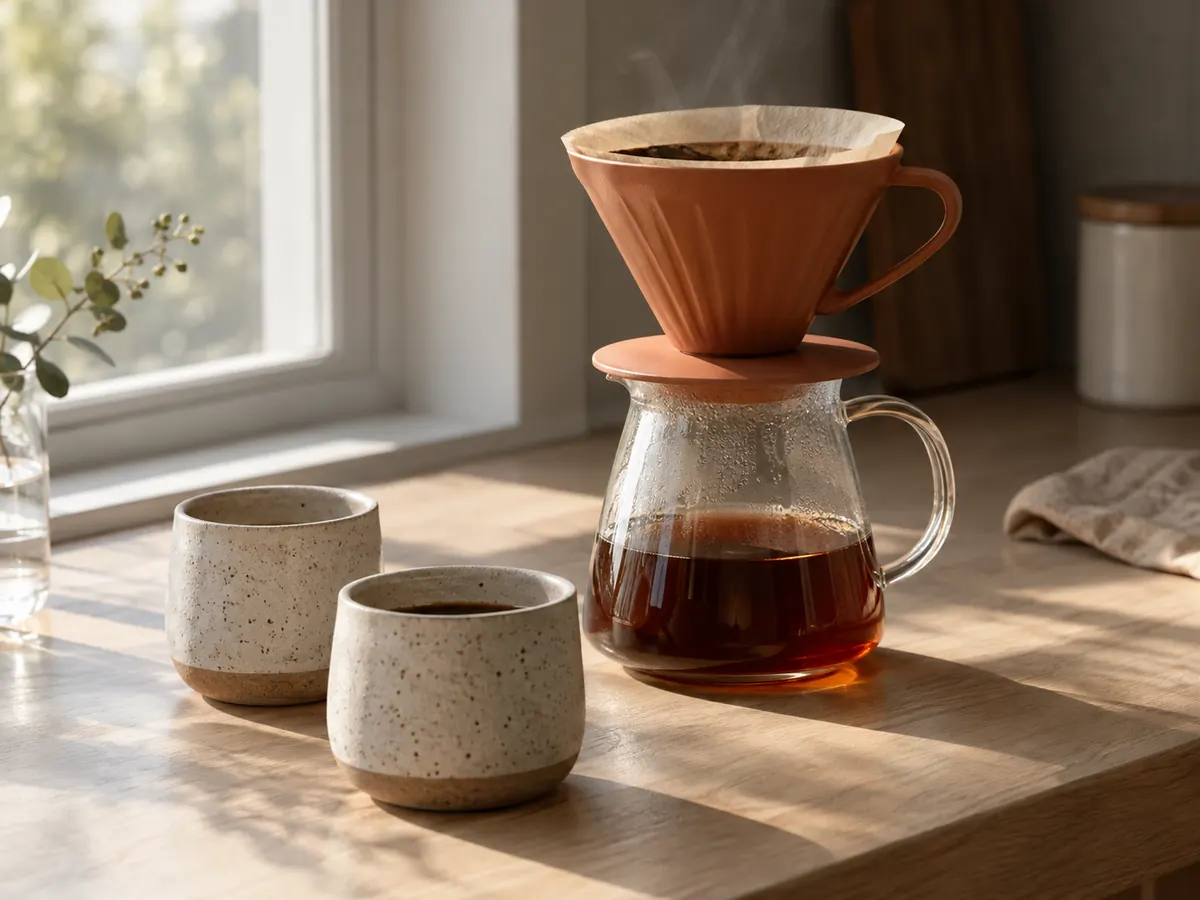 GPT Image 2.5 Flare · 1K · 4:3
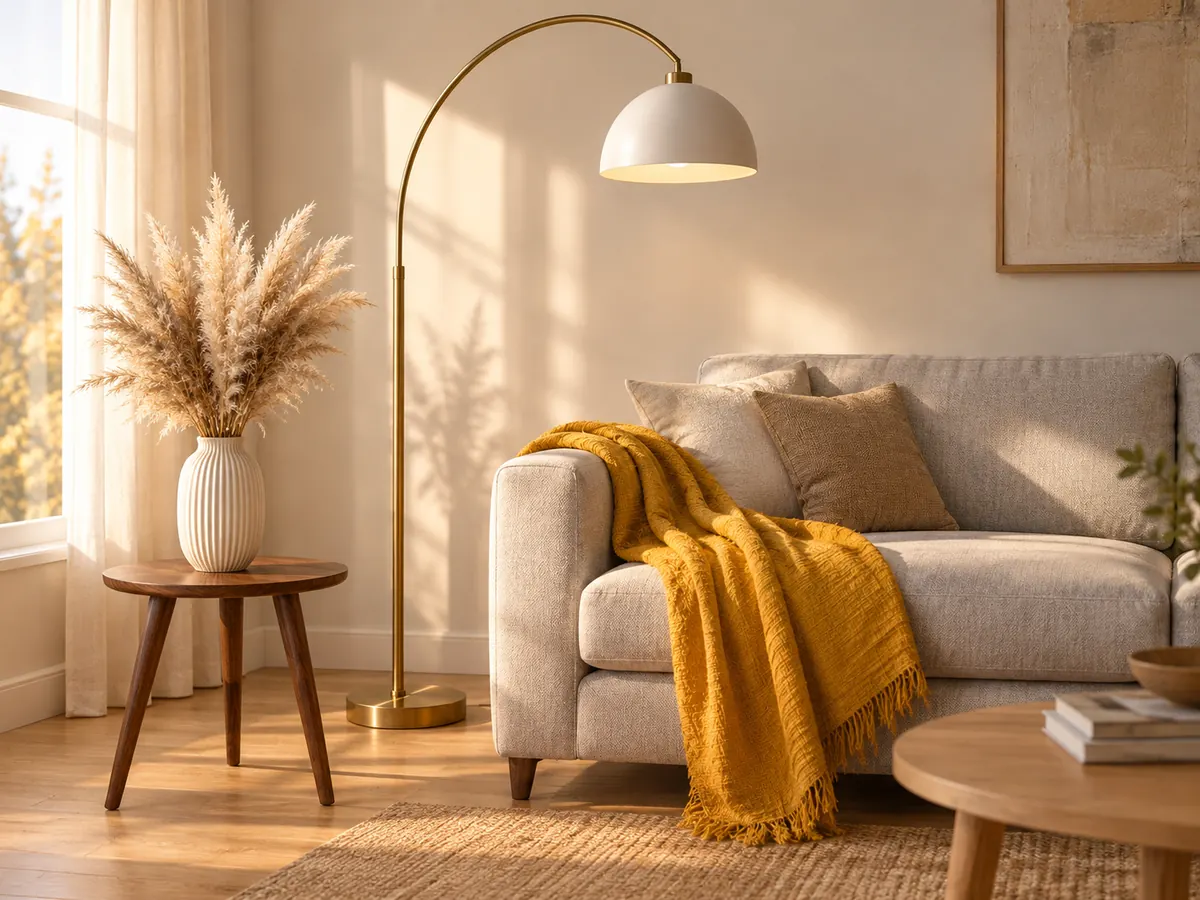 GPT Image 2.5 Flare edit · 4 references · 1K · 4:3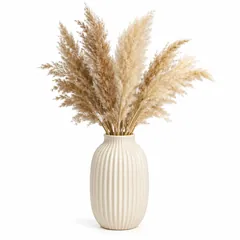
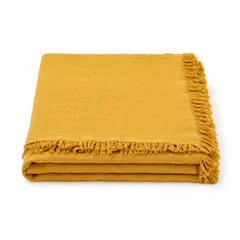
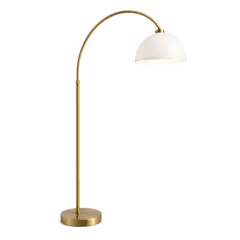
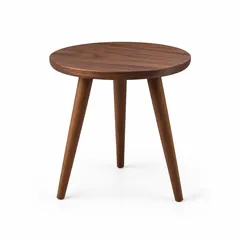
Edit with 16 references in the GPT Image 2.5 generator
Add 1 to 16 references and tell the GPT Image 2.5 generator where each item goes. In this example four product photos (a ribbed vase, a mustard linen throw, a brass arc lamp and a walnut side table) became one living-room scene, and each piece kept its shape and finish. It works for room mockups, product sets and keeping the same character across images.
- ✓16 references — more than any Nano Banana model on ClipTrend.ai
- ✓Name each image — "the lamp from image 3" puts every item in its place
- ✓Same price — an edit costs the same credits as a text prompt
Clean text and layout from the GPT Image 2.5 generator
Put the exact words in quotes and the GPT Image 2.5 generator sets them as headlines, times and short lists. The poster here came from one prompt: the title, the opening hours and all three bottom lines were spelled exactly as written, with no edits afterwards.
- ✓Quote the words — write "Saturday Farmers Market" exactly as it should appear
- ✓Posters and menus — headline, details and a short list in one image
- ✓Check small type — zoom in on tiny text before you publish
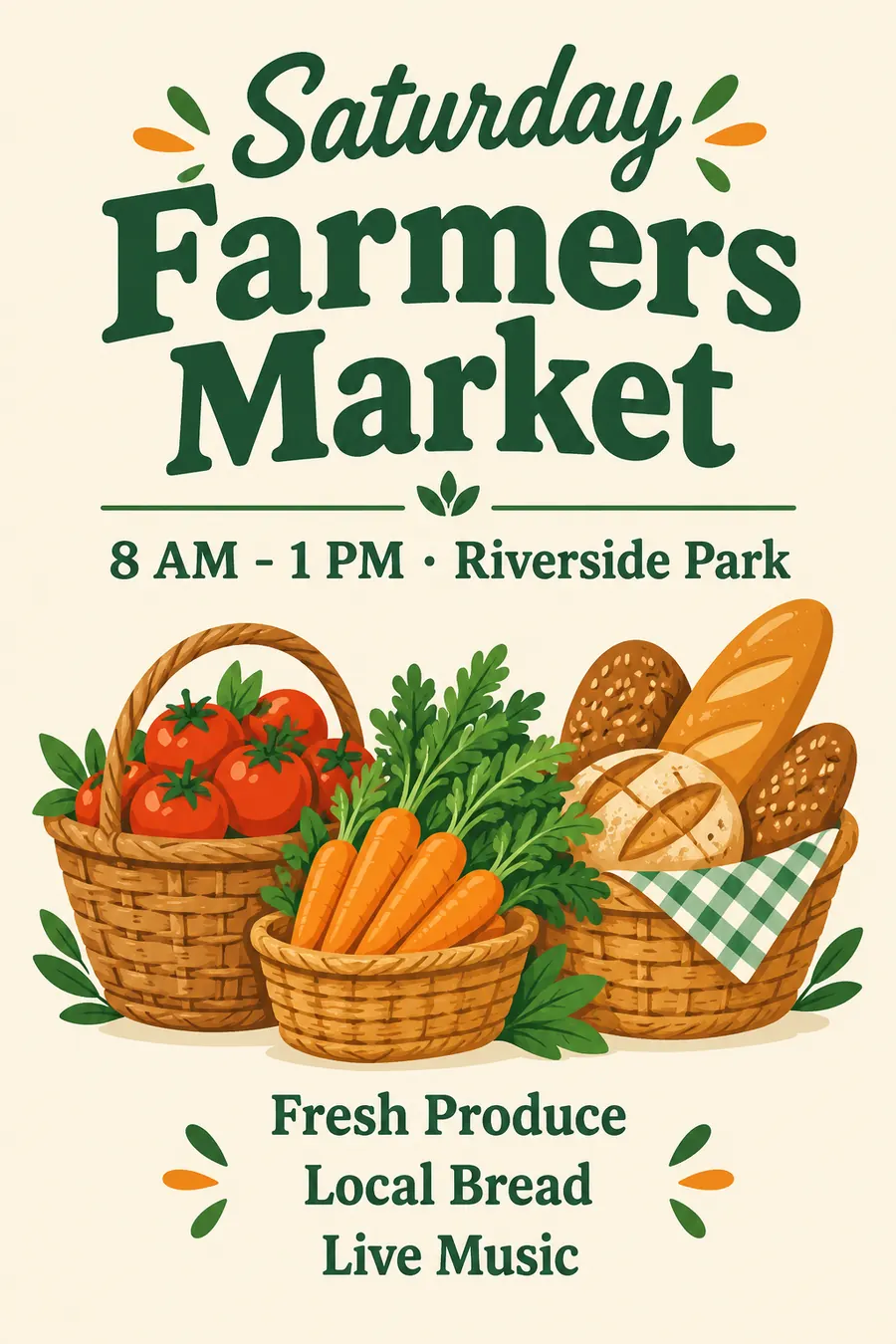 GPT Image 2.5 Flare · 1K · 2:3
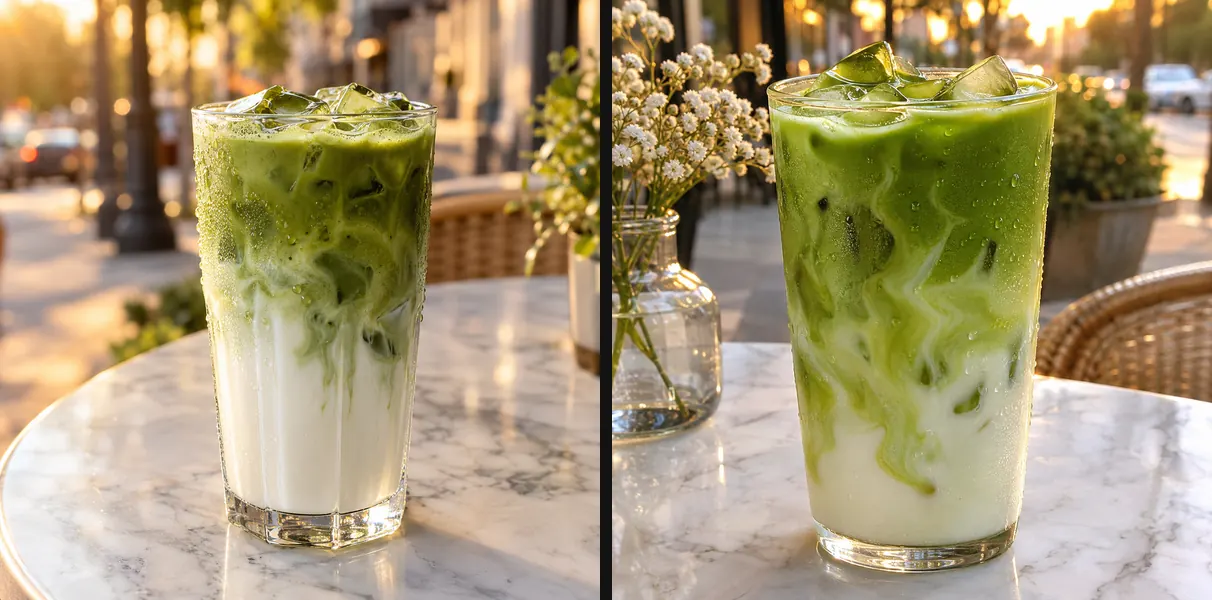 GPT Image 2.5 · Flare (left) vs Sunburst (right) · 1K · same prompt
GPT Image 2.5 Flare vs Sunburst
OpenAI ships GPT Image 2.5 in two variants. Flare is the fast one, built for everyday images. Sunburst is OpenAI's most capable variant and takes longer, which pays off on edits that need the most precision. Both cost the same credits on ClipTrend.ai. The pair here used the same prompt: Flare on the left, Sunburst on the right.
- ✓Flare — quick drafts and everyday images
- ✓Sunburst — final images and careful edits
GPT Image 2.5 vs GPT Image 2 vs Nano Banana 2.1 vs Nano Banana Pro
| Feature | GPT Image 2.5 | GPT Image 2 | Nano Banana 2.1 | Nano Banana Pro |
|---|---|---|---|---|
| Maker | OpenAI | OpenAI | ||
| Credits (1K / 2K / 4K) | 4 / 6 / 10 | 4 / 6 / 10 | 3 / 4 / 6 | 11 / 11 / 15 |
| Reference images on ClipTrend.ai | 16 | 16 | 10 | Text only |
| Variants | Flare · Sunburst | One | One | One |
| Best for | Blending many references | The previous OpenAI model | Fast, low-cost images | Finest detail |
Verdict — Choose GPT Image 2.5 when you need to blend more than 10 reference images or want OpenAI's newest model. Nano Banana 2.1 costs fewer credits for everyday images, and the Pro tier is strong on fine detail. Want the earlier OpenAI model? See GPT Image 2.
GPT Image 2.5, explained
GPT Image 2.5 vs GPT Image 2: what changed⌄
OpenAI released GPT Image 2.5 on September 8, 2026 and made it the image model in ChatGPT, where it is called ChatGPT Images 2.5. OpenAI lists faster generation, crisper images and better consistency across multi-turn edits. In the API it comes as two variants: Flare for fast everyday work and Sunburst for the most demanding edits.
On ClipTrend.ai both variants cost 4 / 6 / 10 credits at 1K / 2K / 4K, take 16 reference images per edit and read prompts as long as 20,000 characters. There are 12 aspect ratios plus auto; 27:16, 16:27, 9:8, 8:9 are available at 1K only.
How to write a prompt for the GPT Image 2.5 generator⌄
Describe the subject, the setting, the light and the style in plain sentences, and put any text that must appear in quotes. For edits, number your reference images in the prompt ("the vase from image 1") so each item lands where you want it.
Start with Flare to find the idea, then switch to Sunburst for the final version or for a careful edit. Change one thing per round so it is clear what each edit did.
Frequently asked questions
What is GPT Image 2.5?⌄
GPT Image 2.5 is OpenAI's image generation and editing model, released on September 8, 2026. In ChatGPT it is called ChatGPT Images 2.5. You can use the GPT Image 2.5 generator on this page without an OpenAI account.
Is GPT Image 2.5 the same as ChatGPT Images 2.5?⌄
Yes. ChatGPT Images 2.5 is the name inside ChatGPT; developers use the same model through the API as GPT-Image-2.5 Flare and GPT-Image-2.5 Sunburst.
GPT Image 2.5 Flare vs Sunburst: which should I use?⌄
Flare is OpenAI's fast variant for everyday images. Sunburst is its most capable variant; it is slower and suits final images and precise edits. Both cost the same credits on ClipTrend.ai.
GPT Image 2.5 vs GPT Image 2: what is the difference?⌄
OpenAI says GPT Image 2.5 is faster, renders crisper images and keeps details more consistent across repeated edits. GPT Image 2 is still available on ClipTrend.ai.
How many reference images can I use with GPT Image 2.5?⌄
16 per edit on ClipTrend.ai, for both Flare and Sunburst. Extra images are refused before any credits are charged.
Which sizes and aspect ratios does GPT Image 2.5 support?⌄
1K, 2K and 4K. The 12 ratios are 1:1, 3:2, 2:3, 16:9, 9:16, 4:3, 3:4, 21:9, 27:16, 16:27, 9:8, 8:9, plus auto; 27:16, 16:27, 9:8, 8:9 are available at 1K only.
How many credits does a GPT Image 2.5 image cost?⌄
4 / 6 / 10 credits at 1K / 2K / 4K, for Flare and Sunburst alike. An edit with reference images costs the same as a text prompt, and the generator shows the exact cost before you click Generate.
Is ClipTrend.ai affiliated with OpenAI?⌄
No. GPT Image 2.5 is an OpenAI model; ClipTrend.ai runs it and is not affiliated with OpenAI. OpenAI and ChatGPT are trademarks of OpenAI.



Make your first image with the GPT Image 2.5 generator
Write a prompt or add 16 references, then pick Flare or Sunburst. From 4 credits per image, no OpenAI account.
Generate with GPT Image 2.5