
What the ChatGPT image generator can do
The ChatGPT image generator turns one prompt into a finished visual
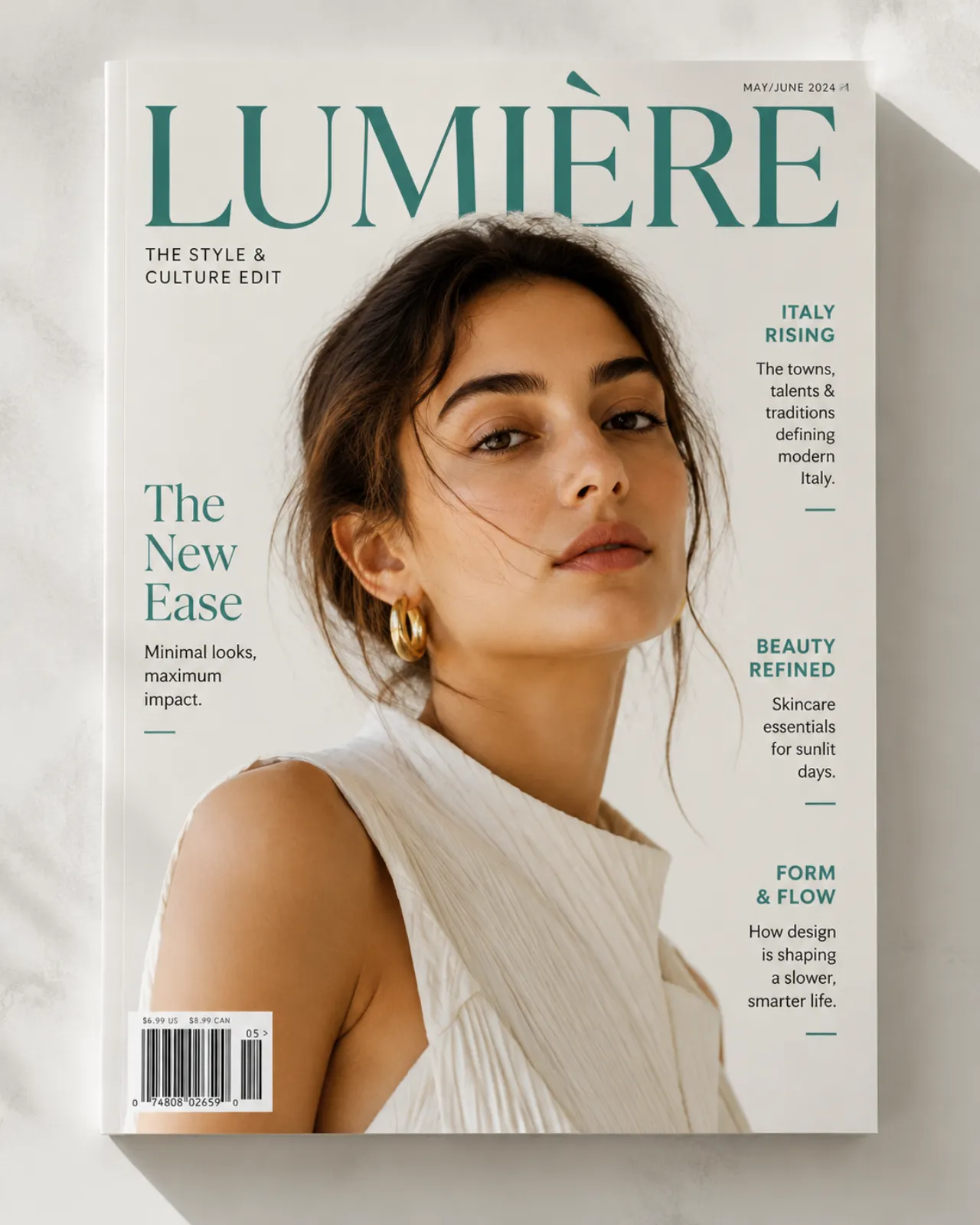
Describe an editorial layout, a magazine cover, or a campaign key visual and the ChatGPT image generator renders it with OpenAI's native reasoning about hierarchy, whitespace, and legible typography. GPT Image 2 powers this text-to-image mode and accepts prompts up to 20,000 characters — the longest input window of any image model on ClipTrend — so you can spell out brand rules, layout grids, and copy line by line in a single brief. It's the same model people mean when they search for a ChatGPT image generator: OpenAI's image engine, here without a developer account.
- ✓20,000-char prompts — write a full design brief, not a keyword soup
- ✓Editorial-grade layout — hierarchy, whitespace, and on-image headlines that read cleanly
- ✓Brand-aware composition — OpenAI reasons about tone, not just objects
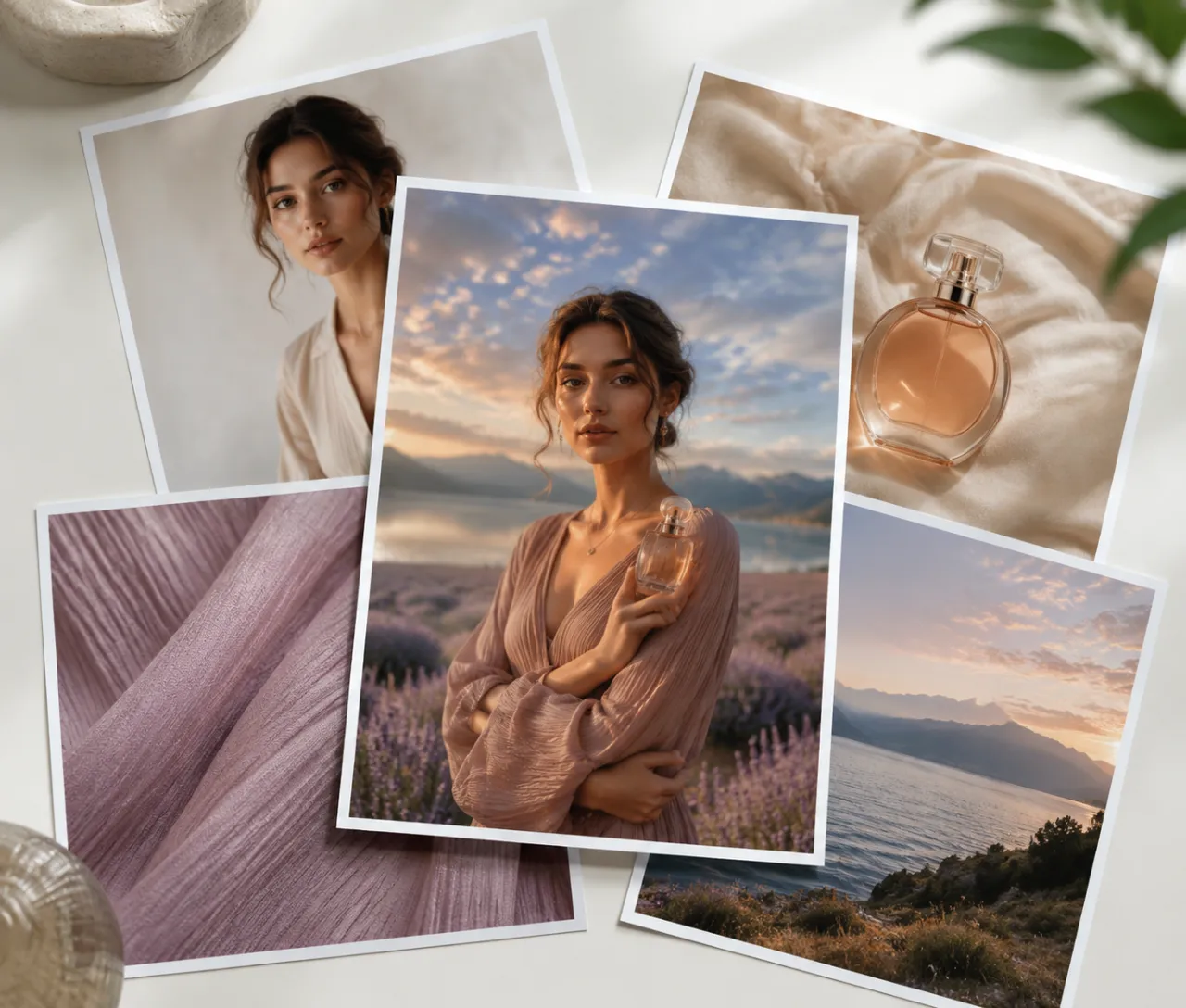
Blend up to 16 reference images in a single edit
This is the page's headline trick: GPT Image 2 is the only multi-image editor on ClipTrend, accepting up to 16 input images in one generation. Most ChatGPT image generator tools cap you at a single reference, but here you can merge two portraits into one face, drive a subject with a five-frame moodboard, or composite several product shots into one hero — all at one flat price, whether you upload 1 reference or 16. No other image model on the workspace expresses a multi-reference blend in a single prompt.
- ✓Up to 16 references — one flat cost, not billed per reference image
- ✓Multi-reference blends — portraits, moodboards, product composites in one shot
- ✓Reasoned composition — OpenAI weighs many inputs instead of stacking layers
A ChatGPT image generator that edits exactly what you name
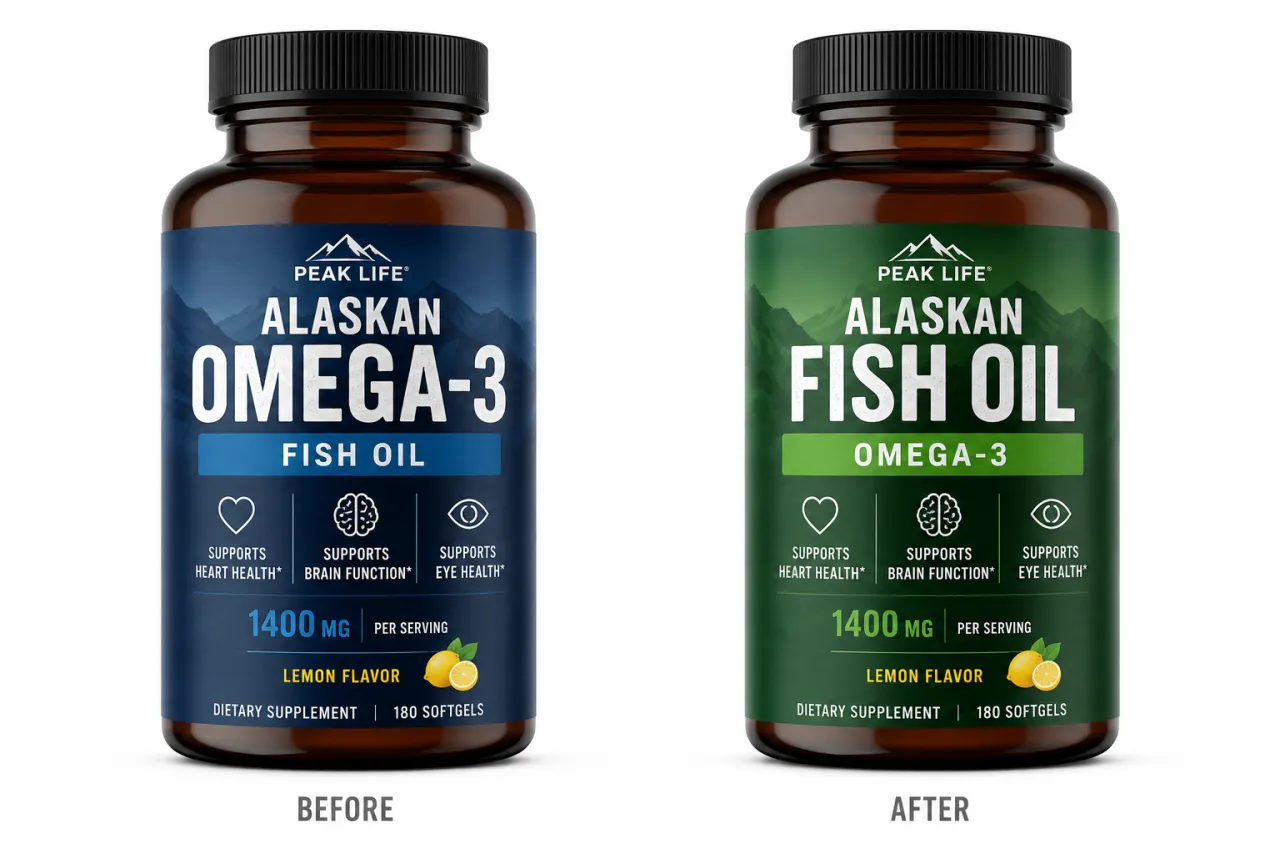
GPT Image 2 follows precise instructions instead of guessing — the ChatGPT image generator behavior people actually want. Tell it to recolor a jacket, swap the headline text, move a logo to the corner, or remove a background object, and it changes only what you named while preserving the rest of the frame. That instruction-following accuracy is why this model wins targeted edits that prompt-only generators tend to redraw from scratch.
- ✓Targeted changes — recolor, retype, reposition without redrawing the scene
- ✓Reliable typography — edit on-image text and keep it readable
- ✓Preserves the subject — the parts you didn't mention stay put
For brand campaigns that blend many product shots into one frame
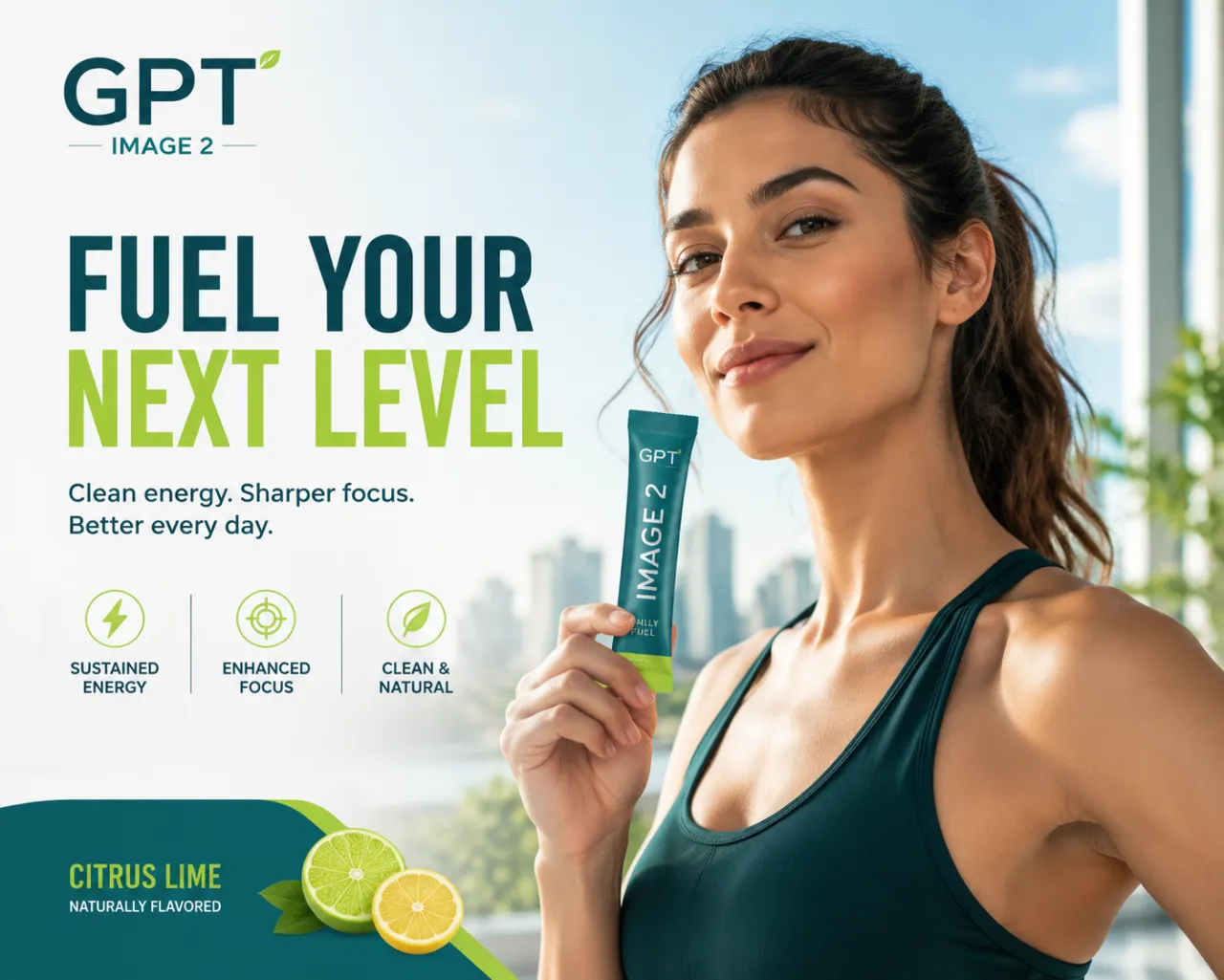
The ChatGPT image generator earns its place whenever one image has to fuse several inputs and still look art-directed — campaign key visuals that composite a model, a product, and a backdrop from separate shots, editorial covers laid out from a long brief, and on-brand social graphics where the layout and the wording both have to land. Reach for GPT Image 2 any time a single edit needs more than one reference or a precise, named change rather than an auto-generated dice roll.
Try the ChatGPT image generator free →GPT Image 2 vs Nano Banana Pro vs Ideogram 3.0 vs Nano Banana 2
| Feature | GPT Image 2 | Nano Banana Pro | Ideogram 3.0 | Nano Banana 2 |
|---|---|---|---|---|
| Multi-image input | Up to 16 references | Single reference | Single reference | Single reference |
| Max prompt length | 20,000 chars | 2,000 chars | 5,000 chars | 2,000 chars |
| Instruction editing | Precise, targeted | Precise single-ref | Typography-led | Fast single-ref |
| Best output | Editorial layout | 4K photoreal | Headline typography | Fast value photoreal |
| Best for | Multi-ref blends & brand layout | Photoreal at 4K | Text-as-hero | Cheapest quick edits |
Verdict — Pick the ChatGPT image generator (GPT Image 2) when an edit needs more than one reference image or the output needs art-directed editorial layout and instruction-level control; pick Nano Banana Pro for 4K photoreal single-reference work, Ideogram 3.0 when on-image headline typography is the hero element, and Nano Banana 2 for the cheapest fast single-reference edits.
GPT Image 2, explained
What is the ChatGPT image generator (GPT Image 2), and who is it for?⌄
The ChatGPT image generator is OpenAI's image generation and editing model, GPT Image 2, exposed on ClipTrend.ai through the Kie endpoint so you can generate without an OpenAI developer account. It runs in two modes — text to image, which renders a finished visual from a written brief, and image to image, which edits or composites uploaded photos by instruction. Its signature strength is native reasoning about layout, typography, and brand aesthetics, so this ChatGPT image generator lands editorial and marketing visuals that prompt-only models often miss.
Two things set GPT Image 2 apart from every other image model on the workspace: it accepts prompts up to 20,000 characters — by far the longest input window here — and on the image-to-image side it references up to 16 input images in a single edit, making it the only multi-image blender on ClipTrend. Unlike the in-app ChatGPT image generator, which takes one reference, this version is built for designers, marketers, and brand teams who need art-directed output and instruction-level control, not a one-shot dice roll.
GPT Image 2 vs the other image models on ClipTrend⌄
Against Nano Banana Pro, GPT Image 2 wins on multi-image input (16 references vs one) and editorial layout reasoning; Nano Banana Pro wins on pure 4K photorealism and exposes resolution and aspect-ratio controls that GPT Image 2's API does not. Against Ideogram 3.0, the ChatGPT image generator wins on multi-reference blends and reasoned composition; Ideogram wins when on-image headline typography is the single most important element. Against Nano Banana 2, GPT Image 2 wins decisively on instruction-following accuracy and multi-reference editing; Nano Banana 2 wins on raw speed and value for quick single-reference fixes.
A practical workflow is to use them in sequence: draft a composite or a layout in GPT Image 2 using several references, then hand a single frame to Nano Banana Pro for a 4K photoreal finish, or to Ideogram when a headline needs to be the hero. GPT Image 2 is the anchor whenever the edit involves more than one input image or has to look art-directed.
Frequently asked questions
Is GPT Image 2 the same as the ChatGPT image generator?⌄
Yes — GPT Image 2 is OpenAI's image model, the same engine behind the ChatGPT image generator. On ClipTrend.ai you reach it through the Kie endpoint, so you get the ChatGPT image generator's quality without an OpenAI developer account, plus two things the in-app version lacks: prompts up to 20,000 characters and image-to-image blending of up to 16 reference photos in one edit.
How many reference images can the ChatGPT image generator use in one edit?⌄
On ClipTrend, GPT Image 2 accepts up to 16 input images in a single image-to-image generation, at one flat price whether you upload 1 reference or 16 — not billed per reference. Blend two portraits into one face, transfer style from a five-frame moodboard while preserving the subject, or composite several product shots into one hero image. This multi-image workflow is unique here; most ChatGPT image generator tools and the Nano Banana models support single-reference edits only.
Why is GPT Image 2 good at editing exactly what I ask?⌄
GPT Image 2 follows precise instructions instead of redrawing the whole frame. Tell it to recolor one element, swap headline text, reposition a logo, or remove a background object, and it changes only what you named while preserving the rest of the image — including readable on-image typography. That instruction-following accuracy is the ChatGPT image generator's core advantage over prompt-only image models.
Can I use GPT Image 2 output commercially?⌄
Yes, per OpenAI's usage terms for GPT Image 2 and ClipTrend.ai's Terms of Service. Uploaded references and prompts run through an automated safety check first; flagged inputs or outputs may be blocked before the file is returned. Exports are clean, high-resolution images ready for marketing, product, and editorial use.




The ChatGPT image generator, with 16-reference blends
GPT Image 2 on ClipTrend.ai — the only multi-image editor here, precise instruction editing, editorial layout, no subscription.
Generate with GPT Image 2