AI Video Transition Prompts: Smooth Scene Changes
Good AI video transition prompts explain how one visual state becomes another. Keep a shared subject or shape, name one physical motion bridge, choose one camera path, protect the details that must survive, and define the final beat. Start with a readable source in ClipTrend's AI image-to-video workspace, then test one transition variable at a time.
Last updated: August 11, 2026 · ~9 min read
A dramatic prompt cannot rescue two frames with incompatible identity, geometry, light, and perspective. Plan the handoff before generation, especially when the clip has a fixed opening or ending image.
Unlike generic AI video prompts that describe only mood, transition prompts must explain the visible cause of the change. That cause might be a doorway, foreground wipe, matching action, reflection, or moving light.
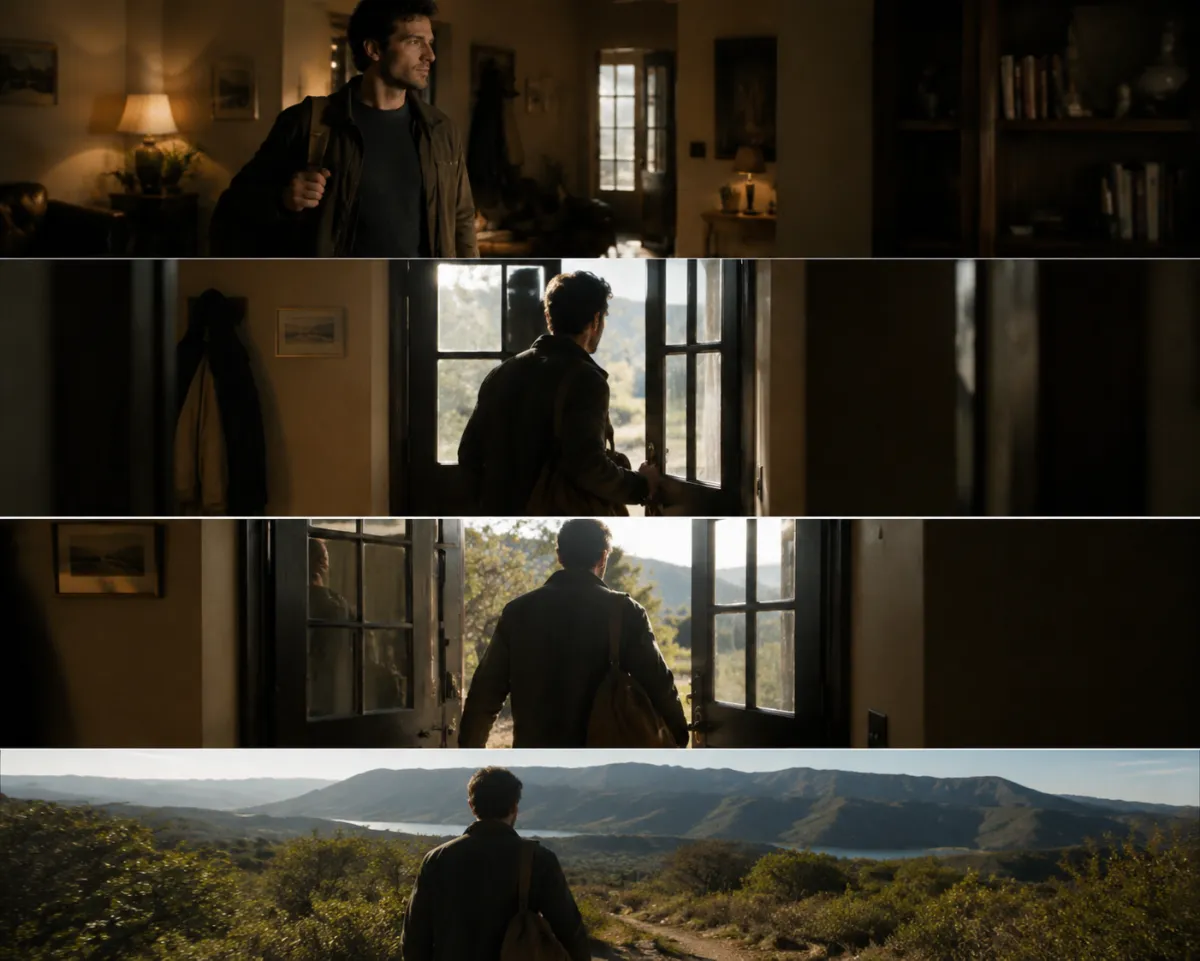
Conceptual storyboard, not a claimed model output: a stable transition shares visual anchors from beginning to end.
The five-part AI video transition prompt
Use this structure:
Opening anchor + transition trigger + camera path + protected details + final state
For example:
Begin with the uploaded portrait as the first frame. The adult subject walks through the open doorway as warm interior light sweeps across the lens and becomes cool dawn light outside. Camera follows behind in one smooth forward move. Keep the subject's face, hair, fully clothed outfit, body proportions, and walking direction consistent. End on a steady wide shot with the subject outside, facing the same direction.
The prompt gives the model a physical bridge—the doorway—and a lighting bridge. It does not ask the room to explode into a city while the camera orbits and the subject changes clothes.
Adobe's current video-prompt guidance recommends clear action, context, camera movement, style, and temporal detail. Those pieces are useful across models even when the interface or prompt enhancer is different.
Start by deciding what stays the same
A transition is easier to read when at least one anchor survives:
- the same person or character;
- the same object silhouette;
- the same camera direction;
- a matching color or light source;
- a repeated shape, pose, or gesture;
- one environment feature, such as a door, window, mirror, or road.
If every visible element changes, the model has no obvious continuity target. The result may become a hard morph rather than a motivated scene change.
Write the protected list from the anchor:
Keep facial identity, hairstyle, coat shape, walking direction, and camera height consistent.
Do not protect twenty details out of habit. Protect what you will inspect.
Seven AI video transition prompts to adapt
1. Doorway match transition
Use the uploaded indoor portrait as the opening. The fully clothed adult walks through the doorway while the camera follows in a gentle forward move. As the subject crosses the threshold, warm indoor light changes gradually to cool outdoor dawn. Preserve identity, outfit, stride, camera height, and direction. End outside on a stable medium-wide frame. No sudden cut, duplicate person, wardrobe change, or camera spin.
Why it works: the doorway hides part of the scene during the handoff, and the subject's motion explains why the background changes.
2. Object wipe transition
Begin on the uploaded product shot. A dark fabric passes naturally across the foreground from left to right, briefly filling the frame. Behind the wipe, reveal the same product in a new studio setup. Camera remains locked. Keep product silhouette, proportions, color, cap, and label area stable. End on a centered hero frame. No product redesign or extra object.
Use this when an object can cover the frame. Exact packaging text still needs frame-by-frame review and may require conventional compositing.
3. Match-on-action transition
Start with the adult subject raising one hand toward the camera. As the palm fills the frame, continue the same arm motion in the second environment and pull back smoothly. Preserve face, hand, clothing, movement direction, and speed. End with the subject completing the gesture in the new location. No extra fingers, reversed motion, or abrupt lighting jump.
The action should start before the environment changes and finish after it.
4. Camera pan reveal
Begin in the uploaded café scene. Camera pans slowly right past a dark pillar that briefly fills the frame. Continue the same pan speed into an evening street scene. Keep horizon height, lens feel, motion direction, and color palette consistent. End on a stable street composition. No whip pan, new people near the lens, or change in camera height.
A foreground obstruction gives the model a low-information moment in which to bridge scenes.
5. Reflection transition
Start with the adult subject looking into a mirror. Camera moves closer to the reflection until it fills the frame. The reflection becomes the next scene while preserving facial identity, hairstyle, expression, and camera angle. Pull back slightly and end with the subject in the new environment. No duplicate face, mirror seam, or reversed features.
Mirrors are visually strong but fragile. Simplify the background and avoid multiple reflective surfaces.
6. Color-and-light transition
Begin with the uploaded blue-hour city frame. A moving warm light crosses the subject from left to right, gradually changing the environment into a golden interior while the camera stays still. Keep subject identity, pose, fully clothed outfit, silhouette, and composition unchanged. End after the light settles. No body motion beyond a natural blink and breath.
This works best when the composition is nearly identical and only atmosphere changes.
7. Product rotation handoff
Start with the uploaded unbranded product facing three-quarter left. Rotate it slowly clockwise as the background shifts through a soft light sweep into a second studio color. Keep shape, material, color, closure, and rotation speed stable. End at three-quarter right on a clean centered frame. No full spin, warped edges, invented text, or extra products.
Use a small rotation. A full orbit asks the model to invent unseen product geometry.
Compatibility check before you generate
If you use a first and last frame, compare them in this order:
| Check | Compatible pair | High-risk pair |
|---|---|---|
| Identity | Same subject and recognizable features | Different face, hair, or clothing |
| Camera | Similar height, lens, and direction | Wide low angle to tight overhead |
| Light | One plausible change path | Opposite hard light with no trigger |
| Geometry | Shared pose, object, or silhouette | Unrelated shapes and spatial layout |
| Motion | One action can connect the states | Teleportation plus several transformations |
| Timing | One readable change | Five story beats in a short clip |
Use the first-and-last-frame guide when both endpoints are fixed. Use the best first-frame checklist when only the opening image is fixed.
Transition prompts for image-to-video versus text-to-video
Image-to-video
The source already defines subject, composition, light, and style. Spend prompt space on motion, protection, and the ending. Repeating every visible detail can create conflicts.
For image-to-video, the most useful AI video prompts protect the source first and describe the transition second. If the source identity or geometry drifts, a clever handoff cannot make the clip usable.
Use the broader image-to-video prompt examples for portraits, products, landscapes, and illustrations.
Text-to-video
There is no supplied first frame, so establish the opening before describing the change:
Opening: a locked medium shot of a red bicycle against a pale studio wall. Transition: a moving shadow crosses the wall and becomes a night city street while the bicycle remains centered. Camera stays locked. Ending: the same bicycle under a streetlamp, unchanged.
ClipTrend's text-to-video workspace lets you compare current model settings. Treat the live model selector as the current capability contract.
Choose one camera path
Transitions often fail because the prompt stacks incompatible camera verbs:
Orbit, zoom in, pan left, crane up, and whip to the second scene.
Choose the move that explains the handoff:
- Locked camera: best when light, color, or a foreground wipe changes the scene.
- Forward push: useful for doors, tunnels, mirrors, screens, and portals.
- Lateral pan: useful when a pillar, wall, person, or object covers the lens.
- Small orbit: useful when the subject itself transforms, but hidden geometry becomes a risk.
- Pull-back reveal: useful when the second scene is a larger context around a shared detail.
Our AI video camera movement prompts explain the vocabulary. A camera move should clarify the transition, not compete with it.
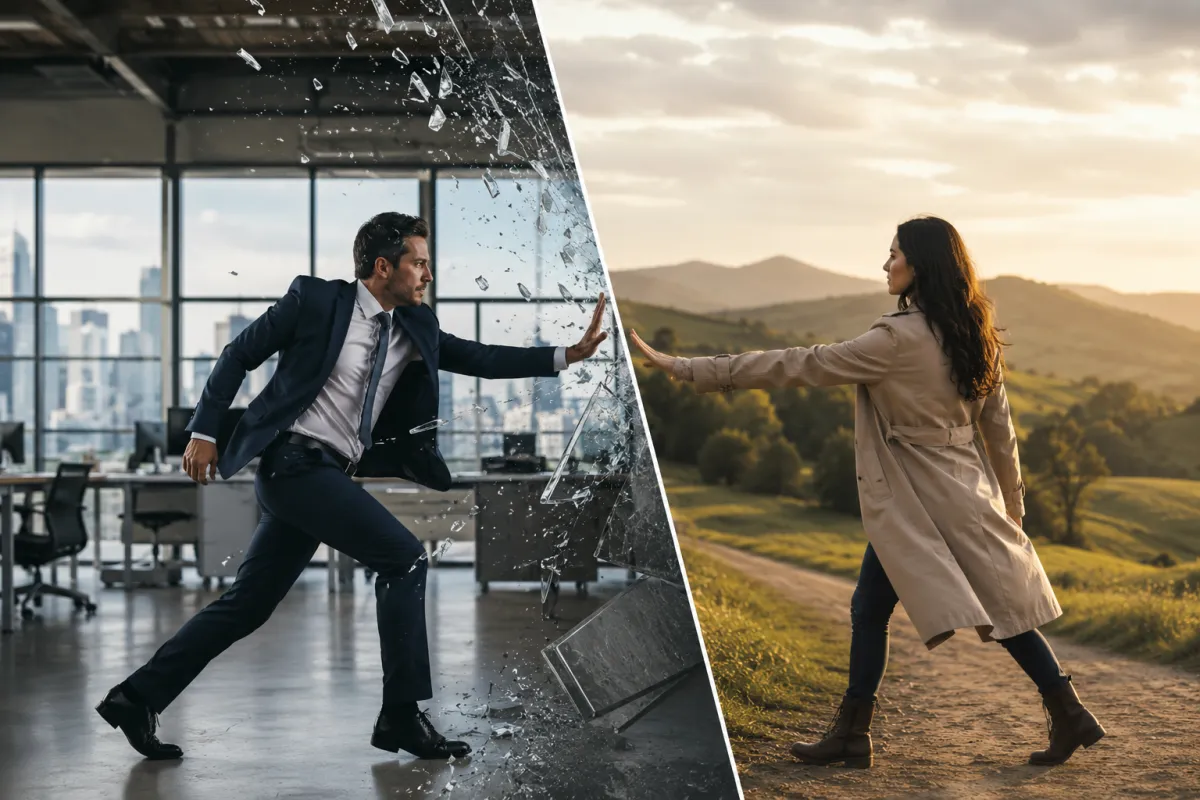
Conceptual failure diagnosis: reduce the number of simultaneous changes until the handoff has one visible cause.
Fix common transition failures
| Failure | Likely cause | Next test |
|---|---|---|
| Face changes halfway | Identity not protected; large angle change | Keep a similar angle; reduce camera move; name identity details |
| Subject duplicates | Transition trigger creates a second instance | State “same single subject”; use a foreground wipe |
| Scene melts instead of changing | No physical or visual bridge | Add doorway, light sweep, obstruction, or matching action |
| Camera jumps | Several camera verbs or incompatible frames | Keep one path and match camera height |
| Wardrobe changes | Environment change is interpreted globally | Protect the fully clothed outfit, color, and silhouette |
| Ending never settles | No final composition or too many beats | Define pose, framing, and camera stop |
| Product deforms | Rotation reveals unseen geometry | Reduce rotation; use a more descriptive source image |
Change one variable on the next attempt. If you change the source, camera, action, lighting, and negatives together, you will not know which fix worked.
The AI image-to-video mistakes guide covers source quality, anatomy, and background problems outside transitions.
A three-run transition test
Run 1: motion bridge only
Use the simplest source and one transition trigger. Keep the camera locked if possible. The goal is to see whether the model understands the handoff.
Run 2: add one camera move
Keep the successful trigger and add a small push or pan. Do not change the scene design.
Run 3: polish light and ending
Add the intended color shift, atmosphere, and stable end pose. If the result degrades, return to Run 2 and add only one polish detail.
This sequence costs fewer blind retries than beginning with the final cinematic paragraph.
Model choice for transitions
Different models may prioritize speed, expressive motion, prompt adherence, endpoint control, or consistency. Compare their response to the same AI video prompts with one source rather than two different showcase clips.
- Use Grok Imagine for a fast first interpretation and style-forward motion tests.
- Use Kling 3 when its current control set matches the shot.
- Use Wan 2.7 when first/last-frame control is the central requirement.
Model versions, costs, and settings change. Check the live pages and current pricing before planning a batch.
Rights and honest use
Only animate images and people you may use. Get consent before animating a real adult. Do not use transitions to fabricate deceptive evidence, impersonate someone, or conceal the origin of a sensitive edit.
For client work, record the source license, prompt, model/version, generation date, selected output, and any conventional edit applied afterward.
Frequently asked questions
What makes an AI video transition look smooth?
A shared visual anchor, one motivated motion bridge, compatible camera geometry, gradual light or color change, and a stable ending make the handoff easier to read.
How long should an AI video transition prompt be?
Long enough to name the opening, trigger, camera path, protected details, and ending. Remove adjectives that do not change a visible decision.
Should I use a first and last frame?
Use both when the endpoint matters and the frames are compatible. If the ending can be flexible, one strong opening image gives the model more room to build a natural path.
Why does my transition turn into a morph?
The frames may lack a shared anchor or the prompt may ask for too many simultaneous changes. Add a doorway, foreground wipe, matching action, or light bridge and simplify the camera.
Related guides
- Open the AI image-to-video workspace →
- Browse image-to-video prompt examples
- Plan first and last frames
- Use one camera movement
- Compare AI image-to-video models
- Check current model pricing
Give the change a visible cause
The strongest AI video transition prompts do not say “make it seamless” and hope. Like other production-ready AI video prompts, they preserve one anchor, create one motivated bridge, use one camera path, and settle on a specific ending. Generate the simple version first, then add polish only after the transition itself holds together.
<script
type="application/ld+json"
dangerouslySetInnerHTML={{
__html: JSON.stringify({
'@context': 'https://schema.org',
'@type': 'BlogPosting',
headline: 'AI Video Transition Prompts: Smooth Scene Changes',
description: 'Use AI video transition prompts built around a shared subject, camera path, motion bridge, and ending beat, with fixes for morphing and scene jumps.',
image: 'https://cliptrend.ai/imgs/blog/ai-video-transition-prompts-hero.webp',
datePublished: '2026-08-11',
dateModified: '2026-08-11',
author: { '@type': 'Organization', name: 'ClipTrend.ai Editorial Team' },
publisher: { '@type': 'Organization', name: 'ClipTrend.ai', logo: { '@type': 'ImageObject', url: 'https://cliptrend.ai/logo.png' } },
mainEntityOfPage: { '@type': 'WebPage', '@id': 'https://cliptrend.ai/blog/ai-video-transition-prompts' },
}),
}}
/>
<script
type="application/ld+json"
dangerouslySetInnerHTML={{
__html: JSON.stringify({
'@context': 'https://schema.org',
'@type': 'FAQPage',
mainEntity: [
{ '@type': 'Question', name: 'What makes an AI video transition look smooth?', acceptedAnswer: { '@type': 'Answer', text: 'A shared visual anchor, one motivated motion bridge, compatible camera geometry, gradual light or color change, and a stable ending make the handoff easier to read.' } },
{ '@type': 'Question', name: 'How long should an AI video transition prompt be?', acceptedAnswer: { '@type': 'Answer', text: 'Long enough to name the opening, trigger, camera path, protected details, and ending. Remove adjectives that do not change a visible decision.' } },
{ '@type': 'Question', name: 'Should I use a first and last frame?', acceptedAnswer: { '@type': 'Answer', text: 'Use both when the endpoint matters and the frames are compatible. If the ending can be flexible, one strong opening image gives the model more room to build a natural path.' } },
{ '@type': 'Question', name: 'Why does my transition turn into a morph?', acceptedAnswer: { '@type': 'Answer', text: 'The frames may lack a shared anchor or the prompt may ask for too many simultaneous changes. Add a doorway, foreground wipe, matching action, or light bridge and simplify the camera.' } },
],
}),
}}
/>