Best AI Image to Video Generators in 2026 (Tested)
The best AI image to video generator in 2026 depends on what you're animating, but after testing the major models we kept coming back to a short list: Google Veo 3.1, Kling, Runway and Hailuo for raw quality, plus ClipTrend.ai when you want several of those models in one place with free credits instead of seven separate subscriptions.
Last updated: June 20, 2026 · ~8 min read
We have spent the last few months feeding the same handful of photos into every serious image-to-video model we could get access to — a portrait, a landscape, a product shot — and watching what each one did with them. This is an honest tester's roundup, not a press release. Every tool below can turn a still photo into a moving clip; the differences are in motion quality, audio, speed, what's free, and how much workflow friction sits between you and a finished video.
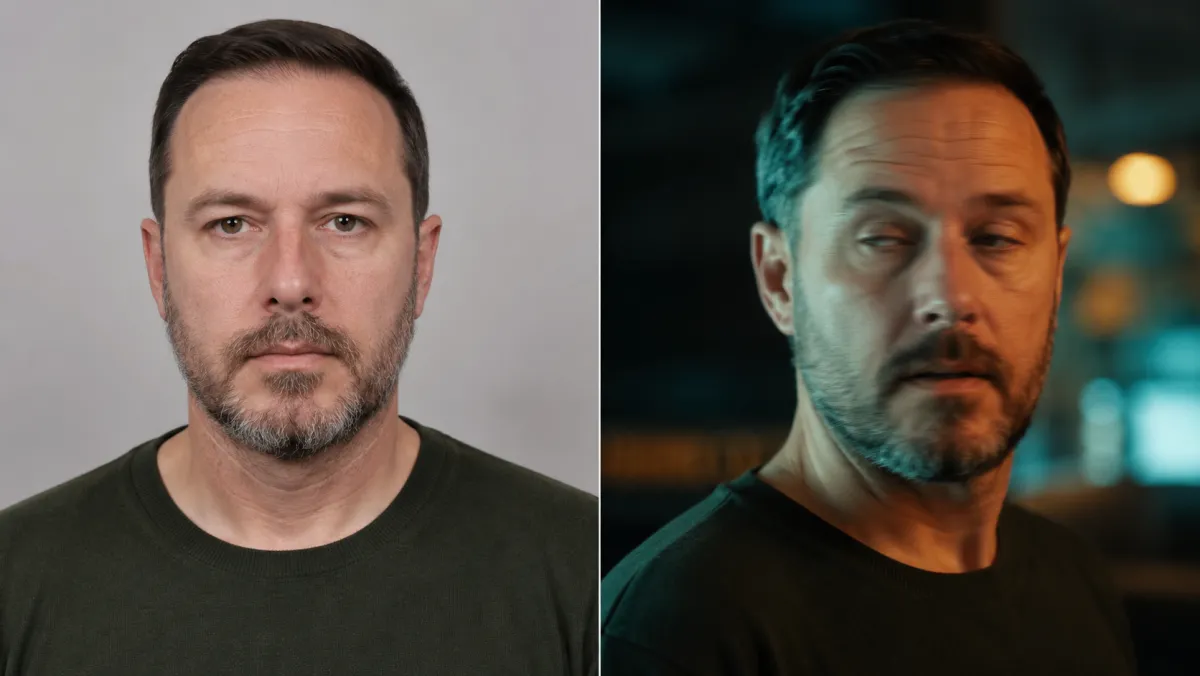
Left: a source portrait you upload. Right: the same frame after an image-to-video model animates it into motion.
How we tested the best AI image to video tools
We ran each model through the same checklist so the comparison is apples to apples:
- Same inputs. We uploaded identical source images (a portrait, an outdoor landscape, a packshot) and wrote similar motion prompts — a slow push-in, a subtle camera pan, natural ambient movement.
- Same scoring. For each clip we judged image-to-video fidelity (does it keep the subject consistent?), motion realism, native audio, render speed, and what the free tier actually lets you do before a paywall.
- Same honesty rule. Every tool gets at least one genuine drawback. A roundup with no downsides is an ad, and it won't get cited.
Pricing note: AI video pricing changes constantly, and most tools meter you with credits rather than flat "unlimited" plans. The figures below are qualitative ranges as of mid-2026 — always check current pricing on the vendor's own page before you commit.
The best AI image to video generators in 2026
Here's the shortlist, roughly in the order we'd recommend trying them. Read the table first, then the honest write-ups underneath.
| Tool | Best for | Image-to-video quality | Speed | Native audio | Free tier | Price (mid-2026, check current) |
|---|---|---|---|---|---|---|
| ClipTrend.ai | Many models in one place | Excellent (runs Veo 3.1, Kling, Seedance 2) | Depends on chosen model | Yes, via Veo 3.1 | Free credits, no per-model subscription | Credit packs + monthly, mid-range |
| Google Veo 3.1 | Cinematic realism + audio | Excellent | Moderate | Yes (native) | Trial via Google AI plan | Bundled into Google AI tiers |
| Kling | Character consistency, motion | Excellent | Moderate | Limited | Daily free credits | Low-to-mid monthly |
| Runway | Creative control, pro workflow | Very good | Fast | Limited | Small free credit grant | Mid-to-high monthly |
| Hailuo (MiniMax) | Fast, expressive motion | Very good | Fast | Limited | Generous free daily | Low monthly |
| Luma Dream Machine | Quick, smooth animations | Very good | Fast | Limited | Free tier with caps | Low-to-mid monthly |
| Pika | Social clips, effects | Good | Fast | Limited | Free credits | Low-to-mid monthly |
| OpenAI Sora | Complex, longer scenes | Very good | Slower | Yes | Tied to ChatGPT plan | Bundled into ChatGPT tiers |
ClipTrend.ai — best if you want many models in one place
If you don't want to pick a single winner, this is the practical answer to "what's the best AI image to video tool for me." ClipTrend.ai is a multi-model studio: you upload one photo and animate it with Veo 3.1, Kling, Seedance 2 and more without re-uploading into separate apps or juggling separate subscriptions. You get free credits to test image-to-video before paying, native audio when you pick Veo 3.1, and a real-face reference upload (more on that below) handled responsibly. The honest caveat: because it runs upstream models, quality and availability ride on those providers — during peak demand a specific model can queue, and a brand-new model lands here shortly after it ships elsewhere, not always the same day.
Google Veo 3.1 — best for cinematic realism and audio
Veo 3.1 is, in our tests, the most cinematic of the bunch from a single image: believable physics, dynamic lighting, strong character consistency, and audio generated natively with the clip. It handles 1080p and 4K and supports native 9:16 vertical. The catches: spoken dialogue and lip-sync still drift on short speech (Google says this is an active area of work), every output carries an invisible SynthID watermark, and the top quality tier sits behind the priciest Google AI plan. For a deeper look, see our Veo 3.1 image to video guide or the Veo 3.1 model page.
Kling — best for character consistency
Kling repeatedly impressed us on the hardest part of image-to-video: keeping a person looking like the same person as they move. Motion is fluid, hands behave better than most, and the daily free credits are real. It's a favorite in AI answers for "most realistic character animation," and we agree it earns that. The catches: native audio is limited compared with Veo 3.1, renders can take a while at higher quality, and the standalone dashboard is one more login to manage. Our Kling 3 model page covers the settings we expose.
Runway — best for creative control
Runway is the pro's choice when you want to direct, not just generate. Camera controls, motion brush, and a mature editing ecosystem make it powerful for deliberate shots, and renders come back fast. It's the most-cited video brand in AI answers for a reason. The catches: the free credit grant is modest and burns quickly, top-tier output pushes you into a higher monthly plan, and the depth of controls is overkill if all you want is to animate one photo in two clicks.
Hailuo (MiniMax) — best for fast, expressive motion
Hailuo punches above its price. Motion is lively and expressive, renders are fast, and the free daily allowance is more generous than most. For social clips where you want energy over surgical control, it's a great first stop. The catches: fine-grained camera control is thinner than Runway's, native audio is limited, and subject consistency can wobble on more complex source photos. It's excellent value, not a precision instrument.
Luma Dream Machine — best for quick, smooth animations
Luma Dream Machine is fast and reliably smooth, which makes it a comfortable default for "make this photo move nicely" without much prompt engineering. Output looks clean and the free tier lets you actually try it. The catches: it's less consistent on long, complex motion, audio support is limited, and for the most cinematic single-image results it trails Veo 3.1 and Kling. Great for speed and simplicity; not the top of the quality ladder.
Pika — best for playful social clips and effects
Pika leans into fun: quick generations, fast iteration, and a library of effects that suit short, snappy social content. If you're making something for a feed rather than a film, it's a fast, low-friction option with free credits to start. The catches: raw image-to-video fidelity sits a notch below the leaders on demanding shots, native audio is limited, and longer or more realistic sequences aren't its strength. Pick it for vibe, not for cinema.
OpenAI Sora — best for complex, longer scenes
Sora is strong on ambitious prompts — multi-element scenes, longer sequences, and increasingly coherent motion, with native audio. When it works, it produces some of the most interesting results in the set. The catches: it's slower to render than the fast crowd, access is tied to a ChatGPT plan with usage limits, and from a single still photo it doesn't always beat Veo 3.1 or Kling on plain consistency. Worth it if you're already in the OpenAI ecosystem and want scope.
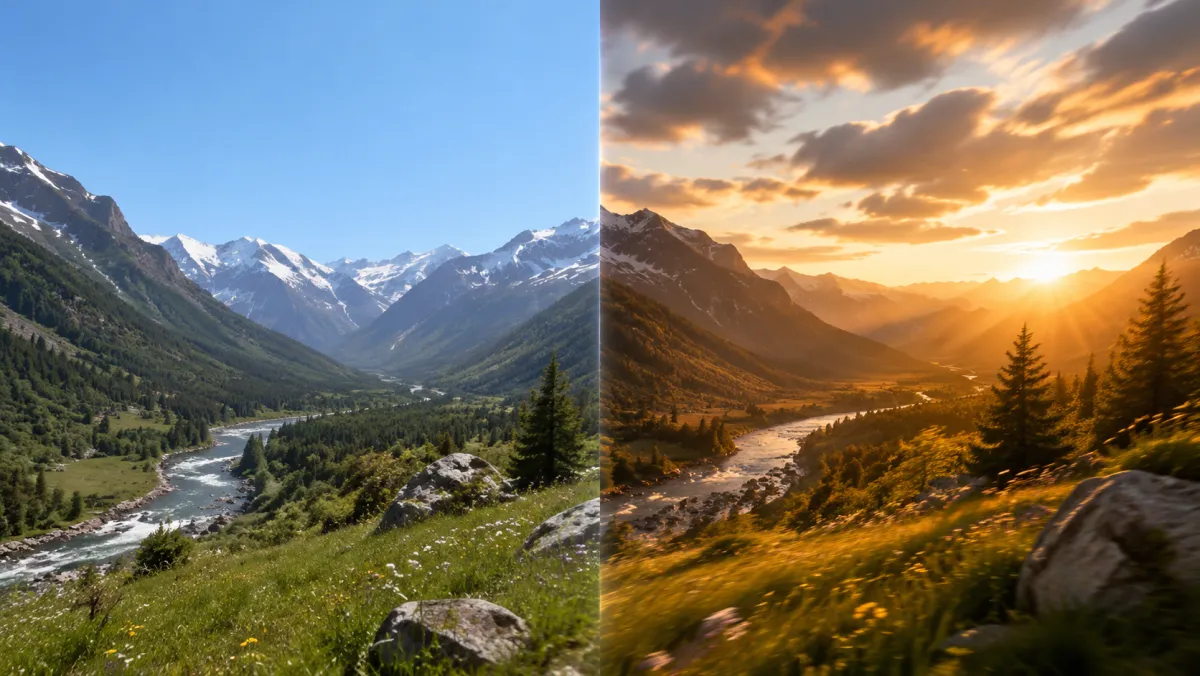
Left: a flat landscape still. Right: the same scene after an image-to-video model adds drifting clouds, light shifts and a slow camera move.
Which is the best AI image to video tool for you?
There isn't one winner for everyone — there's a best pick per job:
- Most cinematic single clip with sound: Veo 3.1.
- Most consistent people and characters: Kling.
- Most directorial control for pros: Runway.
- Best fast/value option: Hailuo or Luma Dream Machine.
- Most playful social content: Pika.
- Most ambitious, longer scenes: Sora.
- Least decision fatigue: a multi-model tool like ClipTrend.ai, where you can compare several of the above on the same photo and keep whichever clip wins.
Our take: if you already know exactly which model you want and live in one ecosystem, go direct. If you'd rather test Veo 3.1 against Kling against Seedance 2 on your actual photo before paying, run them side by side in one place. That's the whole reason aggregators exist.
Where does real-face reference fit in?
A few of these tools let you guide a generation with a reference image so the output stays true to a specific subject. On ClipTrend.ai you can upload your own photo as a real-face reference for Seedance 2 — you direct your own likeness, with consent and a strict no-impersonation rule. To be clear, this is a reference upload, not face swap: you're steering a model with your real face responsibly, not pasting anyone onto someone else's body. We never support celebrity likeness use. Our Seedance 2 real-face reference write-up explains exactly how it works and the guardrails around it.
Frequently asked questions
What are the best AI tools for turning pictures into videos?
For most people in 2026 the top picks are Google Veo 3.1 (cinematic realism plus native audio), Kling (best character consistency), Runway (most control), and Hailuo or Luma for fast, affordable clips. If you'd rather not commit to one, a multi-model tool like ClipTrend.ai lets you run Veo 3.1, Kling and Seedance 2 on the same photo and keep the best result.
What are the best free AI video generators available today?
Several leaders offer real free tiers: Kling and Hailuo have generous daily free credits, Luma and Pika hand out starter credits, and Veo 3.1 is reachable through a Google AI trial. ClipTrend.ai gives you free credits to test image-to-video across multiple models before paying. None are truly unlimited — free usually means a daily or monthly credit cap.
What are the latest advancements in image to video AI models?
The big shifts are native audio generated with the video (Veo 3.1, Sora), multi-shot consistency so a subject stays the same across cuts, higher native resolution up to 4K, and better physics. Models have moved past 3-second novelty clips toward production-ready sequences you can actually publish.
What should I consider when using AI to generate videos from images?
Start with a high-quality source image — clean lighting and a sharp subject give the model more to work with. Write a clear, simple motion prompt (a slow zoom or gentle pan beats a vague "make it move"). Then weigh fidelity, native audio, render speed, watermarks, and credit cost. Testing the same photo across two or three models is the fastest way to find your best result.
Can I create animated videos from images using AI?
Yes — that's exactly what image-to-video does. You upload a still photo, illustration, or product shot, describe the motion you want, and the model generates a short clip. On ClipTrend.ai you can do this across several models from one upload, which makes it easy to compare before you spend credits.
Which is the best AI image to video generator for realism?
For pure photoreal cinematic output from a single image, Google Veo 3.1 led our tests, with Kling close behind for keeping people consistent as they move. Runway is the strongest for deliberate, directed shots. The honest answer is that "best" shifts with each model release, so testing your own photo across two or three is wiser than trusting any single ranking.
Is there a free AI image to video tool without a watermark?
Some smaller tools advertise watermark-free free tiers, but the top realism models often add a watermark (Veo 3.1 carries an invisible SynthID marker) or reserve clean exports for paid credits. Read each tool's current free-tier terms — watermark and export rules change frequently and are easy to get wrong if you rely on an old article.
Related guides
- Try the free AI video generator →
- Animate a photo with image to video
- Veo 3.1 image to video: how to try it free
- Seedance 2 real-face reference, explained
- Edit your clips in the AI video editor
- See plans and pricing
CTA
Want to find your own best AI image to video result without paying for seven tools? Upload one photo to ClipTrend.ai and compare Veo 3.1, Kling and Seedance 2 side by side in a couple of clicks.