Viral AI Video Templates: What Makes a Template Spread?
A viral AI video template spreads when people understand the result before they click, can personalize it with one photo or one prompt, and get a clip that feels native to TikTok, Reels, or Shorts. The ClipTrend.ai templates page works because it turns a trend into a repeatable format instead of asking every creator to direct from scratch.
Last updated: July 1, 2026 - ~7 min read
Most viral AI videos do not spread because the underlying model is new. They spread because the format is easy to copy. A creator sees a jelly mattress, a talking object, a character swap, or a dance motion and instantly thinks, "I can put my photo into that." That is the difference between a model demo and a template.
The anatomy of a viral AI video template
The best templates have five parts:
- A clear first-frame promise. The thumbnail says what will happen without a tutorial.
- One upload or one choice. A creator should not need a long prompt engineering session.
- A repeatable motion. The template has a recognizable move: dance, transform, hug, speak, reveal, swap, or zoom.
- Personal identity. Users can put their face, pet, product, or character into the format.
- A short payoff. The result lands in a few seconds, with no slow setup.
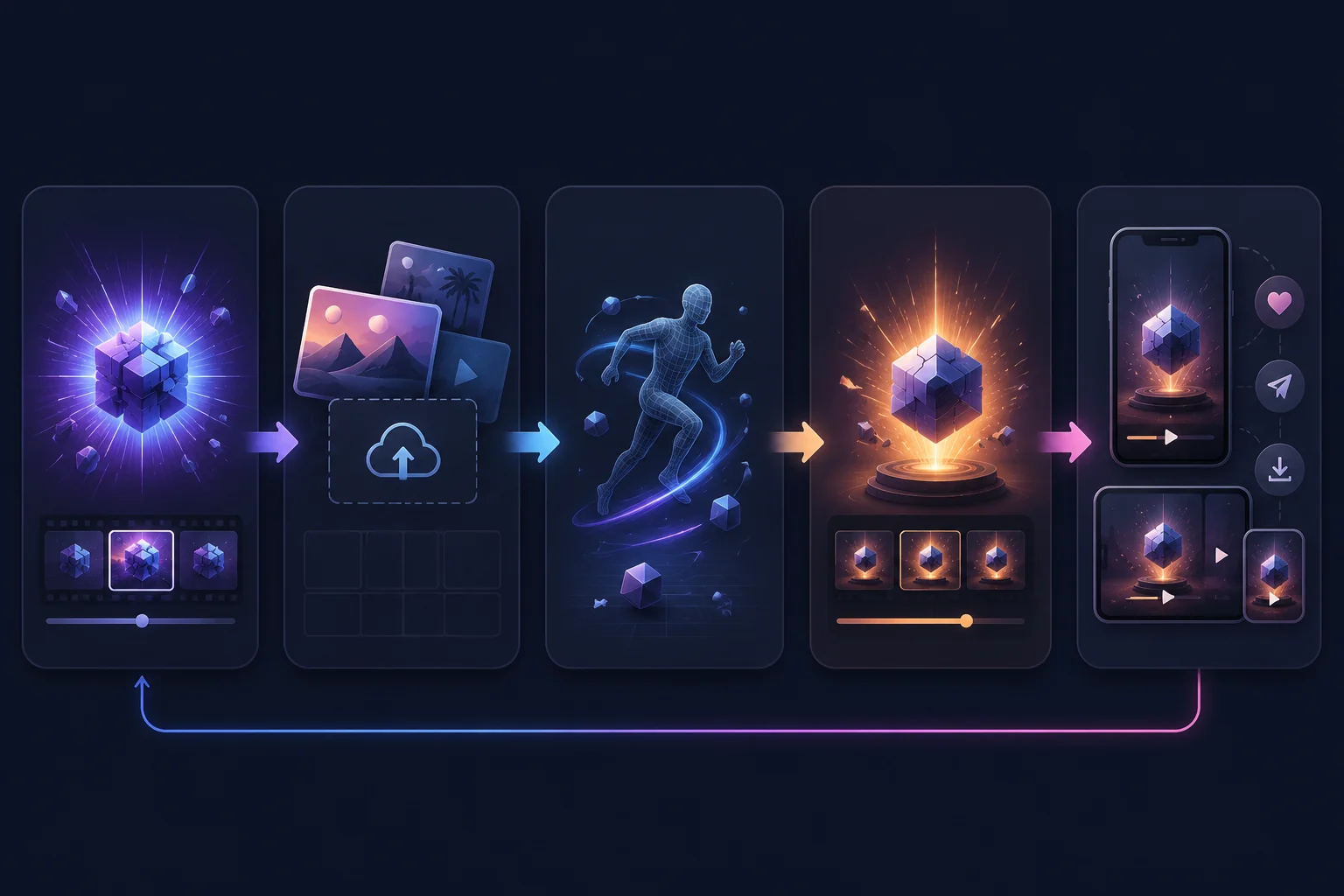
Illustration: the basic anatomy of a viral AI video template, from hook to share format.
Why templates beat blank prompts for trends
Blank prompts are powerful, but they are slow. A trend moves fast; most creators want the result now. Templates reduce the work from "write a prompt, pick a model, tune camera language, fix the output" to "upload a photo and run the format."
| Creator problem | Template advantage |
|---|---|
| "I do not know how to prompt this trend" | The motion and style are already built in |
| "I need this while it is still hot" | One-click setup is faster than prompt research |
| "I want my own version" | Uploads personalize the format without changing the recipe |
| "I need vertical social output" | Templates can default to TikTok/Reels framing |
A trend template should remove choices, not add them. The creator should only decide what to upload and what small detail to personalize.
The 7-point template checklist
Before you use or build an AI video template, check:
- Can a viewer understand the result from the thumbnail?
- Does it work with one image, one short prompt, or one preset choice?
- Does it have a clear motion beat?
- Is the output safe for a broad social feed?
- Can many people personalize it without the result feeling identical?
- Does it fit vertical viewing?
- Does it still make sense after the first wave of copies?
If a template only works once, it is a stunt. If it works across faces, products, pets, and scenes, it has trend potential.
Template categories that travel well
Some categories travel because they give creators a clear role:
| Category | Why it spreads | ClipTrend example path |
|---|---|---|
| Dance and motion | People can insert themselves or a character | /templates |
| Talking objects | Products and props become characters | /templates/talking-object |
| Character swap | Familiar scenes become personalized | /character-swap |
| Product scenes | Brands get quick social ad ideas | /templates |
| Animal and meme formats | Low barrier, fast payoff | /templates |
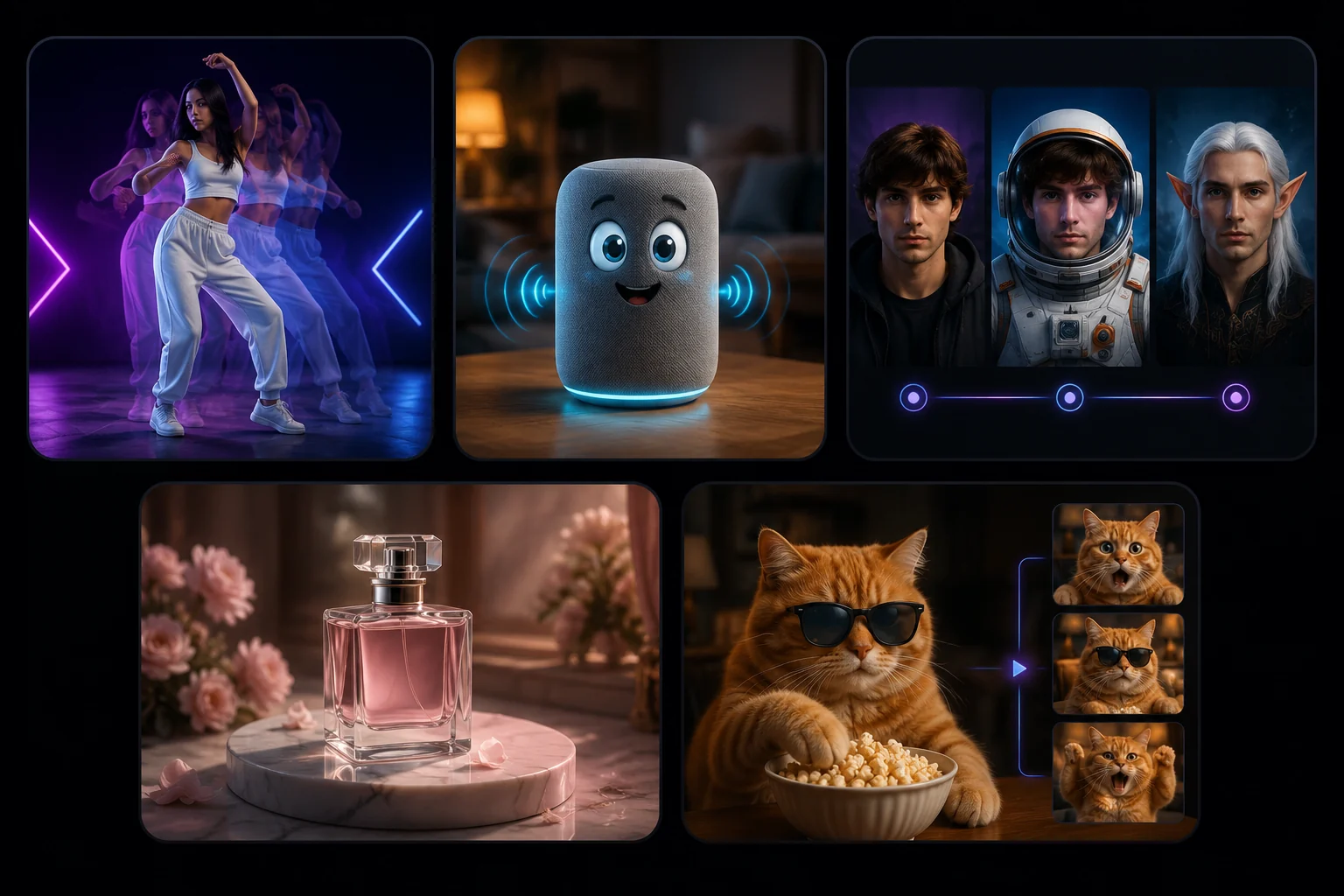
Illustration: reusable AI video template categories that can travel across TikTok, Reels, and Shorts.
What makes a template die fast?
Templates die when they require too much explanation, have a weak payoff, or produce results that look the same for everyone. Another problem is risk. If a template relies on non-consensual likeness, adult-bait framing, or copyrighted characters, it may get clicks but it is a poor long-term content asset.
The most durable templates are specific enough to recognize and flexible enough to remix. That is the sweet spot for AI video trends.
Frequently asked questions
What is an AI video template?
An AI video template is a preset workflow that turns a photo, prompt, or choice into a specific video effect. Instead of writing every prompt from scratch, the creator uses a repeatable format with built-in motion, style, and output structure.
Why do some AI templates go viral?
They are easy to understand, easy to personalize, and fast to recreate. The viewer sees the effect and immediately imagines their own version. The best templates reduce friction while keeping the result surprising.
Are AI video templates better than prompts?
For trends, yes. Prompts are better for custom scenes and experimentation. Templates are better when the creator wants a known format quickly, especially for TikTok, Reels, and Shorts.
How do I choose a template for my brand?
Pick a template where the motion supports the message. Product brands should favor product scenes, talking objects, and clean reveals. Personal creators can use dance, character swap, pet, or transformation formats. Avoid templates that feel off-brand or risky.
Related guides
Try ClipTrend.ai AI video templates ->
- AI video generator - start from a photo or prompt.
- Character swap AI video - replace a person or character in a clip.
- Talking object template - turn products or props into short characters.
- Pricing & credits - check costs before making a batch.
CTA
Start with a format people can understand in one second. Browse the ClipTrend.ai AI video templates, pick one strong motion, upload your own asset, and test whether the result is worth posting before the trend cools.