AI Video Template Checklist: What to Decide Before You Generate
An AI video template works best when you decide the source asset, first-second message, crop, and factual review before generating. The template provides a visual structure; it does not verify a product claim, recreate exact text, or decide what a viewer needs to understand. Browse AI video templates after you know the job the clip must do.
Last updated: July 20, 2026 · about 8 min read
A template library can make creative production feel deceptively simple: select an effect, upload an image, render, post. The missing work is often what makes a brand clip useful. Before you generate, decide what the viewer should see first, which source is allowed to move, where the clip will be placed, and what still needs a normal edit.
The checklist before you pick a template
| Decision | Question to answer | Why it comes first |
|---|---|---|
| Job | What should this one clip accomplish? | A product reveal and a founder introduction need different structures |
| Source | Is the image clear, permitted, and large enough for motion? | A template cannot repair a tiny or ambiguous subject |
| First second | What should viewers understand with sound off? | The opening needs to carry the message, not only an effect |
| Motion | What is the one movement that supports that message? | Too many actions make the subject harder to read |
| Crop | Where will captions, UI, and platform safe areas sit? | A good desktop frame can fail in a vertical feed |
| Facts | Which copy, price, logo, or claim belongs in a normal editor? | Generated footage is not a source of truth |
| Review | Who checks accuracy, rights, and final placement? | A polished render still needs accountable approval |
Start with one job. “Show a new bottle clearly” is a job. “Make a viral brand video” is not a useful instruction. A narrower goal makes the template choice, source image, and review criteria more obvious.
Check the source before the effect
Choose an image where the main subject has clean edges, stable lighting, and enough space around it for a small push, reveal, or crop. A product that depends on readable package text should also have an approved packshot for the final edit. A portrait should only be animated when the person has consented and the expected motion fits the pose.
If the source has a problem, fix it before rendering. Do not use five extra prompt lines to hide a missing product edge or a crowded background. For a custom sequence that needs a more exact instruction, image to video may fit better than a preset format. The best first frame for image-to-video guide is a useful check when the opening image is doing too much work.
Define the first-second message
Watch a candidate template silently and imagine your source in the opening frame. Can a viewer tell what the clip is about before the movement becomes elaborate?
| Message | A sensible template direction | Avoid |
|---|---|---|
| Introduce one product | A slow reveal or camera push | Fast cuts that hide the silhouette |
| Show one material detail | A close, restrained movement | Background effects that compete with the detail |
| Set a seasonal mood | Simple environmental motion | Changing the product color or shape |
| Introduce a person | A steady portrait-led frame | Actions the still photo cannot credibly support |
The right template makes the source easier to understand. If the effect is the only memorable part, it may be the wrong format for the message.
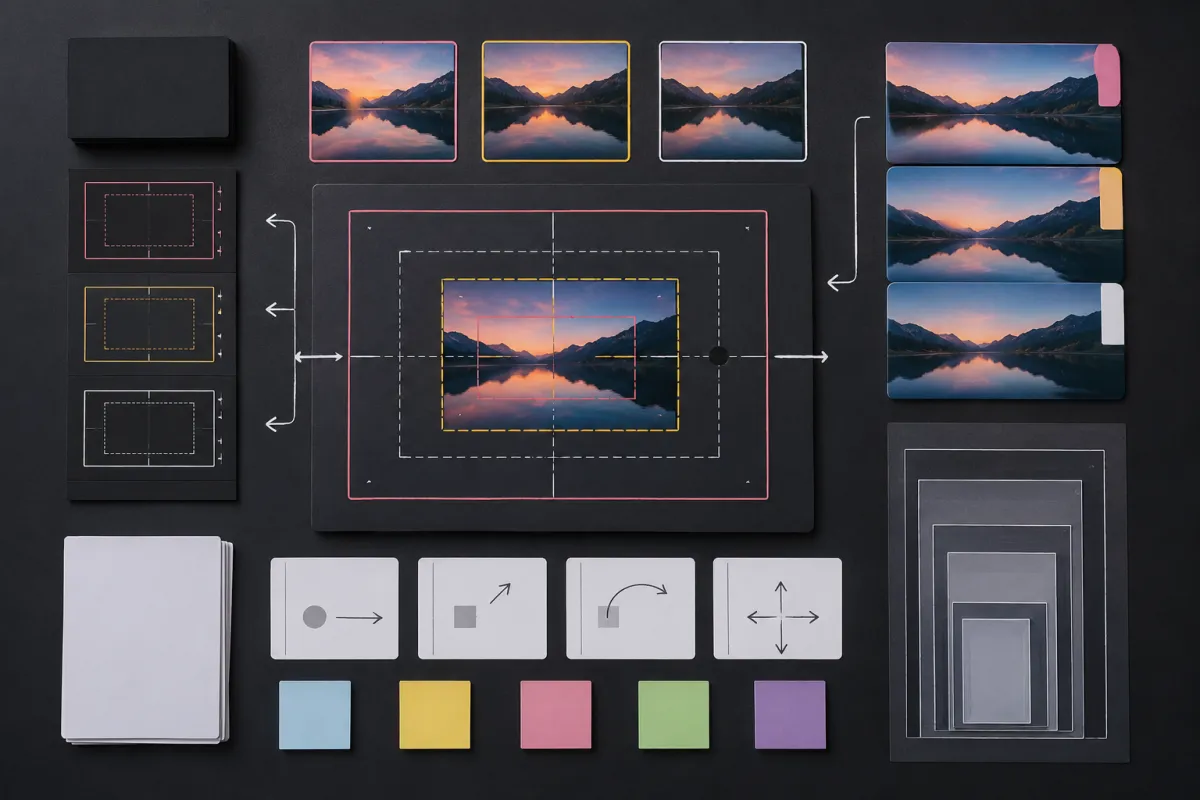
Use the board as a decision aid, not as an attempt to generate final labels or claims inside a video model.
Plan the final crop and edit
Check the actual placement before you generate. A horizontal homepage video, a 9:16 social post, and a square ad have different safe areas. Leave the product or face room to breathe. Do not assume there will be empty space later for a caption, offer, or legal line.
Put exact brand spelling, pricing, offer terms, subtitles, and regulated claims into a regular editor. This is not a limitation to work around; it is a clean division of responsibility. The template handles visual motion, while the brand controls factual communication.
For a practical product-led example, see how to choose AI video templates for brands. If the choice is between a repeatable format and a custom prompt, read AI video templates vs prompts. For the wider library, return to AI video templates once the checklist is complete.
Generate one controlled variation
Make the first render conservative. Then test one named change, such as a different opening frame, a slower camera direction, or a safer crop. Keep the source and intended message fixed. This produces a usable learning loop instead of a folder of unrelated effects.
Before publishing, ask:
- Is the product or person recognizable in the usable frames?
- Did the render add an unverified feature, result, or label?
- Do we have rights for every source and reference?
- Does the crop work with captions and the real placement?
- Is the final frame usable for a cut or end card?
If any answer is unclear, change the source or use a conventional edit. The right outcome may be a simpler clip. When a product still warps after a restrained first pass, the product-photo video workflow offers a more focused path.
FAQ
What should I decide before using an AI video template?
Decide the clip's job, permitted source asset, first-second message, one motion idea, placement crop, factual copy that belongs in editing, and the person responsible for final review.
Can a template generate accurate product labels and prices?
Do not rely on it for exact text, labels, prices, or legal wording. Add verified details in an editor after the generated footage has passed review.
How many versions should I generate?
Start with one clear version and one controlled variation. Add more only when you have a specific question about the opening, motion, source, or crop.
When should I skip a template?
Skip it when the job requires precise demonstration, legible small text, regulated claims, a specific performance, or factual evidence that generated footage cannot provide.
Let the format support the message
Complete the checklist before opening the library. Then use AI video templates to make one visual idea clearer, review the output, and finish every factual brand element in the normal editing workflow.