Nano Banana 2.1 vs GPT Image 2.5: Which Image Model to Pick
For Nano Banana 2.1 vs GPT Image 2.5 on ClipTrend.ai, start with your input and layout requirements: Nano Banana 2.1 uses fewer credits at the same listed resolution and offers very wide or tall formats; GPT Image 2.5 accepts more reference images. Open Nano Banana 2.1 for a brief with up to ten references, or consider GPT when you need eleven to sixteen. Both create images from text and support reference-based editing.
By the ClipTrend.ai Editorial Team · October 15, 2026
The controls and credit amounts below describe ClipTrend.ai as of October 15, 2026. They describe what you can select, not a promise that either model will always produce the better image. ClipTrend.ai publishes this guide and offers both models; it is independent of the model makers.
Compare the controls before judging the pictures
An image model choice has two parts: whether the workflow accepts your brief, and whether the resulting image meets it. Reference count, output shape, and available resolution answer the first question. Looking closely at the finished image answers the second.
For GPT Image 2.5, distinguish Flare from Sunburst. They are separate choices in ClipTrend.ai's model picker. A result made with Flare should not be described as a Sunburst result, even though the controls and listed credit prices overlap. The default GPT Image 2.5 model page opens with Flare selected.
| Control on ClipTrend.ai | Nano Banana 2.1 | GPT Image 2.5 Flare / Sunburst |
|---|---|---|
| New image from a prompt | Text to Image | Text to Image |
| Reference-based editing | Image to Image, up to 10 references | Image to Image, up to 16 references |
| Resolution choices | 1K, 2K, 4K | 1K, 2K, 4K; some ratios limited to 1K |
| Fixed aspect ratios | 14, plus auto | 12, plus auto |
| Very wide or tall layouts | Includes 4:1, 1:4, 8:1, 1:8 | Includes 21:9; no 4:1 or 8:1 in this picker |
| Additional editorial formats | Includes 4:5 and 5:4 | 27:16, 16:27, 9:8, 8:9 at 1K |
| Listed credits at 1K / 2K / 4K | 3 / 4 / 6 | 4 / 6 / 10 |
| Variant selection | Nano Banana 2.1 | Flare or Sunburst |
For credit packs and plans, see ClipTrend.ai pricing. Read the live Spending … Credit(s) quote after changing the model, resolution, or mode. At the sizes listed above, reference editing uses the same displayed credit amount as a text-only request. The interface is the place to check a particular request if pricing or available combinations change.
When should you choose GPT Image 2.5?
GPT Image 2.5 wins the reference-count decision when the brief truly needs more than ten input images. A room mockup with separate furniture references, for example, can require a different input capacity from a single-object product photo. The sixteen-reference limit gives you room for a larger set in one request.
That capacity is useful only when you explain what each image contributes. “Use the lamp in image 3 and the side table in image 4” is clearer than uploading a folder and asking for a stylish room. Specify the main composition, then give the other references limited roles such as object shape, material, or color.
The higher limit does not guarantee better fidelity. Compare every important item with its reference: a similar silhouette can hide an altered handle, missing buckle, or invented label. If the brief works with three images, adding thirteen more can introduce competing details rather than useful information.
GPT also offers its own set of frame shapes. If your layout specifically needs 27:16, 16:27, 9:8, or 8:9, those are direct options at 1K. Check resolution again after choosing one of those ratios; the fact that the model supports 4K elsewhere does not make every ratio a 4K option.
When is Nano Banana 2.1 the easier fit?
Nano Banana 2.1 is the lower-credit choice at each listed resolution on ClipTrend.ai. For a brief that both models can accept, that gives you a concrete reason to try it first while checking the concept. It does not establish which model will need fewer attempts to satisfy your particular brief.
The format choices are another practical difference. A thin website strip, a tall menu panel, and a conventional image tile are distinct compositions. Nano Banana 2.1 offers the extreme 4:1, 8:1, 1:4, and 1:8 frames, along with 4:5 and 5:4. Use those shapes when they match the destination, rather than cropping away most of a conventional frame afterward.
All fourteen fixed Nano Banana 2.1 ratios are available at 1K, 2K, and 4K in this workflow. Even so, an extreme frame needs a suitable prompt: one small product with generous background can fit an 8:1 strip better than several full-body figures and a long headline.
As of October 15, 2026, Google's Nano Banana 2.1 documentation describes improvements to visual quality, prompt adherence, character consistency, and text rendering. Those are the model maker's descriptions. Google's documented model capabilities do not replace ClipTrend.ai's own controls or its ten-reference limit.
Keep text generation and editing separate
Choose Text to Image for an entirely new composition. Choose Image to Image when an existing product, character, or scene must guide the result. Both models provide these modes on ClipTrend.ai, but a prompt-only picture cannot demonstrate how accurately a model preserves a particular source photo.
For an edit, separate the requested change from the details that must stay recognizable. “Change the wall to pale sage; preserve the vase shape, ribbing, table, and camera angle” gives the request a clear boundary. Inspect the areas you asked to preserve as carefully as the wall you asked to change.
For wording inside an image, quote the exact text and specify its location. A correct headline does not prove that fine print is accurate. Read the output at full size, including punctuation, numbers, and any words the model added without being asked. If exact typography is essential, consider generating the artwork and adding the final copy in a layout editor.
You can enter reference-editing mode from the Nano Banana 2.1 model page. The GPT Image 2.5 page opens the corresponding model workflow. For a focused editing task, the AI Photo Editor also offers model selection.
What did the same three briefs produce?
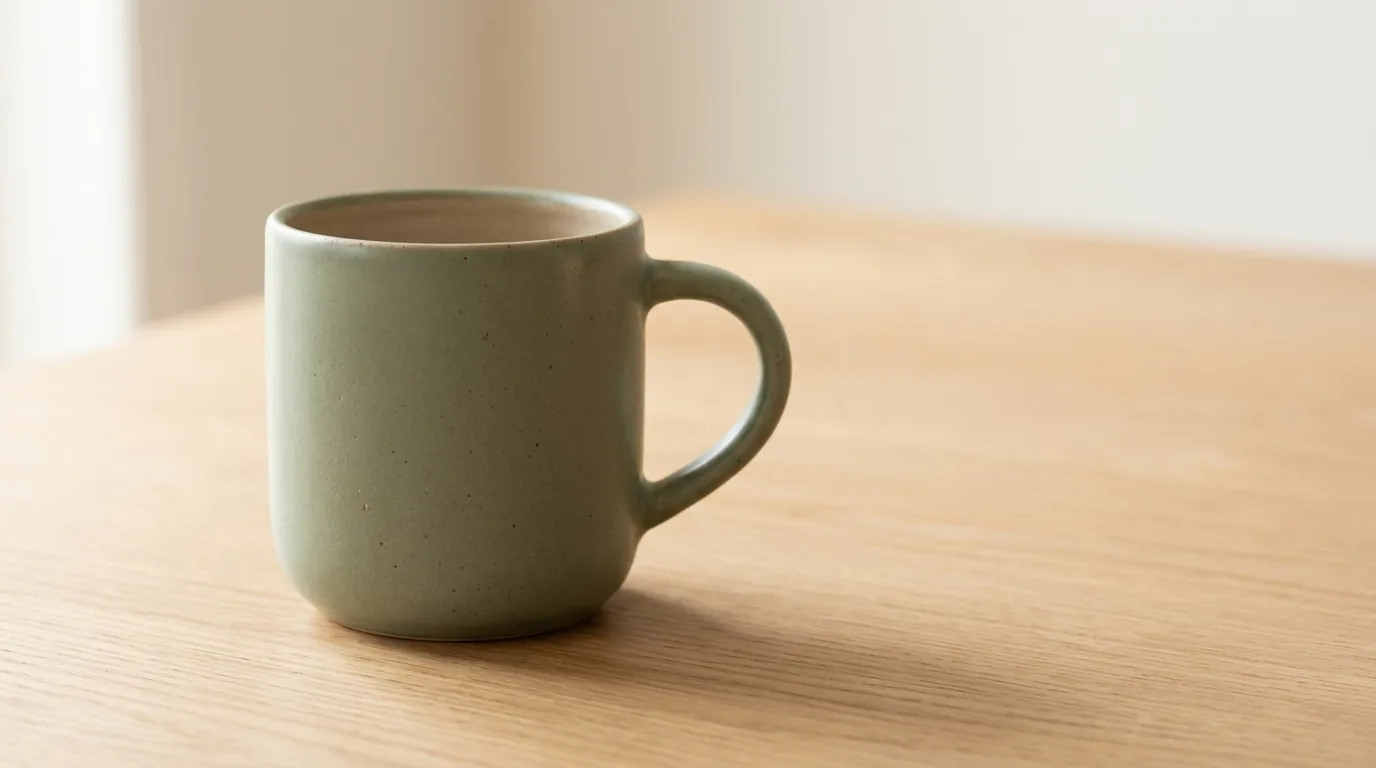
The six pictures here are actual outputs made on October 15, 2026 with the models offered by ClipTrend.ai: Nano Banana 2.1 and GPT Image 2.5 Flare. Both used 16:9 and the 1K setting, with one generation per brief and no retries. The first two pairs use text alone. The third pair gives both models the same source picture: the Nano Banana mug shown above.
This is a small visual comparison, not a benchmark. It does not test Sunburst, faces, multiple references, higher resolutions, or repeated edits. The edit source comes from Nano Banana, which is a limitation rather than a neutral reference set. The files also have different pixel dimensions despite the shared size label; assess composition and fidelity without treating that label as an exact pixel match.
Product photograph: where should the copy go?
An editorial product photograph of one matte sage-green ceramic mug on a light oak table. Three-quarter view, the entire mug and handle visible. Soft window light from the left, warm off-white background, realistic contact shadow. Leave generous empty space on the right. No writing, logos, extra cups, or additional objects. Landscape composition.
The Nano Banana result is the hero picture above. Here is the same brief with GPT Image 2.5 Flare:
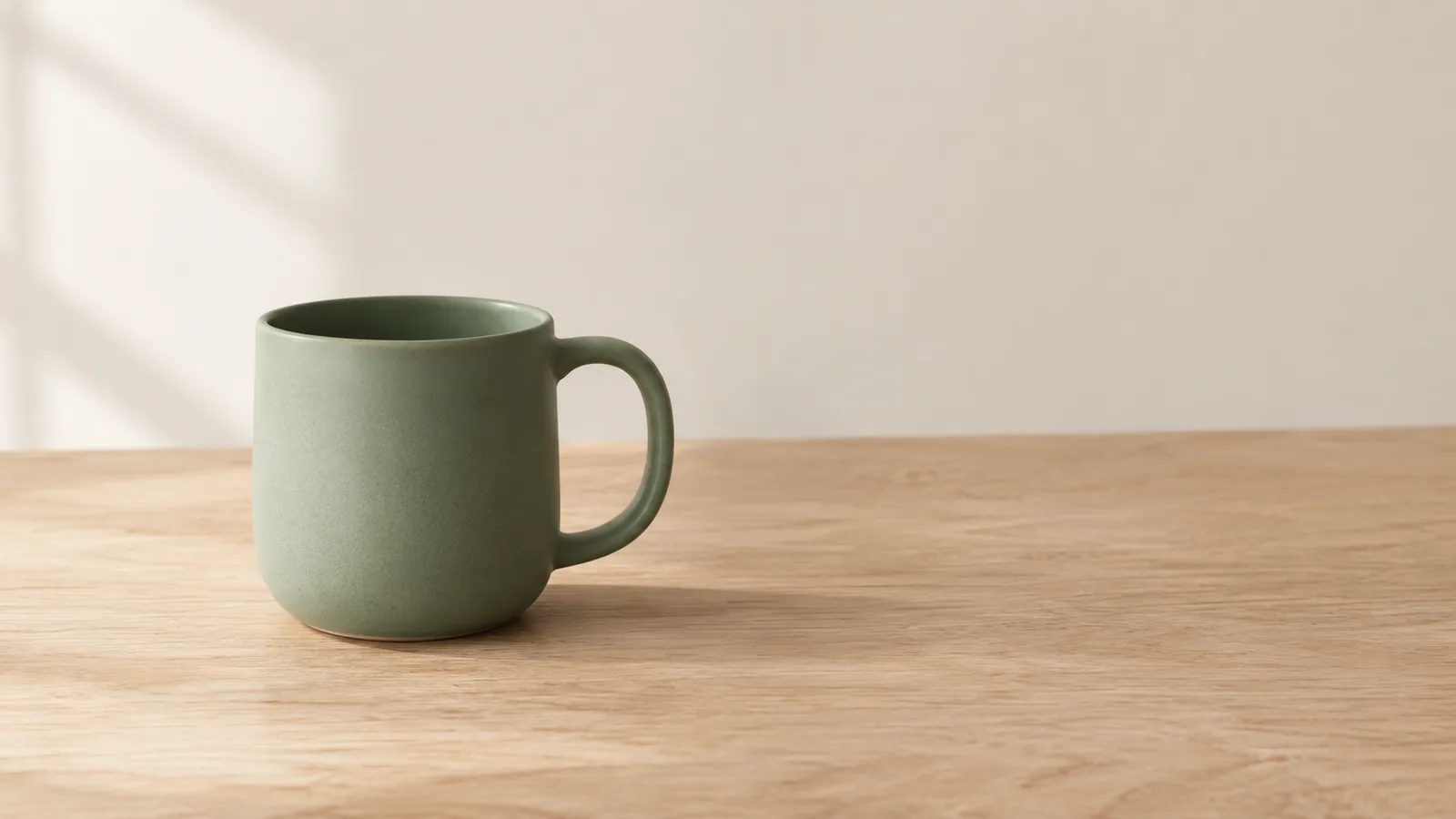
Both pictures contain one recognizable ceramic mug, a connected handle, an oak tabletop, and light from the left. Neither adds writing or another object. Nano Banana places the mug larger in the frame, with a softly blended background and visible speckling in the glaze. GPT leaves more room above and to the right of the mug and makes the table-to-wall boundary clearer.
For this brief, GPT is the more convenient starting point for a layout that needs a larger headline area. Nano Banana is useful when the mug itself should dominate. Neither result demonstrates fidelity to a real product, because this pair had no product-photo reference.
Coffee poster: is every word correct?
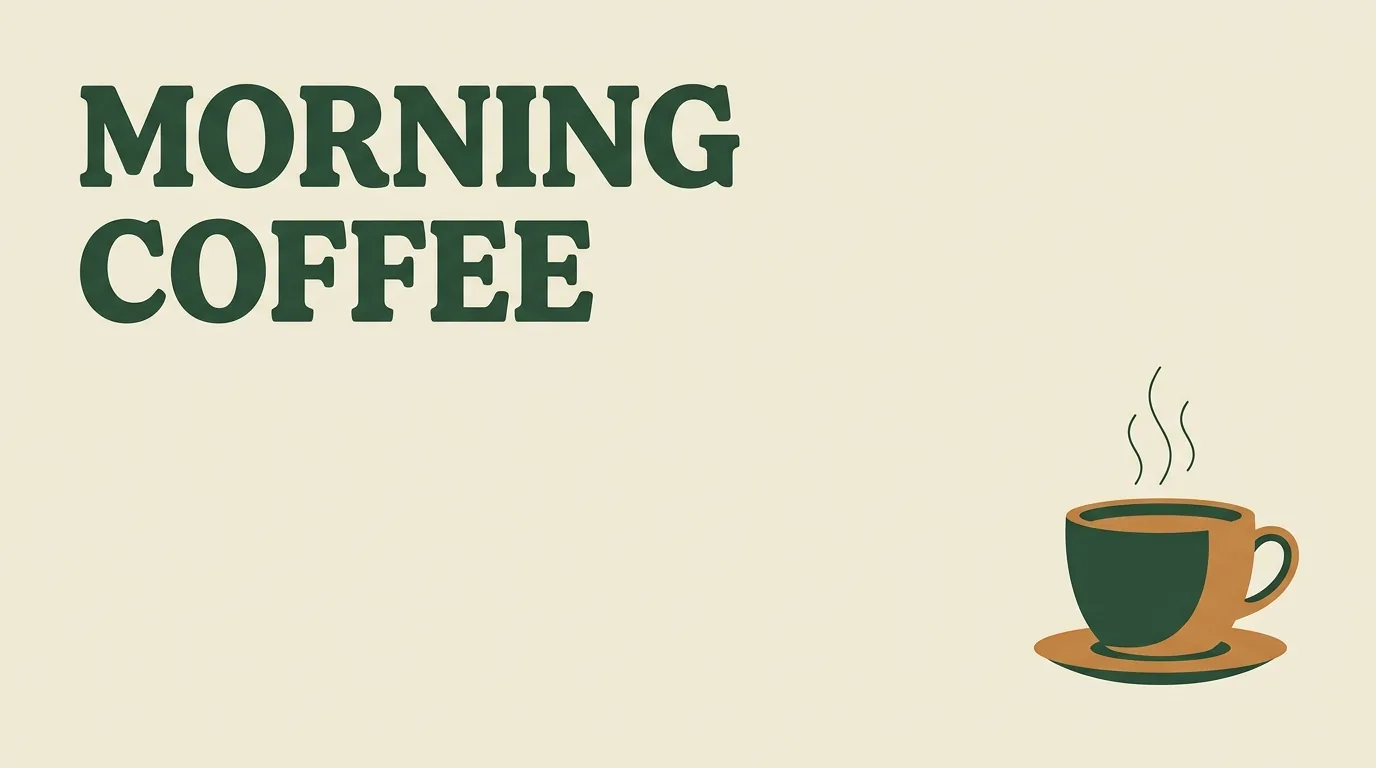
A clean landscape coffee poster on a cream background. Write exactly "MORNING COFFEE" in large dark-green letters in the upper left. Place one simple illustrated coffee cup in the lower right. Generous margins, clear hierarchy, restrained flat colors. No subtitle, extra words, logos, or decorative lettering outside the title.
Nano Banana 2.1
GPT Image 2.5 Flare
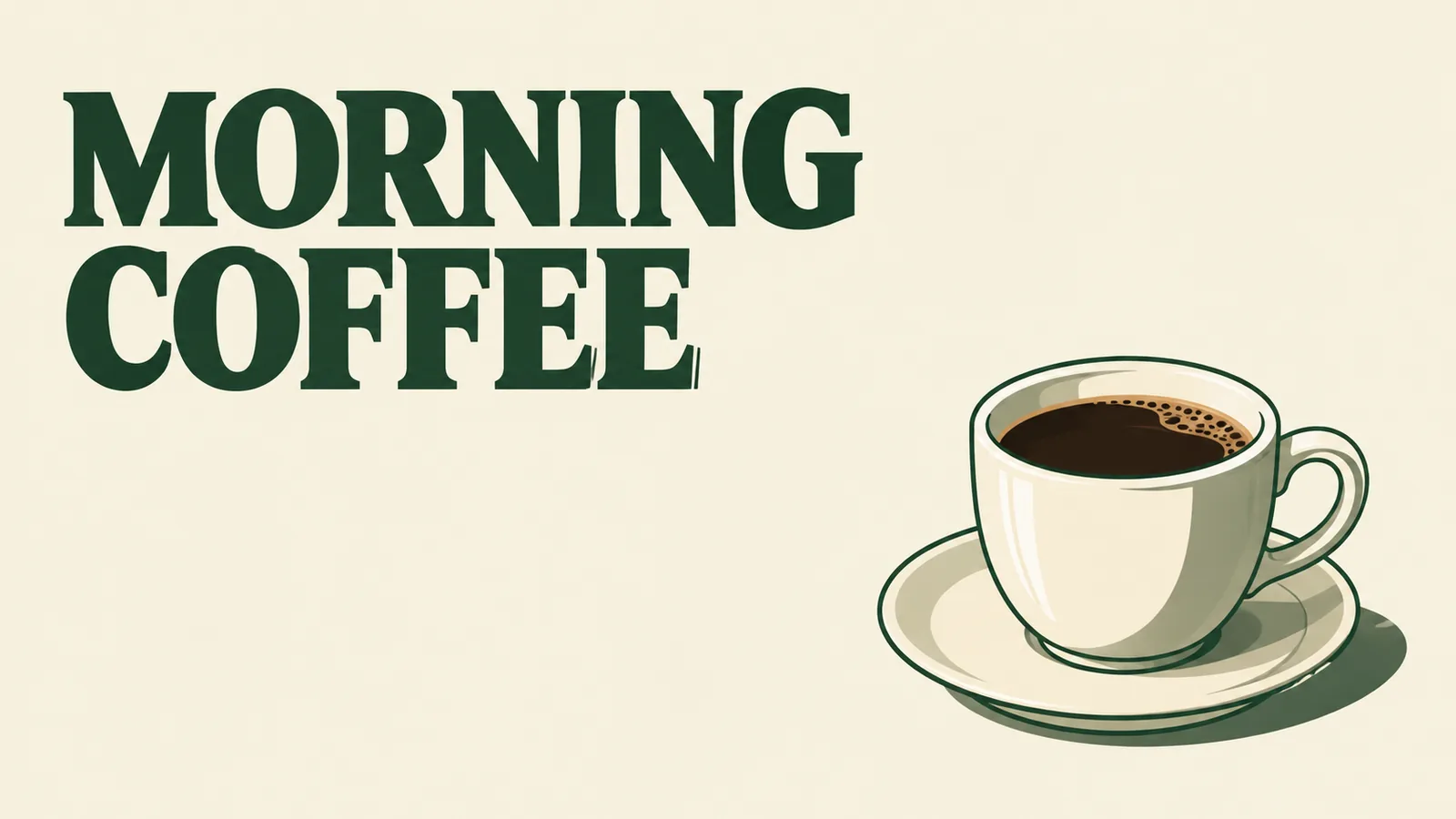
Both spell “MORNING COFFEE” correctly and add no extra words. Both break the title across two lines. Nano Banana keeps the cup closer to a flat icon and gives the lower part of the poster more empty space. GPT makes the cup larger and adds shading, foam detail, and a more dimensional saucer.
Nano Banana follows the requested restrained flat treatment more closely. GPT fits a brief that wants a more illustrated, detailed cup, though that styling is not automatically better for this deliberately simple prompt. Both add a saucer, so neither is a perfectly literal “cup only” interpretation. Check letter edges at final display size and add production typography separately when exact font shapes matter.
Background edit: what stays recognizable?
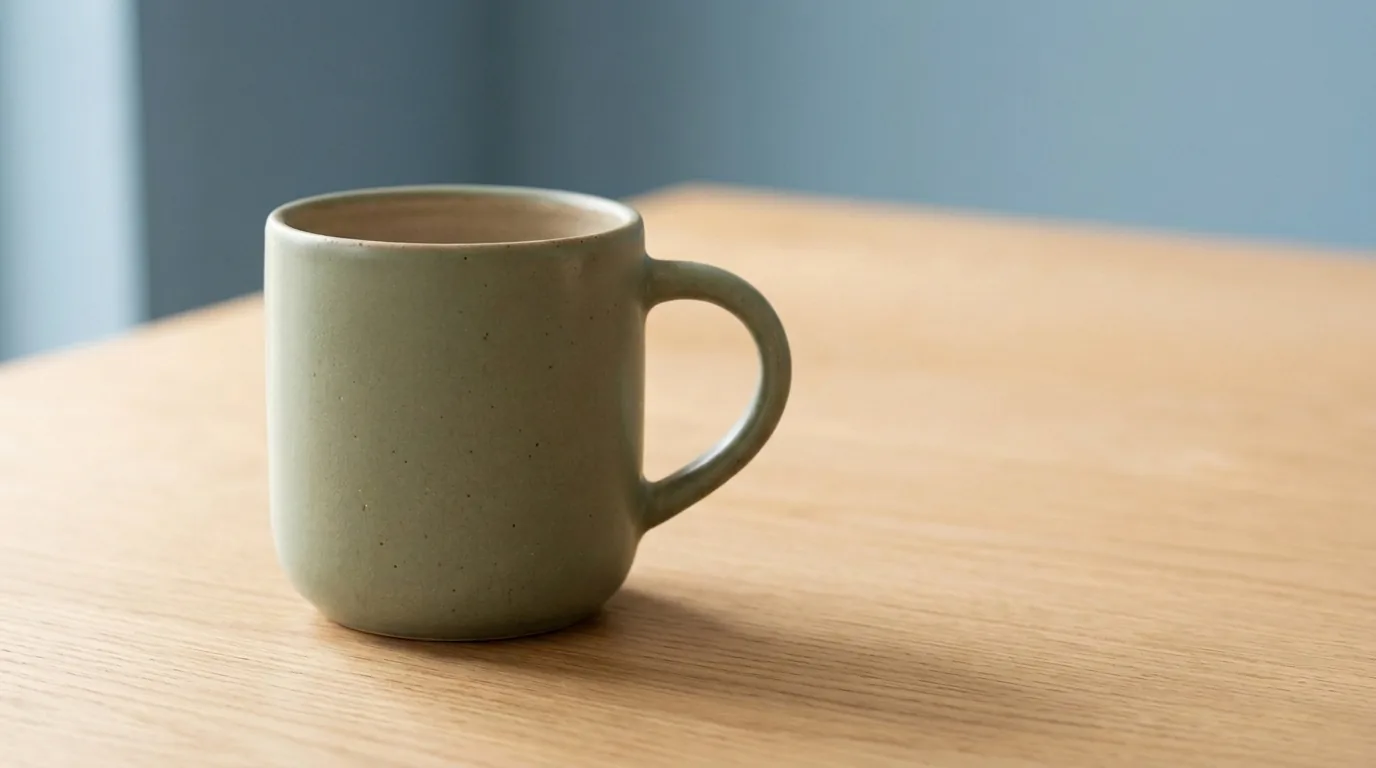
Both edits below start from the same Nano Banana hero image, not from their respective product pictures. The instruction was identical:
Change only the background wall to muted dusty blue. Preserve the sage-green mug, its handle shape, the oak tabletop, camera angle, and lighting. Add no objects or text.
Nano Banana 2.1
GPT Image 2.5 Flare
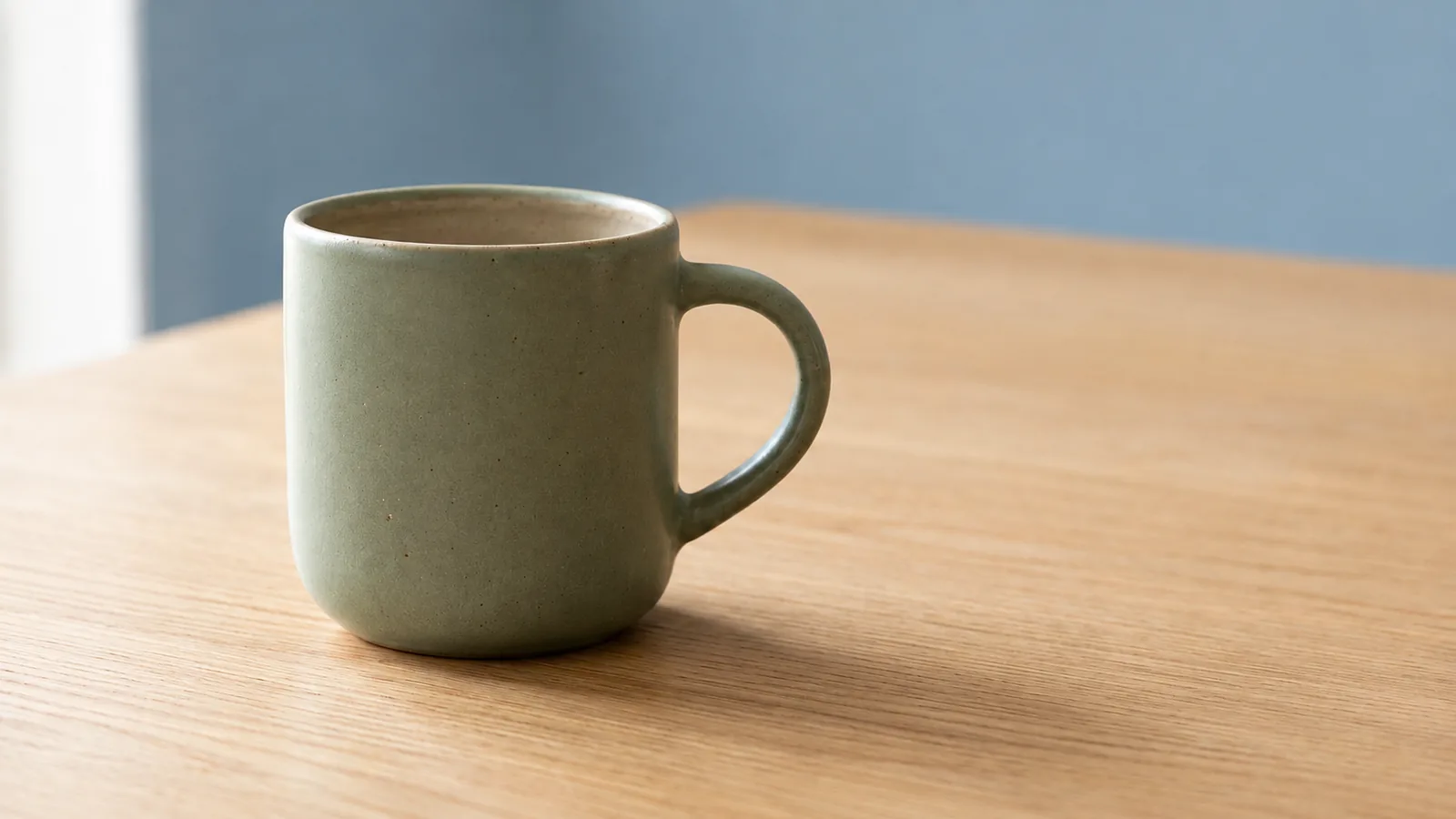
Both outputs change the wall to muted blue and keep a recognizable green mug, handle, table, and left-side light. Nano Banana stays closer to the original framing and surface treatment. GPT introduces a brighter rim and handle edge and a slightly different crop and tabletop texture. Neither adds an object or writing. For this particular minimal edit, Nano Banana is the closer visual match; neither should be called pixel-identical to the source. Inspect the original and edited rim, handle, and glaze before using either as a product image.
| Brief | Useful distinction in these outputs | Decision to make |
|---|---|---|
| Mug photograph | GPT leaves more open layout space; Nano Banana gives the mug more prominence | Does the product or adjacent copy need more room? |
| Coffee poster | Both spell the headline; Nano Banana is flatter, GPT more dimensional | Does the brief call for an icon or a richer illustration? |
| Background edit | Both use the same mug reference and change the wall | Check retained shape, surface texture, and light against the source |
Make the decision around the deliverable
For a narrow banner or tall panel, choose the model that offers the required shape. For a reference set above ten images, choose GPT Image 2.5 or simplify the reference set. For a conventional prompt-only image that both accept, start with a clear brief and compare the result against explicit requirements.
Keep a short review record: prompt, model and variant, mode, resolution, ratio, and the detail that passed or failed. Change one condition when making another attempt. If you change the prompt, model, and frame simultaneously, it becomes difficult to tell why the next result differs.
No small collection of images can establish which model is best for every creator. Product photographs, posters, reference edits, and character work place different demands on the model. Choose based on the work you need to finish, and review every image before it goes into a published asset.
This video shows another creator comparing the two models on shared image briefs.
FAQ
Which model accepts more reference images on ClipTrend.ai?
As of October 15, 2026, GPT Image 2.5 accepts up to 16 references in Image to Image mode, while Nano Banana 2.1 accepts up to 10. Name the role of each reference and inspect whether important details survive.
Which model uses fewer credits at the listed sizes?
Nano Banana 2.1 is listed at 3, 4, and 6 credits for 1K, 2K, and 4K. GPT Image 2.5 is listed at 4, 6, and 10 credits. Read the current quote in the generator before submitting.
Do all GPT Image 2.5 ratios support 4K?
No. The 27:16, 16:27, 9:8, and 8:9 ratios are limited to 1K on ClipTrend.ai. The other listed GPT ratios support 1K, 2K, and 4K as of October 15, 2026.
Does reference editing guarantee the original stays unchanged?
No. References guide the result. State which details to preserve, then compare the result with the source before using it as a product mockup, poster, or other finished asset.
Next step: start with your own brief
Open Nano Banana 2.1 on ClipTrend.ai, choose the frame and size for your destination, and write one clear request. If your reference count or preferred format points toward GPT Image 2.5, use that workflow and review the same requirements.
For the initial controls, see the Nano Banana 2.1 guide. For a focused revision, see the object-removal walkthrough.