AI Dog Dance Generator: A First-Test Checklist
An AI dog dance generator is best used for a small, clearly fictional test: begin with a permitted full-body dog photo, request one gentle movement, and watch every frame before sharing it. A generated clip is not evidence that a real dog did the movement. The source image, requested motion, and posting context all need a human decision.
Last updated: September 4, 2026 · about 7 min read
Disclosure: This is editorial workflow guidance, not veterinary, legal, or platform-policy advice. Check the current tool terms and the destination’s synthetic-media rules before publishing.
Start with a photo that can support motion
The first render is mostly a source-photo test. A clear, permitted image gives an image-to-video system a stable subject to work from; a crowded crop asks it to guess too much. Choose a photo you took or are expressly allowed to animate. Keep the dog as the only important subject and leave enough of the body visible to judge what changed.
Before uploading, check that the photo has:
- A recognizable face, ears, body, paws, and tail where possible.
- Natural, even light and a background that does not merge into the dog’s outline.
- No captions, collage elements, or important brand marks that must remain exact.
- A known owner or permission path; a public post is not automatically permission to make a new AI video.
- A sensible destination and disclosure plan before the clip is made.
A standing or sitting photo with visible paws can support a modest sway or paw lift. A tight face portrait may only support a blink, ear movement, or small head turn. If the image is a memorial, a client asset, or a sentimental family photo, decide whether animation adds value before treating it as a trend input.
ClipTrend’s AI pet dance generator is a possible starting point for a permitted source image. It does not establish ownership of the photo, prove the animal performed an action, or clear music and platform rights.
Ask for one small, original movement
The most useful first brief describes what must remain stable before it describes motion. That gives you a concrete reason to reject a result that changes the dog’s markings, setting, or body shape.
| Source photo | Good first request | Leave out of the first test |
|---|---|---|
| Full-body standing dog | Gentle side step and head tilt | Fast spins, a new costume, or a new room |
| Sitting dog with paws visible | Small seated bob or one paw lift | A full routine or leaps |
| Head-and-shoulders crop | Blink, ear perk, or tiny head turn | Calling it a dance video |
| Busy outdoor image | Re-crop or choose a cleaner source | Extra animals, effects, and camera motion together |
Here is a deliberately narrow prompt pattern:
Keep the uploaded dog’s face, coat pattern, ear shape, body proportions, paws, tail, and background stable. Create a short, fictional, dance-like sway with one small paw lift. Use a steady camera. Do not add other animals, clothing, readable text, or a different setting. End on a clear frame that still shows the dog.
Change only the action when you retry. If you also replace the photo, camera angle, scene, and prompt, you cannot tell what made the output better or worse. Keep captions, names, offers, and factual claims in a normal editing layer rather than asking a generated clip to reproduce them.
Review the whole clip, not its best frame
Watch at normal speed, then pause at the opening, the biggest movement, and the last frame. A cute thumbnail cannot tell you whether paws drift, the dog’s features change, or the crop fails after a platform adds controls and captions.
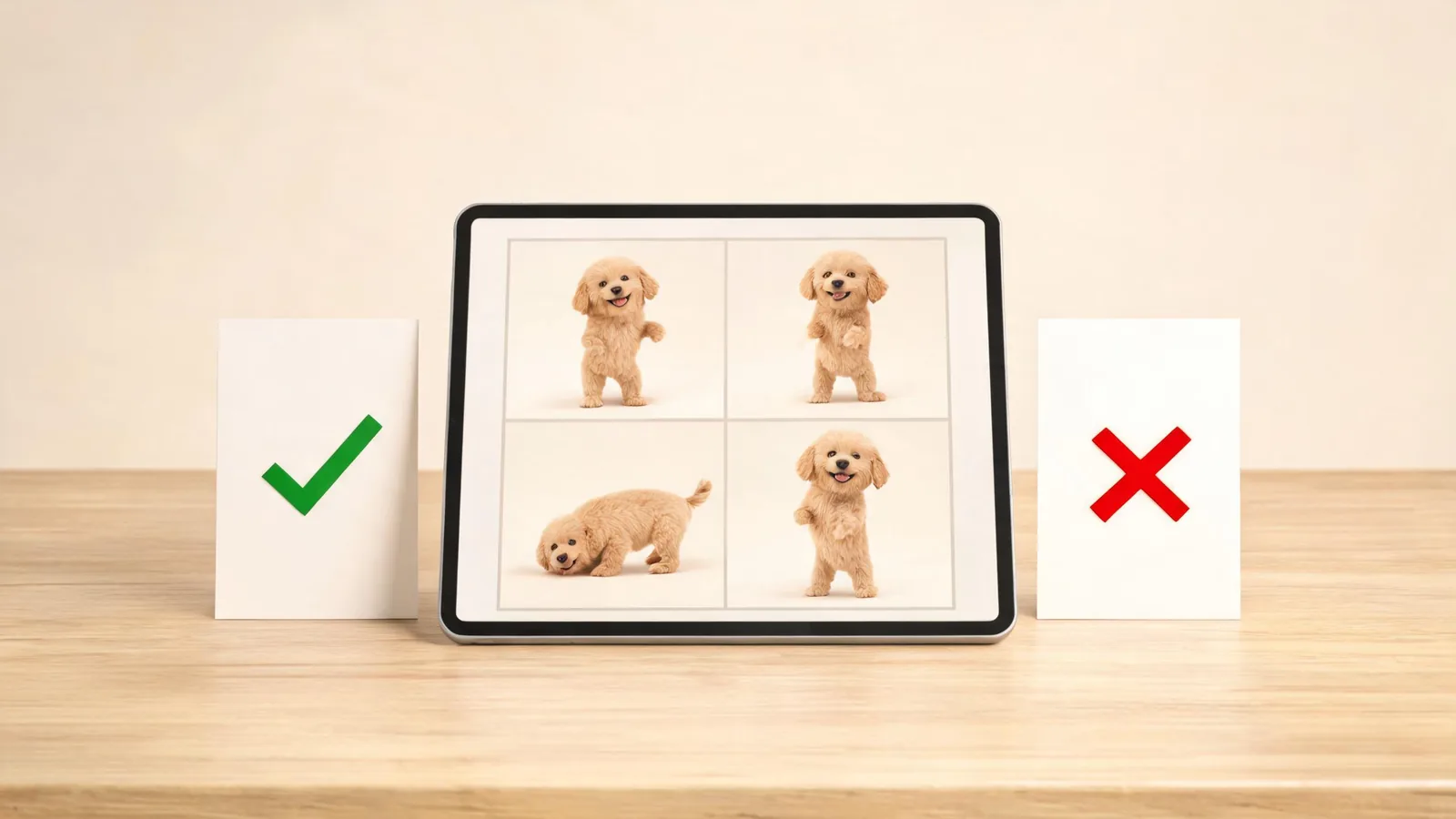
Approve the identity, movement, crop, and meaning of the full clip—not only the strongest still.
Use this review pass:
- Identity: Does the dog still look plausibly like the permitted source, including its face, markings, and proportions?
- Anatomy: Are paws, legs, tail, and ears coherent through the most active moment?
- Context: Did the render introduce another animal, a product, or a location you did not approve?
- Crop: Is the dog still legible after the intended vertical or horizontal placement, captions, and controls?
- Meaning: Could a reasonable viewer take this as documentary footage of a real animal? If so, add clear context or choose a more obviously playful treatment.
Reject a clip that fails the first two checks. Simplifying the movement or choosing a stronger source image is more useful than disguising an error with rapid cuts. Do not use an AI pet clip to imply training, health, temperament, a rescue story, or an event you cannot substantiate.
Make the synthetic context clear
Permission comes before disclosure. A label cannot create a right to use somebody else’s pet photo, music, or branded material. But when the realistic treatment could mislead viewers, say that the clip is AI-generated or materially altered and follow the destination’s current requirements.
TikTok’s AI-generated content guidance is a useful current policy reference, but rules can differ by placement and change over time. Keep the original source, prompt summary, output choice, and review decision with the publishing notes. If a supported workflow offers provenance information, the C2PA Content Credentials explainer explains its role: it can record origin and edit assertions, but it does not replace consent or human review.
A relevant tutorial, with limits
The video below directly addresses an AI dog dance workflow. It is an independent tutorial, not evidence about ClipTrend controls, pricing, rights, or the platform rules for your account.
Use it as a general example, then confirm the live product interface and destination policy yourself.
FAQ
What photo works best for an AI dog dance video?
Use a permitted, sharp photo with one dog, a visible body outline, enough paws and tail to review, and a simple background. A full-body standing or sitting image is more suitable for a small dance-like action than a face crop.
Why did the dog change shape in my generated video?
The source may not show enough of the body, or the request may ask for more motion than the photo can support. Start with a clearer image, one smaller action, and explicit instructions about coat pattern, paws, tail, and proportions.
Can I post an AI dog dance clip as real footage?
No. Do not present a generated or materially altered clip as proof of what a real dog did. Provide appropriate context and follow the current rules of the platform where it is posted.
Should I copy a viral dog dance exactly?
No. Use an original, restrained movement and your own permitted source material. Copying another creator’s footage, music, or recognizable assets creates a different rights and review problem.
Sources
- ClipTrend.ai, AI pet dance generator
- TikTok, AI-generated content guidance
- Coalition for Content Provenance and Authenticity, Content Credentials explainer
- HitPaw, How to Create AI Dog Dance Video