Sniffer Dog Meme Explained: Why the Party Reaction Works
The Sniffer Dog meme is a party comedy format: someone dances in a crowd, a dog approaches and sits at their feet, and the dancer freezes before pretending to cry while friends laugh. The humor comes from being unexpectedly picked and reacting far too dramatically. ClipTrend.ai's Sniffer Dog AI makes a photo-based version with you at the center. It is a generated sketch, so the festival scene and reaction do not show something that actually happened to the person in the picture.
As of October 14, 2026 · By the ClipTrend.ai Editorial Team
Disclosure: ClipTrend.ai offers the generated version discussed here. The cover is an editorial illustration. The feature page's own demo provides the example for this explanation; no new sample output is claimed.
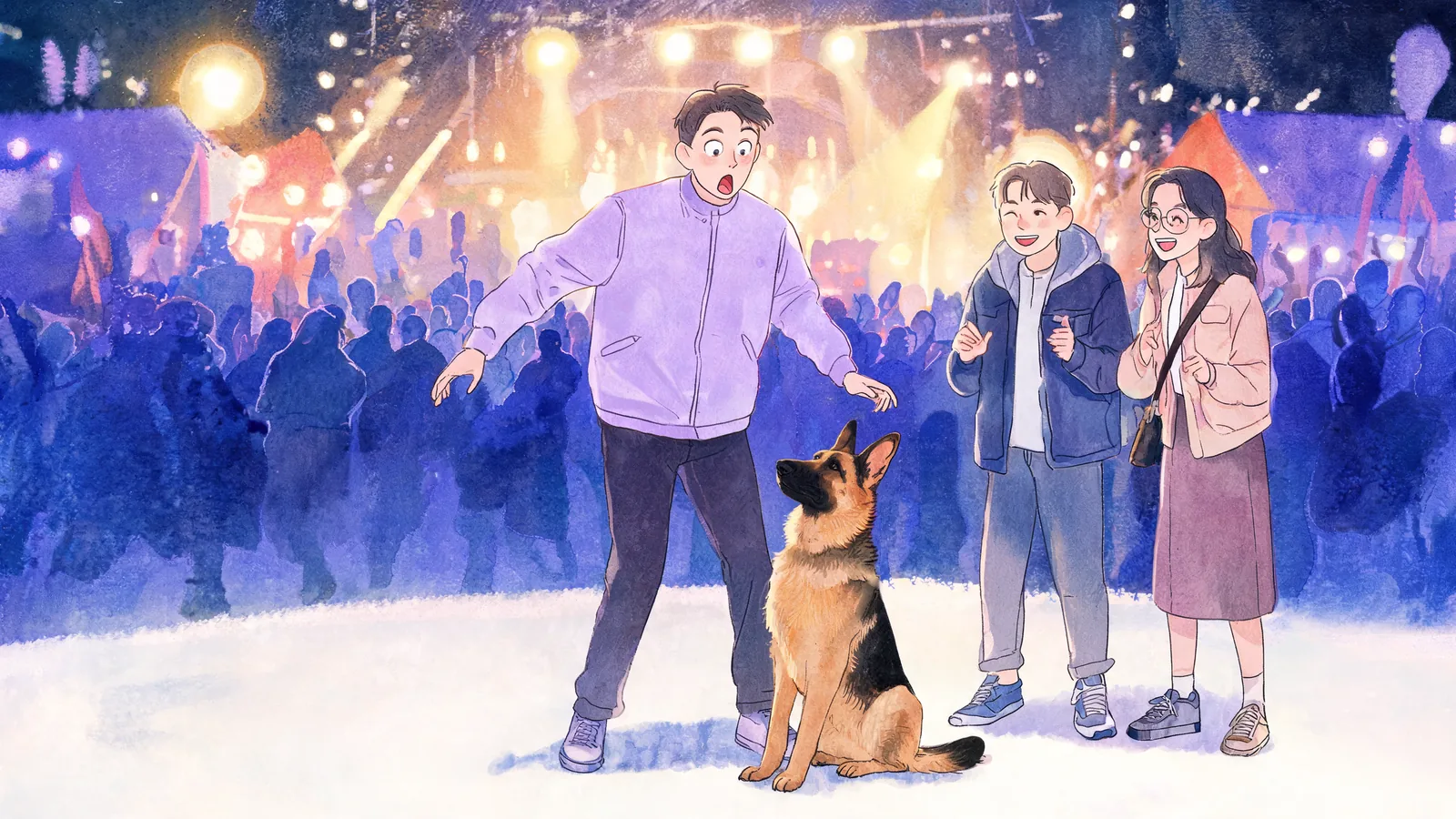
The dog's quiet choice sets up the reaction
The central action is small. A dog makes its way through a busy party and stops beside one person. The dancer was following the music a moment earlier; now they are looking down, trying to process why they became the center of attention.
That change gives the viewer something simple to follow. You do not need dialogue, a long introduction, or a detailed backstory. Watch the dog, then watch the face. The pause between the two is where the anticipation sits.
In the harmless comedy version described here, the dog's choice is enough. The joke does not need an explanation of what the person did. It treats an ordinary sit as though it were an enormous personal announcement, then lets the dancer overreact.
The phrase “the dog picked you” captures this better than a caption that tries to narrate an entire story. It keeps the clip focused on the moment the audience can actually see. A viewer can understand that moment even when the person in the frame is unfamiliar.
Four beats carry the scene
Think of the format as a short performance with a clear order, rather than a collection of funny facial expressions. In the page's demo, the party setting establishes motion, the dog interrupts the dancer's attention, and the reaction grows from there.
| Beat | What the viewer follows | What it contributes |
|---|---|---|
| Dancing | A person enjoying the festival crowd | A relaxed starting point |
| Approach and sit | The dog settles at that person's feet | A clear change in focus |
| Freeze | The dancer stops and looks down | A pause before the payoff |
| Fake tears and laughter | The person becomes theatrically upset while friends laugh | An oversized comic ending |
These are narrative beats, not a frame-by-frame timing prescription. A generated clip can vary in its gestures and pacing. The important relationship is that the viewer sees the dog's sit before the exaggerated reaction.
If the clip starts with crying, the setup is missing. If the arrival is so busy that the dog is hard to see, viewers may not know what prompted the pause. Keeping the whole sequence readable matters more than adding extra effects around it.
Why the freeze is as important as the tears
The freeze connects the event to the expression. It shows the dancer noticing the dog and gives the audience a moment to anticipate what comes next. Without it, dancing and fake crying can feel like two separate scenes joined together.
The ending exaggerates that small interruption. The dog is calm, but the person responds as though being chosen were an impossible emotional burden. That mismatch is a way to read the humor, rather than a claim about every viewer's reaction.
Friends laughing provide another cue: this is a playful scene. Their response tells viewers how the central person's performance is meant to land. The group dynamic is especially easy to recognize when you are sharing with people who know your own habit of being dramatic.
You can describe the joke in one sentence: an ordinary dog sit becomes the dancer's biggest moment of the night. You do not have to add a twist, a named venue, or a supposed real-life incident to make that structure work.
What the photo-based version creates
As of October 14, 2026, the ClipTrend version takes one photo and creates a 10-second, 720P, vertical 9:16 video with sound. Its preset includes a festival crowd, a dog with a handler, the central person's freeze and fake-tear reaction, and laughing friends. Festival music and crowd sounds accompany the scene.
The photo supplies the central person's reference appearance. The crowd, location, animal, movement, and reaction are generated. Uploading a portrait does not establish that the person attended a festival or behaved this way in real life.
The current form has one-photo mode. It does not provide individual photo slots for the surrounding friends or controls to choose a different animal and script. The effect is for this particular party sketch; it is not a general editor for any scene involving a dog.
Use the page's playable demo to judge the tone. The input-and-result presentation helps explain how a portrait relates to the final scene. Individual outputs can differ in likeness and motion, so review the finished clip rather than assuming the sample guarantees your result.
Keep the context clear when it leaves your group chat
A friend may immediately recognize the exaggerated performance as your kind of joke. A stranger seeing a repost has less context. Describe it as an AI comedy clip, especially if its realistic style could make the scene look like candid footage.
The person in the reference photo should agree both to appearing in the sketch and to the way it will be shared. Use yourself or a consenting adult. If someone likes the private joke but does not want a public version, keep the audience private. The photo-source permission checklist is useful when those boundaries need a more explicit conversation.
Disclosure is also part of posting realistic generated scenes. YouTube's official generated-content guidance covers scenes that did not occur and representations of a person doing something they did not do. For Shorts, use the applicable upload disclosure. A caption can explain the joke in your own words alongside that setting.
Avoid adding a real festival name, date, or eyewitness claim unless you are separately discussing an actual event with reliable context. The generated version does not need those details. Its entire premise fits in a dance floor, a seated dog, and a very dramatic face.
Join the format with one photo
For your own version, choose a sharp front-facing portrait with the face and upper body visible. Skip sunglasses and group photos. Upload it on the feature page, then select Generate Video and read any account message shown there.
The usual render time is 4–10 minutes. You can leave the page and find the result in My Creations when it is ready. Watch it with sound, check the likeness and comic timing, and get the pictured person's approval before sharing.
Treat the caption as a small finishing touch. “Picked for maximum drama” is a suggested line, not a claim about a generated example. A short caption lets viewers notice the dog themselves, while a clear AI note preserves the context. Leave the person's face and the dog unobstructed if you add on-screen lettering elsewhere.
For help choosing a portrait and finding the finished job, the Sniffer Dog AI tutorial walks through the upload and review process. This explanation is about reading the joke; that guide covers making a version you are happy to send.
Frequently asked questions
What is the actual joke in the Sniffer Dog meme?
The dog singles out a dancer by sitting beside them, and the dancer reacts with much more drama than that quiet action calls for. The pause, fake tears, and friends' laughter carry the comedy.
Does an AI version show a real party moment?
No. The photo-based version creates the festival scene, dog, supporting people, and reaction around a portrait. It does not document an event that happened to the person in the source photo.
Why do the friends laugh at the end?
Their laughter frames the exaggerated response as a shared joke. It gives the final reaction a playful social context rather than leaving the audience to interpret a crying face on its own.
Do I need to supply a video of a dog?
No. The current ClipTrend effect uses one person's photo. It generates the dog and the rest of the party scene as part of the preset, with sound included.
Put yourself in the punchline
Let the dog's sit do the setup and your oversized reaction do the rest. Create your Sniffer Dog party video from a photo you have permission to use, then share the reviewed result as a clearly labeled comedy sketch.