Fitness Influencer Photos With AI: A One-Selfie Guide
To make fitness influencer photos with AI, open ClipTrend.ai’s Fitness Influencer studio, upload a clear selfie of an adult who has agreed to appear, select a fitness shot, and choose Generate Image. You can repeat with other shots to build a coordinated set. As of October 14, 2026, the studio offers eight presets, Describe it, 4:5 photos, and an optional five-second video. Review every result and disclose that the scene is AI-made.
Updated October 14, 2026 · By the ClipTrend.ai Editorial Team
Disclosure: This guide describes a tool offered by ClipTrend.ai. The cover is an AI-made concept collage, not a sample output or a record of anyone’s fitness progress.
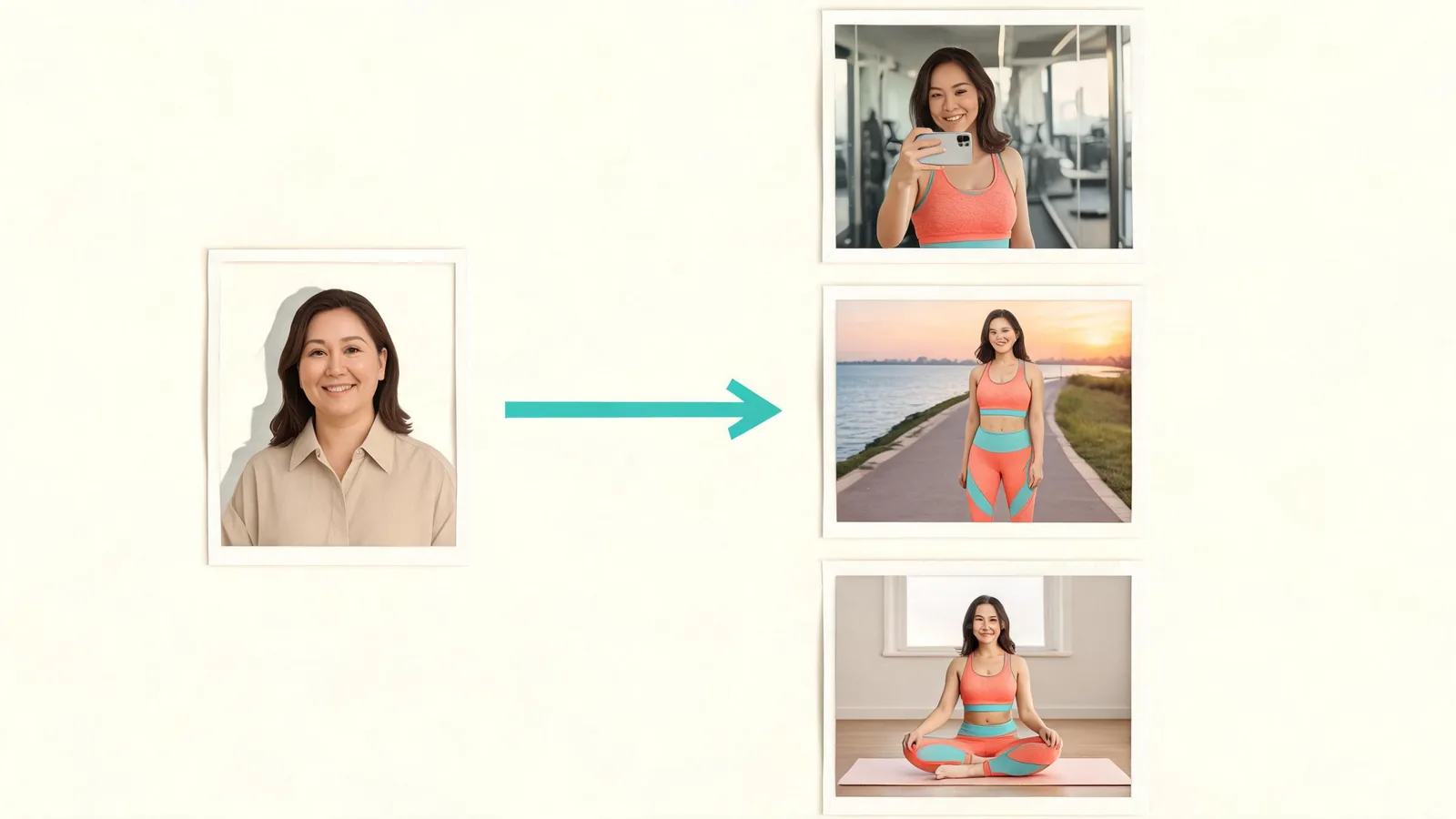
1. Pick the post before picking the shot
Decide what the picture needs to do. A profile introduction, an activewear mood board, and a post about planning your week call for different scenes. A purpose helps you choose images that belong on your account.
For a friendly introduction, start with the gym mirror selfie or activewear city shot. For a quiet visual theme, choose the yoga studio or sunrise run. The bodybuilding stage scene is more theatrical; use it for a clearly labeled concept rather than implying that you entered a competition.
There is no need to generate all eight. Start with one image you would actually use, then add two complementary scenes. A gym portrait, a home-workout concept, and a sunrise-run concept can share a fitness theme while providing different backgrounds. They should not become a fictional diary of workouts you completed.
If you are still deciding what belongs on your profile, the AI fitness influencer explainer covers uses such as mood boards and profile visuals, along with the limits of what those images can represent.
2. Choose a selfie with a readable face
Use one clear, front-facing photograph of one adult. Ordinary phone lighting is fine. Look for visible eyes, recognizable facial features, and a face that is large enough to see without zooming far into a group picture. Remove sunglasses and avoid a source with hair covering most of the face.
Only use yourself or someone who agreed to this specific use. If you are helping a friend, explain that the result may change clothes, surroundings, pose, and apparent physique. Ask separately about public posting. Agreement to share a normal photograph does not automatically settle whether someone wants a synthetic sports portrait on an account.
Our photo-source permission checklist can help with that conversation. Keep this workflow to adults, with tasteful sportswear and a presentation the pictured person is comfortable with. Skip heavy filters in the source so you can compare facial details clearly.
3. Match one of the eight shots to your idea
The studio starts with Gym mirror selfie selected. You can keep it or choose another card. The current options are below; the suggested uses are editorial ideas rather than examples of results we generated.
| Shot in the studio | Scene to expect | A useful content idea |
|---|---|---|
| Gym mirror selfie | A gym setting, phone in hand, sportswear | An introduction to a clearly labeled AI fitness visual series |
| Activewear in the city | An outdoor city lifestyle scene | A color or athleisure mood board |
| Physique pose | A bodybuilding-style stage pose with sportswear | A theatrical portrait concept, without a competition claim |
| Sunrise run | Running clothes and an outdoor morning scene | A visual about planning a morning routine |
| Yoga & pilates studio | A mat, studio surroundings, and a calm pose | A quieter profile image or class-poster concept |
| Home workout | A bright home setting with workout props | A home-exercise content theme |
| Post-workout shake | A kitchen scene with a shaker bottle | A recovery-themed visual, without a product testimonial |
| Beach fitness | Sportswear and a seaside setting | A summer fitness mood board |
Think about what a viewer could infer. A generated shaker bottle does not prove you used a supplement. A stage backdrop does not establish an award. A workout pose does not demonstrate correct exercise technique. Use captions that explain the creative idea rather than turning the scene into evidence of an event.
The page’s own demo shows a balcony selfie becoming a gym mirror portrait and then a clip. It illustrates the workflow, without promising that every result will match it.
4. Use Describe it for a scene the cards do not cover
Switch to Describe it when you want a different setting or activity. Keep the request concrete: one scene, a clothing preference, and a visual mood. A long list of conflicting sports and locations gives you a result that is harder to evaluate.
For example, a scene idea could be: “An adult in a navy athletic top and joggers, standing beside a climbing wall, soft daylight, relaxed portrait.” Another could be: “A casual cycling-inspired portrait near a tree-lined path, modest sportswear, warm afternoon light.” These are suggested descriptions, not tested outputs or instructions for performing a sport.
Avoid asking for exact branded products, proof of a race finish, or a dramatic body transformation. If the purpose is visual continuity, describe stable details such as outfit colors and light. The studio plans the photo from your words; it is not a precise product-placement or documentary photography service.
Before generating, confirm that the selected card or description matches the idea you want. Read the current credit amount beside Generate Image in the studio. You can decide whether the request is worth submitting without relying on a number copied into an article that may become outdated.
5. Review the first photo before making a set
Choose Generate Image, then inspect the completed picture before repeating the workflow. The tool aims to keep the uploaded person recognizable, but you still need to compare the result with the source. A convincing scene is not enough if the face or age no longer looks right.
Check the eyes, hair, skin tone, and expression. Then examine hands, the phone or shaker bottle, the edges of clothing, and reflections. Look for awkward fingers, merged equipment, inconsistent shadows, or a mirror that does not make visual sense. These are things to inspect, not defects we are claiming occurred in a particular result.
Also check how the body is represented. Do not use a picture that makes the person uncomfortable, and do not label an AI-adjusted physique as a real training outcome. Reject the result if its pose or clothing feels inappropriate for the intended audience.
Keep the first acceptable picture as your visual reference. Use the same original selfie for later shots and compare them side by side. Reusing a source can help you pursue a coordinated look; it does not guarantee identical facial detail, proportions, or clothing across separate generations.
6. Plan a small profile set with honest captions
A coordinated set needs more than a repeated face. Choose a limited color palette and decide how the images relate to your real account. You might pair a navy gym concept with a neutral home-workout concept and a warm outdoor portrait. Avoid presenting the backgrounds as places you visited if you did not.
Caption ideas include “AI-made gym portrait while I plan this account’s visual style” or “Imagined morning-run scene, created from my selfie.” Add any personal statement only if it is true. If you actually went for a run, a real photograph and your own account of it remain the better evidence of that experience.
The photos are 4:5. Check the preview in the destination app before posting, especially if you are cropping for a profile circle or adding text. Keep the face and any disclosure readable after cropping. Save an unedited copy of the accepted image before making platform-specific versions.
7. Add motion only after the photo works
The optional video turns the finished fitness photo into a five-second clip. Treat that as a separate choice after reviewing the still image. Motion can draw attention to a portrait, but it can also make face, hand, or background inconsistencies easier to notice.
The current studio offers Standard and HD with sound. Read the displayed options and credit amount before choosing a video mode. A short animated portrait is not a full workout demonstration, a recorded set, or an exercise lesson.
Watch the entire clip before posting. Check the start and end, not just the thumbnail, and listen if you chose a sound option. Do not let a synthetic pose stand in for instruction about form or technique. If the still image already meets your need, keeping it as a photo is a valid finish.
8. Make the AI disclosure easy to see
Write a plain disclosure close to the image: “AI-generated fitness scene based on my selfie.” The reader should understand what was created without having to search your profile biography. If a person other than you appears, confirm the final image and caption with them before publication.
As of October 14, 2026, TikTok’s AI-content guidance requires labeling realistic AI-generated images, audio, and video. Follow the destination platform’s current rules as well as adding a clear caption. An AI label does not make an invented fitness result or endorsement truthful.
FAQ
Do I need a gym photo as the starting image?
No. Use a clear, front-facing selfie of one adult. The selected shot supplies the sportswear and scene, so the original picture does not need to include a gym, yoga mat, or beach.
Which preset should I choose for a first gym portrait?
Gym mirror selfie is the default and the most direct match for a gym portrait. Use the page’s own demo to understand the idea, then review your result for recognizable facial features, appropriate clothing, hands, and reflections.
Can the same selfie make a matching set?
You can reuse the selfie across several shots to pursue a coordinated set. Compare the outputs yourself: separate generations may vary in facial details, physique, lighting, and clothing. Matching colors and selecting acceptable results help, but exact consistency is not guaranteed.
Should I animate every photo?
No. The five-second video is optional. Keep a photo if it serves your post, and add motion only after the still looks acceptable. Review the whole clip and disclose its AI-made scene before sharing it.
Start with one usable picture
Pick a post idea, choose a clear agreed adult selfie, and make your first fitness photo in ClipTrend.ai. Review it before building a set, and keep its AI-made nature visible wherever you share it. For more photo and video tools, browse ClipTrend.ai.