AI K-Pop Dance Video: A Safer Publishing Checklist
An AI K-pop dance video is ready to publish only after you have permission for the person, source image, motion, and audio; have watched the full generated clip; and have checked the destination platform's current disclosure rules. ClipTrend's AI dance generator can help create a short dance effect from a permitted input, but a polished preview never replaces consent, rights review, or a final frame-by-frame check.
Last updated: August 30, 2026 · about 8 min read
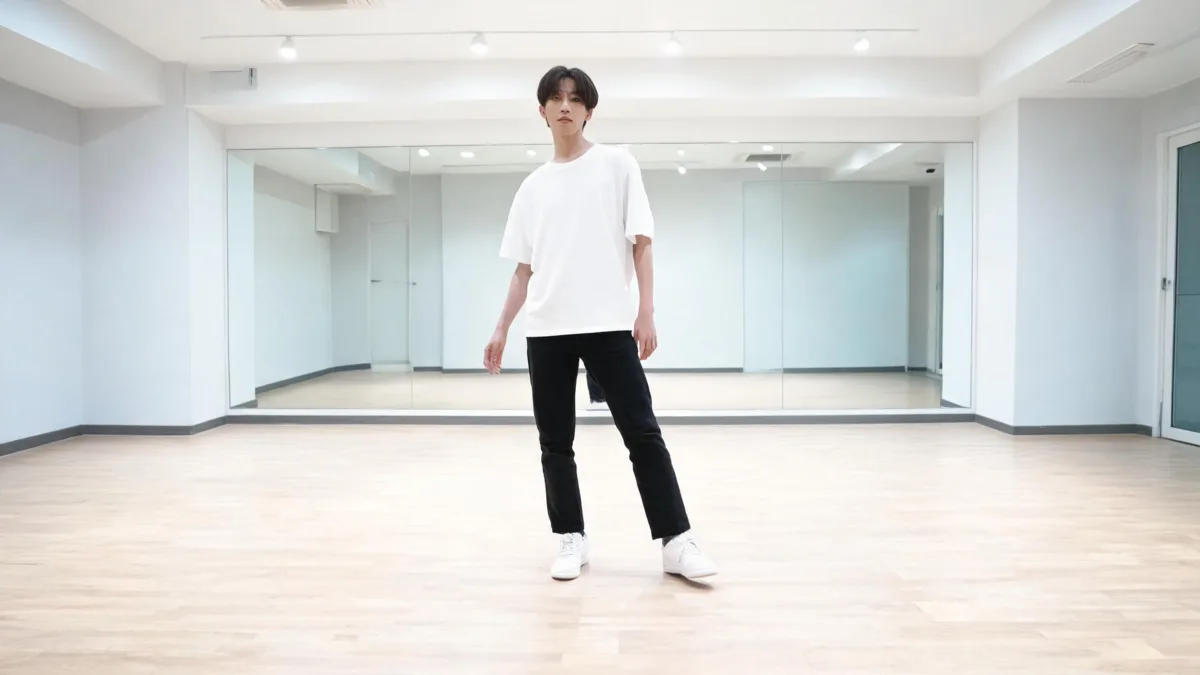
A clean full-body source with visible hands, feet, and clothing edges gives a dance workflow more information to work from.
What do you need before making an AI K-pop dance video?
Start by separating the parts that can have different owners and rules.
| Asset or decision | What to confirm before generation | Why it matters |
|---|---|---|
| Person or character image | Permission to animate the person; extra care if the image includes a recognizable individual | A public photo is not automatically permission for a generated dance video |
| Motion or choreography | You made it, licensed it, commissioned it, or otherwise have a usable right | Dance movement and reference footage can carry their own rights and consent questions |
| Music or audio | The audio is cleared for the exact platform and use | A video result does not clear a music track |
| Template and model | Current controls, cost, and output terms on the live product page | Interfaces and terms change |
| Platform post | Current labeling, age, and community requirements | A technically successful clip can still be inappropriate or misleading to publish |
The ClipTrend Trending Dance template currently supports a character input plus a selected dance move. Treat the live page—not this article—as the current source for available controls and credits.
Do not animate a person into a sexualized, harassing, deceptive, or otherwise harmful dance context. Do not use minor imagery for adult-style content. Stop and get permission when the source or intended audience is unclear.
A controlled source-photo workflow
- Use one permitted adult subject or a clearly fictional character. Start with a full-body or three-quarter image where the outfit, hands, and feet are not hidden by a crowd or heavy crop.
- Choose a modest, readable movement for the first test. Fast footwork, overlapping limbs, and rapid camera cuts give a model less room to preserve a believable figure.
- Generate a draft, then watch every second. Check face identity, hands, feet, clothing, background, and the last frame before downloading or sharing.
- Change one variable per retry. If the motion fails, change the source image or movement selection—not the whole scene at once.
This is an input-and-review workflow, not a claim that any source will work perfectly. A simple, compatible pair teaches more than a random sequence of rerolls.
Watch a relevant dance-video tutorial
This tutorial shows a general AI dance-video workflow. It is included because it directly discusses photo-to-dance generation; it is not a demonstration of ClipTrend or a source for current ClipTrend pricing, settings, or terms.
Treat it as general workflow context.
Review the output before you post
Review the complete clip, not only the strongest still frame.
| Check | What to look for | Action if it fails |
|---|---|---|
| Identity and consent | The output still represents the approved person or character and intended context | Do not post; replace the input or obtain clear permission |
| Anatomy and clothing | Hands, feet, body proportions, and garments remain stable | Retry with a clearer source or calmer motion |
| Music and choreography | The track and movement are cleared for this use | Replace the asset or seek a usable license |
| Disclosure | The platform's current synthetic-media notice is followed where relevant | Check the in-product publishing controls before upload |
| Truthfulness | The caption does not present a synthetic performance as a real event | Label or rewrite the post so viewers are not misled |
TikTok's AI-generated content guidance is one current primary source to review before posting there. Platform rules can change and other destinations may use different disclosure controls.
Keep the first post simple
For a first experiment, use one character, one dance selection, one short clip, and a clear caption. Avoid borrowing a celebrity likeness, a recognizable performer’s image, copyrighted character art, or music you cannot use. If you want to test a concept for a client, label it as a draft and keep source permissions with the project notes.
For technical source pairing, see the AI dance video motion-template guide. For a broader review before publishing synthetic material, use our brand-safe AI video checklist.
FAQ
Can I make an AI K-pop dance video from a photo?
You can use a photo-to-dance workflow when you have permission for the person or character in the image. Use a clear full-body or three-quarter source, choose compatible movement, and review the full output before sharing.
Do I need permission to animate someone in a dance video?
You should obtain permission before using a recognizable person's likeness, especially for public, commercial, or potentially sensitive contexts. A source image being public does not automatically grant permission for this use.
Can I use any song with an AI dance video?
No. Music rights are separate from the generated visual. Use audio that is cleared for the platform and intended use, or use the platform's licensed music options where they apply.
What should I check before posting an AI dance video?
Confirm source permissions and audio rights, watch the entire output, check anatomy and misleading details, review current platform disclosure requirements, and write a caption that does not misrepresent a synthetic performance as a real event.
Start with a publishable brief
Make the visual test narrow, preserve the source-rights trail, and do a complete review before it becomes a social post. When you are ready to test the current product workflow, open ClipTrend's AI dance generator and confirm the live settings first.
Sources
- ClipTrend, Trending Dance template
- TikTok, AI-generated content guidance
- YouTube, AI Dance Video Generator tutorial