Grok Imagine vs Kling: Image-to-Video Comparison
Grok Imagine is a practical first choice for fast, expressive image-to-video tests; Kling is often the better candidate when a shot needs more deliberate motion planning and you are willing to spend more time reviewing controls and output. There is no universal winner. Compare both on ClipTrend with the same source, prompt, duration, and acceptance checklist.
Last updated: August 11, 2026 · ~10 min read
Open the AI image-to-video workspace for the general flow, or use the dedicated Grok Imagine and Kling AI video generator pages. Treat those live selectors as the current contract because model versions, settings, availability, and credits can change.
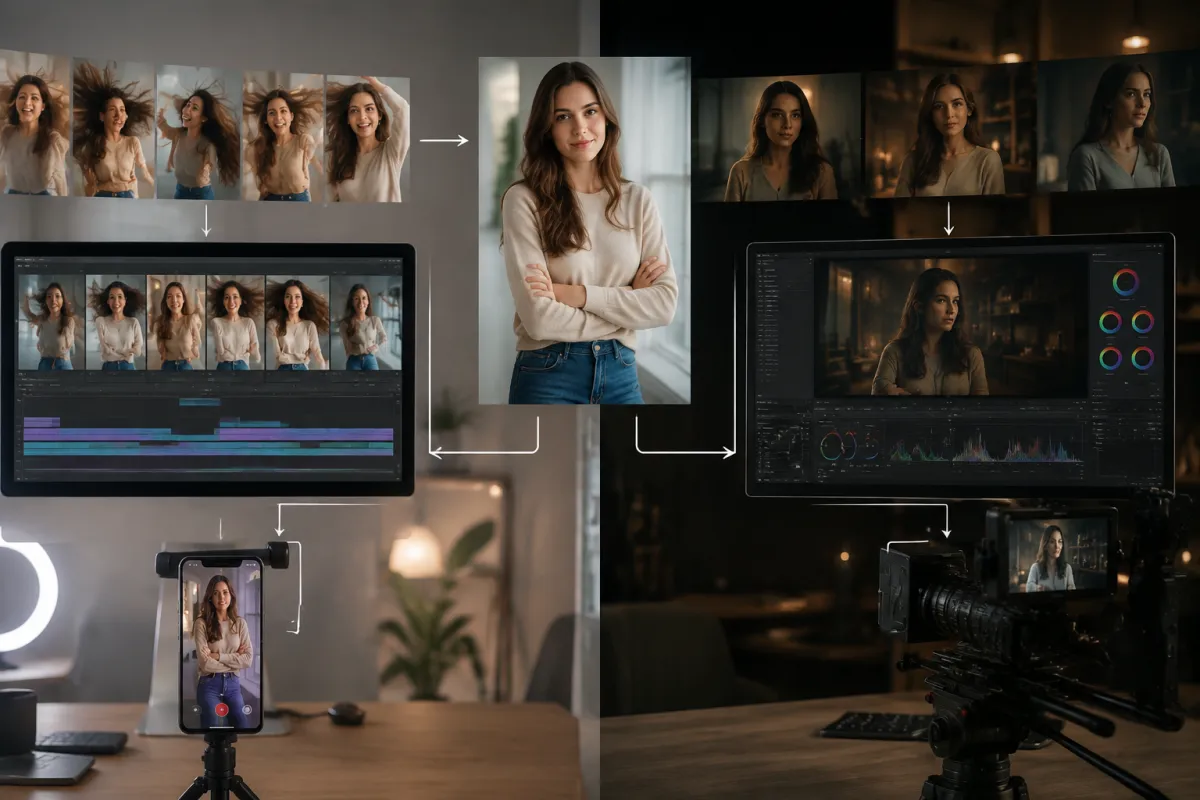
Conceptual comparison framework, not a claimed side-by-side model output. Test both models with identical inputs.
Grok Imagine vs Kling at a glance
| Decision point | Start with Grok Imagine | Start with Kling |
|---|---|---|
| First goal | Get a fast interpretation of one motion idea | Plan a more controlled or cinematic shot |
| Prompt strategy | Compact action + camera + protected details | Structured motion, timing, and control choices |
| Iteration style | Generate several focused variants | Spend more time preparing and reviewing each run |
| Strong test cases | Reactions, stylized motion, short social concepts | Deliberate camera work, staged action, narrative beats |
| Main review risk | Expressive changes may drift from the source | Complex direction may still fail or consume more review time |
| Best comparison metric | Useful result per minute or credit | Control achieved per accepted shot |
This table is a routing hypothesis, not a benchmark score. Your source image and shot may reverse the recommendation.
What Grok Imagine offers
xAI's current video-generation documentation describes text-to-video, image-to-video, reference-guided video, editing, and extension modes for Grok Imagine. It also documents asynchronous generation, configurable settings for standard generation, and temporary output URLs on the direct API.
Inside ClipTrend, focus on the controls shown on the live Grok model page. For a fair image-to-video test, give it one readable source and a compact prompt:
The fully clothed adult turns toward camera with a natural smile while a light breeze moves the jacket. Camera makes a small forward push. Keep facial identity, hairstyle, clothing, hands, body proportions, lighting, and background stable. End on a steady medium portrait.
Grok is useful when you want to test several motion directions without writing a miniature shooting script for each one. That speed is valuable during ideation—but only if you still inspect identity, anatomy, edges, and the ending frame.
Our Grok image-to-video prompt guide provides portrait, product, illustration, landscape, and food recipes.
What Kling offers
The Kling AI video generator is not valuable simply because “more settings means better.” Its value appears when those controls map to a real shot decision: camera path, subject motion, duration, mode, or a more deliberate narrative beat.
Begin with the same compact prompt used for Grok. Add model-specific control only after the baseline. If you change the prompt, source crop, duration, and camera setting at once, the comparison becomes meaningless.
Kling is worth prioritizing when:
- the shot needs a planned cinematic move;
- a staged action has a clear opening, development, and end;
- you can afford more review time per attempt;
- the current Kling controls on ClipTrend directly match the shot;
- the output is important enough to justify a slower selection process.
Do not assume a complex interface guarantees better adherence. Run the evidence test.
Use the same-brief test
1. Choose a diagnostic source
Use an image that reveals both strengths and failures:
- one authorized adult subject or one unbranded product;
- sharp face or product edges;
- visible hands only if they matter to the shot;
- enough background depth for the intended camera move;
- no tiny text that will dominate the review;
- room in the frame for motion.
The best first-frame guide explains subject size, edge clarity, and motion space.
2. Write one motion brief
Keep the first prompt model-neutral:
Use the uploaded product image as the first frame. A narrow studio highlight travels across the surface while soft haze moves behind it. Camera slides slowly from left to right by a small amount. Keep the product silhouette, color, material, cap, label area, table edge, and background stable. End on a centered three-quarter frame. No extra products, warped edges, invented text, or fast rotation.
3. Match settings as closely as the interfaces allow
Use the same duration, aspect ratio, and resolution where both models support them. If one model exposes a different option, record the difference rather than hiding it.
4. Run more than one attempt
One output can be luck. Run a small fixed set—such as three attempts per model—before drawing a conclusion. Set the limit before you begin so an attractive near-miss does not lead to uncontrolled retries.
5. Score only visible acceptance criteria
Use pass/fail checks:
- identity or product shape preserved;
- requested action occurs;
- camera move is readable;
- hands and edges survive;
- background remains coherent;
- no invented text or object;
- final frame settles cleanly;
- output is usable without hiding defects.
Avoid a made-up “92/100 cinematic score.” Count usable clips and note why the rest failed.
Which model fits portrait motion?
Start with Grok when the portrait needs a blink, breath, small expression, or social-style reaction and you want several interpretations quickly. Keep the camera simple and protect identity.
Move to the Kling AI video generator when the portrait belongs to a planned camera move or action beat, especially when the live control set gives you a direct way to express that plan.
For either model:
- use a close enough portrait to inspect the face;
- request one micro-action first;
- avoid simultaneous head turn, walk, hand gesture, wardrobe change, and camera orbit;
- get consent from the adult whose image you animate.
Which model fits product video?
Use Grok for rapid concept variants: light sweep, steam, subtle surface reflection, or small camera push. Use Kling when the product shot needs a more deliberate camera path and the unseen geometry is understood.
Exact packaging text is fragile in generative frames. Protect the label area, inspect the whole clip, and composite verified typography later if the text must be exact. Neither model should be treated as proof of a product feature, material, or size.
Which model fits stylized or illustrated motion?
Grok is a useful first test for anime-inspired original art, watercolor, comic, and expressive social motion. Preserve linework, palette, face design, and costume.
Kling deserves a comparison when the illustrated scene needs planned character action or a cinematic camera beat. The source must still leave room for motion and hidden geometry.
Only animate art you own or may use. A style direction does not grant permission to copy a copyrighted character.
Which model fits a transition or narrative shot?
The Kling AI video generator is often the stronger first candidate when the shot has a clear beginning, middle, and end and you can express the sequence through current controls. Grok can still win when the transition is short, physical, and based on one expressive motion.
Use AI video transition prompts to build a shared anchor, motion bridge, camera path, and final state. For a fixed ending image, compare models through a first-and-last-frame workflow only when both modes genuinely accept the required endpoints.
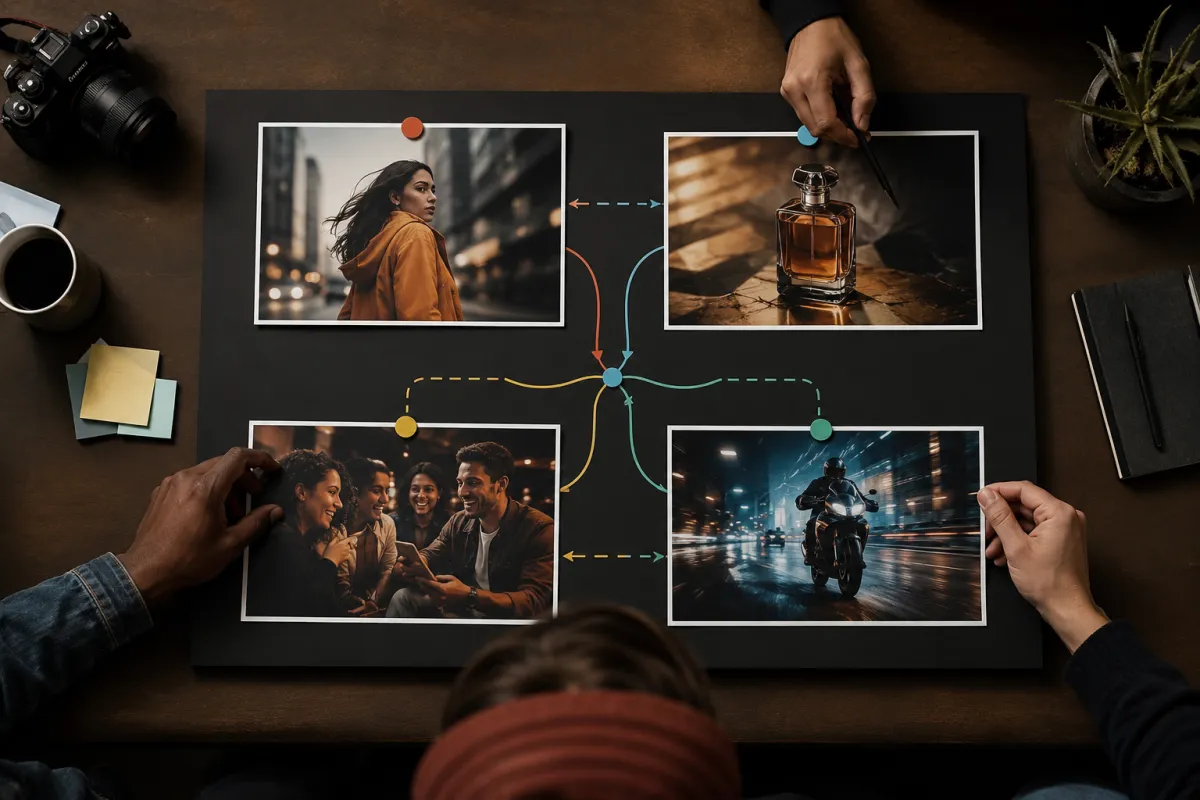
Conceptual shot router: choose from the task constraints, then validate the route with the same brief.
Prompt style: compact versus structured
The difference is not simply short prompt versus long prompt.
Compact diagnostic prompt
Use this for the first run in both models:
Subject action. One camera move. Protected details. Stable ending. Visible negatives.
Structured shot prompt
After a baseline works, add timing:
Opening 0–2 seconds: subject holds the source pose. Middle 2–6 seconds: subject turns as camera slides right. Ending 6–8 seconds: camera settles and subject holds the final position.
Only add timestamps when the model/mode and duration make them useful. Do not bury the main action under style adjectives.
The image-to-video prompt examples provide reusable syntax. Camera movement prompts help you choose one path.
Compare speed and cost honestly
Do not copy an old price into a permanent conclusion. Record:
| Field | What to capture |
|---|---|
| Date and time | Model availability and pricing can change |
| Model label | Exact version shown in the live selector |
| Mode | Text, image, reference, edit, or another workflow |
| Duration/resolution | Match them where possible |
| Credits shown | Record before generation |
| Queue/generation time | Measure the same way for both |
| Attempts | Include failed and rejected results |
| Usable clips | Your final acceptance count |
Then calculate cost per usable clip, not cost per request. A cheap request that needs six retries may cost more than a pricier request that works sooner.
Check ClipTrend pricing immediately before the test. Direct API prices and a hosted product's credit system are different units; do not mix them.
Failure patterns and the next move
| Symptom | First change | When to switch models |
|---|---|---|
| Face drifts | Crop closer; reduce motion; lock camera | Same failure after clear diagnostic attempts |
| Motion is too weak | Name one physical action and speed | Other model interprets the same action consistently |
| Camera ignores prompt | Remove competing camera verbs | Required control exists more directly in the other workflow |
| Background melts | Reduce camera travel; simplify source | Other model preserves the scene with the same brief |
| Product deforms | Reduce rotation; protect silhouette | Shape remains unstable across fixed attempts |
| Ending is abrupt | Define final pose and camera stop | Other model settles the endpoint more reliably |
The guide to warped faces and hands covers anatomy-specific repairs.
A practical routing rule
Start with Grok Imagine when all three are true:
- the shot has one short, expressive motion;
- fast iteration matters more than extensive control;
- you can judge several variations quickly.
Start with Kling when all three are true:
- the shot has deliberate camera or action planning;
- the live controls match the plan;
- the accepted clip justifies more review time.
If the model choice remains unclear, run three identical attempts in both. The result set is more useful than another comparison table.
Safety and rights
Get permission before animating a real adult. Do not create deceptive impersonation, private or intimate content, or evidence of an event that did not happen. Use original or licensed images, product assets, music, and characters.
Document model/version, source rights, prompt, generation date, output selection, and later edits for client work.
Frequently asked questions
Is Grok Imagine better than Kling for image-to-video?
Not for every shot. Grok is a strong fast-iteration candidate; Kling is a strong controlled-shot candidate. Run the same source and prompt against your acceptance criteria.
Which model is cheaper?
The answer changes with model version, mode, duration, resolution, and hosted-product credits. Compare the live ClipTrend values and calculate cost per usable clip.
Which model is faster?
Measure queue plus generation time during your own test. A model that returns quickly but needs several retries may be slower to a usable result.
Can I use the same prompt in Grok and Kling?
Yes for the baseline. Start model-neutral, then add model-specific controls only after you know how both interpret the same brief.
Related guides
- Generate with Grok Imagine →
- Generate with Kling 3 →
- Compare image-to-video models
- Use Grok image-to-video prompts
- Compare Kling, Runway, and Pika
- Check current pricing
Let the shot choose the model
Grok Imagine is a sensible first pass for fast, expressive variants. Kling is a sensible first pass for a deliberately controlled shot. Open both model pages, keep the source and prompt fixed, and choose the workflow that produces more accepted clips for your actual time and credit budget.
<script
type="application/ld+json"
dangerouslySetInnerHTML={{
__html: JSON.stringify({
'@context': 'https://schema.org',
'@type': 'BlogPosting',
headline: 'Grok Imagine vs Kling: Image-to-Video Comparison',
description: 'Compare Grok Imagine and Kling for image-to-video by shot type, motion control, prompt style, iteration speed, review effort, and current cost.',
image: 'https://cliptrend.ai/imgs/blog/grok-imagine-vs-kling-hero.webp',
datePublished: '2026-08-11',
dateModified: '2026-08-11',
author: { '@type': 'Organization', name: 'ClipTrend.ai Editorial Team' },
publisher: { '@type': 'Organization', name: 'ClipTrend.ai', logo: { '@type': 'ImageObject', url: 'https://cliptrend.ai/logo.png' } },
mainEntityOfPage: { '@type': 'WebPage', '@id': 'https://cliptrend.ai/blog/grok-imagine-vs-kling' },
}),
}}
/>
<script
type="application/ld+json"
dangerouslySetInnerHTML={{
__html: JSON.stringify({
'@context': 'https://schema.org',
'@type': 'FAQPage',
mainEntity: [
{ '@type': 'Question', name: 'Is Grok Imagine better than Kling for image-to-video?', acceptedAnswer: { '@type': 'Answer', text: 'Not for every shot. Grok is a strong fast-iteration candidate; Kling is a strong controlled-shot candidate. Run the same source and prompt against your acceptance criteria.' } },
{ '@type': 'Question', name: 'Which model is cheaper?', acceptedAnswer: { '@type': 'Answer', text: 'The answer changes with model version, mode, duration, resolution, and hosted-product credits. Compare the live ClipTrend values and calculate cost per usable clip.' } },
{ '@type': 'Question', name: 'Which model is faster?', acceptedAnswer: { '@type': 'Answer', text: 'Measure queue plus generation time during your own test. A model that returns quickly but needs several retries may be slower to a usable result.' } },
{ '@type': 'Question', name: 'Can I use the same prompt in Grok and Kling?', acceptedAnswer: { '@type': 'Answer', text: 'Yes for the baseline. Start model-neutral, then add model-specific controls only after you know how both interpret the same brief.' } },
],
}),
}}
/>