AI Pirate: How to Turn Yourself Into a Pirate Captain
To make an AI pirate photo, open ClipTrend.ai's AI Pirate studio, upload a clear, front-facing selfie, keep Pirate selected, and press Generate Image. The preset creates a ghost-ship captain costume around your recognizable face. Review and download the picture, then optionally make a five-second vertical video. For a pirate couple, switch to 2 People and upload one separate selfie per person.
Updated October 12, 2026 · By the ClipTrend.ai Editorial Team
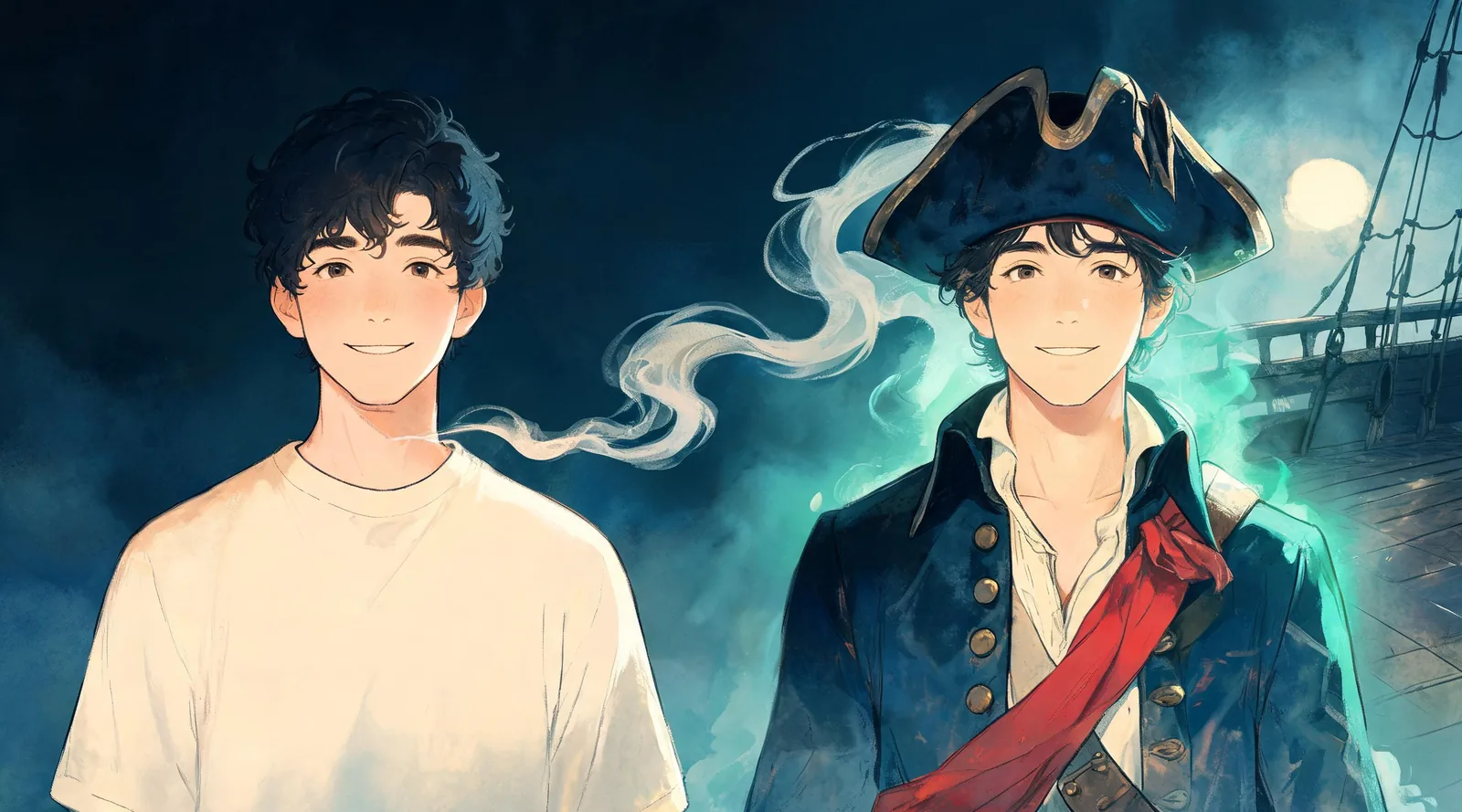
Disclosure: ClipTrend.ai provides the studio described in this guide. The cover is an editorial illustration, not a sample result from the studio.
1. Open the pirate page and look at its demo
Start on the AI Pirate page. Its own demo shows the direction of the transformation: an ordinary portrait becomes a captain in a theatrical costume, on a foggy ship deck. Use that demo to decide whether you want the default ghostly look before uploading your photograph.
As of October 12, 2026, this is a photo-first studio. It does not place a moving hat over a live camera feed. You make a still portrait, inspect it, and then decide whether to animate that finished picture. A still image is enough for a profile picture, a costume mood board, or a party invitation.
The page opens in 1 Person mode with the pirate direction selected. Keep that mode for a solo portrait. The two-person option uses separate reference photographs; instructions for it follow below.
2. Upload one clear, front-facing selfie
Choose a photo of yourself, or a person who has agreed to this costume transformation. Ask before uploading someone else's face, and agree separately on where the result may be shared. Keep the source simple: one person, an upright image, and a face large enough to see clearly.
Both eyes should be visible. Avoid sunglasses, a hat casting a deep shadow, motion blur, and a hand covering the mouth. Even lighting helps you compare the finished face with the source. Leave some room around the head and shoulders rather than cropping the hair or chin tightly.
Ordinary clothes are fine. You do not need to wear a pirate outfit first, and you do not need to add an eye patch to the reference photo. The costume direction supplies the clothing. A heavy beauty filter can make it harder to judge whether the result still resembles you, so use a straightforward photograph where possible.
Check the upload preview before continuing. If it shows the wrong person or is sideways, correct that now rather than trying to compensate with a costume description.
3. Keep Pirate selected for the ghost-ship captain
The default Pirate preset describes a weathered long captain's coat, brass buttons, a loose white shirt, a sash, a tricorn hat, and a prop cutlass. A faint sea-green glow and a foggy deck under a full moon give it a ghost-ship setting. The face remains visible rather than hidden by a skull mask.
Those are the intended visual elements, not a promise that every accessory will appear identically in every generation. Look at the page's demo for the overall style. This is a recognizable-face costume transformation, not face swapping: the aim is to portray you dressed as a pirate, rather than substitute somebody else's face.
If you want a different direction, the studio also offers 12 solo and 12 couple presets, a costume-photo reference, or a written costume description. These are alternatives to the default; a classic deckhand or a warm daylight captain is not a separately guaranteed pirate preset.
For a custom direction, describe clothing and setting in plain terms. For example: “A theatrical pirate captain in a navy coat, cream shirt and burgundy sash, with a simple tricorn hat; face fully visible; warm lantern light.” This is a suggested description to try, not a claim about a result we generated. Keep costumes non-sexualized and leave out gore.
4. Press Generate Image and wait for the photo
Before pressing Generate Image, check the person mode, selected costume, upload preview, and the credits displayed beside the button. Read the current interface rather than relying on an older screenshot or a remembered amount.
The page describes photo generation as taking about a minute. Treat that as an estimate: your request may take longer. Wait for the current result before deciding whether to change the source or try another direction.
The first task is to get a usable still photograph. You do not have to choose video to finish the workflow. If your goal is a party avatar, a saved image may be all you need. Making the photograph first also lets you catch a face or costume problem before carrying it into a moving clip.
5. Review the portrait, then download it
Compare the result with your original selfie before sharing it. Look at the eyes, mouth, face shape, and hairline. The hat should not obscure the face, and the costume should read as clothing around the person rather than replace their recognizable features.
Then inspect the accessories. Brass buttons, a sash, coat edges, and a prop can acquire irregular details. If hands appear, check the fingers and how they hold the prop. For a small avatar, also view the image at roughly the size people will actually see it: a dramatic full scene may leave the face too small.
- Recognizable face: Can someone who knows you identify you without the caption?
- Readable costume: Are the hat and coat clear without hiding the eyes?
- Clean details: Are hands, clothing edges, and accessories plausible?
- Suitable sharing: Does the picture fit the audience and agreed use?
Download the accepted portrait. If it is mainly a costume reference, label it as an AI concept when sending it to friends. It can help communicate a color palette or silhouette, but it does not establish how a purchased garment will fit, what its fabric feels like, or whether an accessory is practical to wear.
6. Add a partner, or build a crew through separate runs
For two people, return to the studio and choose 2 People. Upload one clear selfie of each person rather than a crowded group picture. The pirate couple direction portrays ghost pirates, with a captain coat and tricorn on one person and a vest, bandana, and long coat on the other.
Review both faces individually. A convincing first person does not make the second person's face automatically acceptable. Agree on the final image before using it on an invitation or public post. If you want coordinated clothing beyond the default pair, use a suitable costume reference or description and inspect the interpretation.
A whole party crew is a planning exercise through separate solo or couple runs; the studio is not a large-group upload mode. Give each participant a role and a shared palette, then let each person approve their own photograph. For example, keep navy and burgundy across the crew while varying captain coats, vests, and scarves.
If you are still choosing the roles, the pirate costume ideas guide compares wardrobe options before you make your next portrait. For a pair considering other themes, couples Halloween costume ideas offers a broader selection.
7. Optionally turn the accepted photo into a video
Continue to video only after you like the photograph. The studio offers a five-second vertical clip with Standard 480p or HD 768p with sound. Standard continues through the image-to-video workspace; HD is the option described with sound. Check the selected tier and its displayed credits before starting.
Think of the clip as a short animated portrait, not footage of a real costume shoot. Inspect the whole five seconds: watch whether the face changes, the hat shifts unnaturally, or a coat edge breaks as the person moves. For HD, listen to the sound as well. A good first frame alone is not enough to approve a moving result.
For a more general explanation of reviewing motion, see how to avoid warped faces and hands in AI videos. Keep the downloaded still too; it gives you a useful fallback if the animation is not what you wanted.
FAQ
Do I need a pirate hat in my original selfie?
No. Start with a clear photograph where your face is visible. The Pirate preset supplies the costume direction, including the tricorn hat and captain's coat. A hat that shadows your eyes in the source can make the face harder to evaluate.
Can I make a non-ghost pirate portrait?
You can describe another costume direction or upload a costume reference. The default Pirate look is a ghost-ship captain, so a daylight or non-ghost version requires a custom input. Review the interpretation rather than expecting an exact reproduction.
What if the finished captain no longer looks like me?
Do not share it as an accepted portrait. Check whether the source face was small, obscured, blurred, or heavily filtered. A clearer selfie is a useful next step; judge any new result against the original face again.
Can three friends appear in one studio generation?
The studio provides solo and two-person modes. For three or more friends, plan the crew through separate runs and keep the wardrobe coordinated. Do not assume the two-person mode supports a larger group photograph.
Is video required to save my pirate picture?
No. Generate, review, and download the photo on its own. The five-second video is an optional continuation after the still image is ready.
Make your captain portrait
Choose a clear selfie, keep the first run simple, and approve the face before adding a partner or animation. Open AI Pirate to start with the ghost-ship captain preset.