How to Make Realistic AI Videos (Without the Telltale AI Look)
To make realistic AI videos, start from one sharp, well-lit photo, then prompt for a single clear action and keep the clip short. Most fake-looking results come from asking for too much motion at once. Animate one believable moment per clip on ClipTrend.ai and the uncanny look disappears.
Last updated: June 23, 2026
You can usually spot an AI video in the first two seconds. The face melts a little, the fingers fuse, the background swims, and the way the person moves just feels off. Here's the good news: almost none of that is the model's fault. It's how the clip was set up. Realism is a process, not a magic prompt, and once you know which knobs matter, you can get clips that pass for real footage.
Why do AI videos look fake?
Before you fix anything, it helps to know what your eye is reacting to. Four problems cause most of the telltale AI look:
- Too much motion. Ask the model to do five things at once and it has to guess physics it doesn't fully understand. Limbs phase through each other, clothing warps, the whole frame churns.
- Morphing faces and hands. Faces drift frame to frame because nothing locks the identity in place. Hands are worse: fingers multiply, merge, or bend the wrong way.
- Broken physics. Hair, water, and fabric move in ways gravity never allowed. A coat swings before the person does.
- Flickering and shimmer. Fine textures (skin pores, brick, foliage) crawl and sparkle between frames because the model can't keep tiny details consistent.
Nearly every fix below targets one of these. If you're mostly hitting hard errors instead of subtle weirdness, read our common image-to-video mistakes and fixes guide first, then come back here to dial in realism.
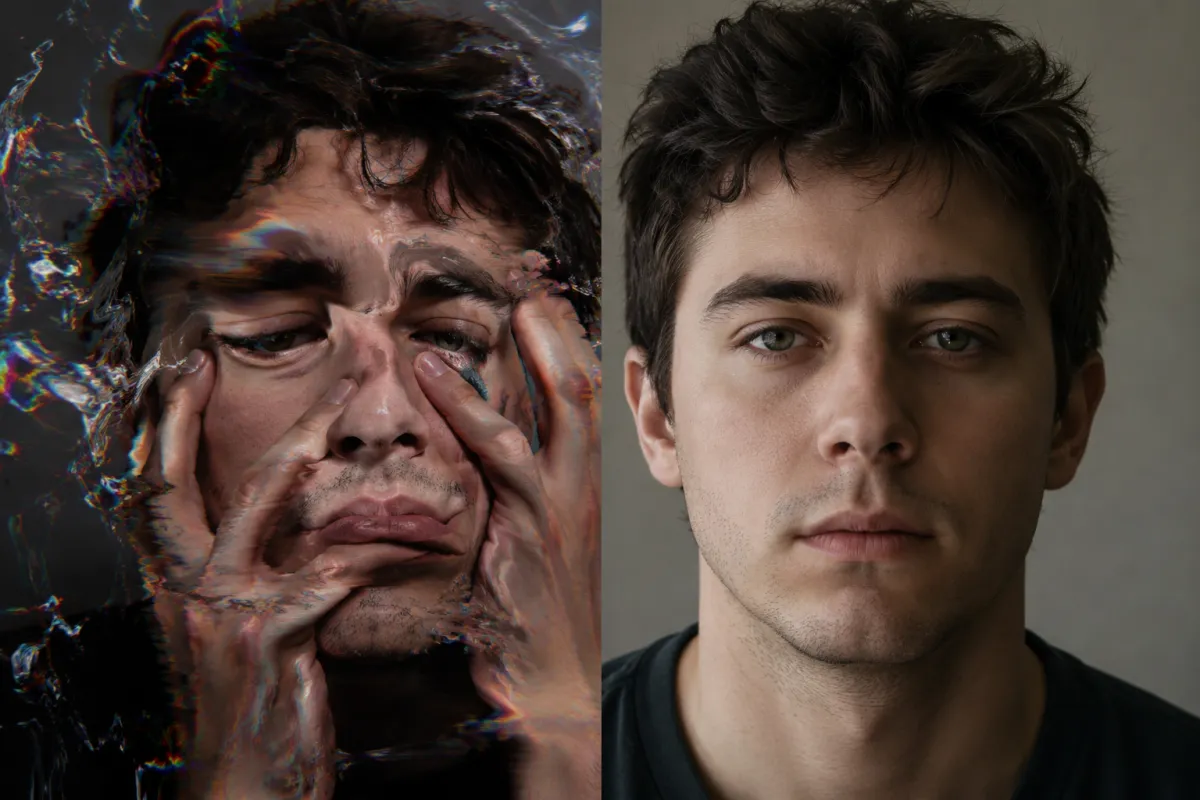
Same subject, two outcomes: the left clip asked for too much at once; the right one animated a single calm action.
Start from one sharp, high-quality image
Image-to-video amplifies whatever you feed it. A soft, low-resolution, or busy starting frame gives the model less to hold onto, so it invents detail mid-clip. Invented detail is exactly what flickers and morphs.
What a good source frame looks like:
- Crisp and well-exposed. No motion blur, no heavy noise, clearly in focus on the subject.
- Even, directional lighting. One main light source the model can keep consistent beats flat or chaotic lighting.
- A clean, simple background. Fewer competing textures means fewer things to shimmer.
- The subject framed with breathing room, not cropped so tight that any movement pushes a limb out of frame.
Spend your effort here. A sharp photo animated simply will always beat a mediocre photo animated cleverly.
Write motion-specific prompts: describe ONE clear action
The single biggest realism upgrade is restraint. Vague prompts like "make it cinematic and dynamic" invite the model to move everything. Name one specific, physically simple action instead, and let everything else stay calm.
Compare the two approaches:
| Vague prompt (fake-looking) | Specific prompt (realistic) |
|---|---|
| "Dynamic cinematic shot, lots of energy" | "She slowly turns her head to look at the camera, soft smile" |
| "He moves around the room dramatically" | "He takes one calm breath, shoulders settling, eyes blink once" |
| "Epic motion, everything alive" | "Gentle breeze moves her hair; she stays still otherwise" |
| "Action-packed, fast, exciting" | "He raises a coffee cup to his lips and takes a sip" |
The pattern: one subject, one verb, a slow speed. Spell out what should stay still ("background steady," "camera locked") so the model knows the rest of the frame isn't up for grabs.
Keep clips short
Realism decays over time. Every extra second is another stretch where the model has to keep a face, two hands, and a background consistent, and small errors compound into morphing and drift.
A reliable workflow:
- Generate short clips, not long ones. A 4-6 second clip gives the model far less room to wander off-model than a 15-second take.
- Pick the best take, then generate a fresh short clip for the next beat instead of asking one render to cover the whole scene.
- Stitch the clips together in any editor. Three clean 5-second shots read as far more real than one wobbly 15-second one.
If a single long take is non-negotiable, expect to generate several and keep only the one that survives the full duration.
Lock identity with a real-face reference
When your subject's face needs to stay the specific person across a clip, drifting features are the giveaway. A real-face reference gives the model an anchor to hold the identity steady frame to frame, so the person at second five still looks like the person at second one.
This isn't face swapping. You're not pasting one face onto another body; you're helping the model keep the original person consistent as they move. We break the workflow down in our guide to using a Seedance 2 real-face reference. Reach for it whenever a recognizable, repeatable face is the point of the shot.
Avoid extreme camera moves
Aggressive virtual camera work (fast push-ins, whip pans, orbiting shots) forces the model to invent new angles of things it never saw. That's where backgrounds bend and faces smear.
| Camera move | Realism risk | Better choice |
|---|---|---|
| Fast orbit / 360° | High (invents unseen geometry) | Locked-off static frame |
| Whip pan | High (motion-blur mush) | Slow, short pan |
| Rapid push-in | Medium-high | Gentle, slow zoom |
| Static / subtle drift | Low | Recommended default |
Let the subject carry the motion and keep the camera nearly still. A locked camera with one believable human action looks dramatically more real than a swooping camera around a melting scene.
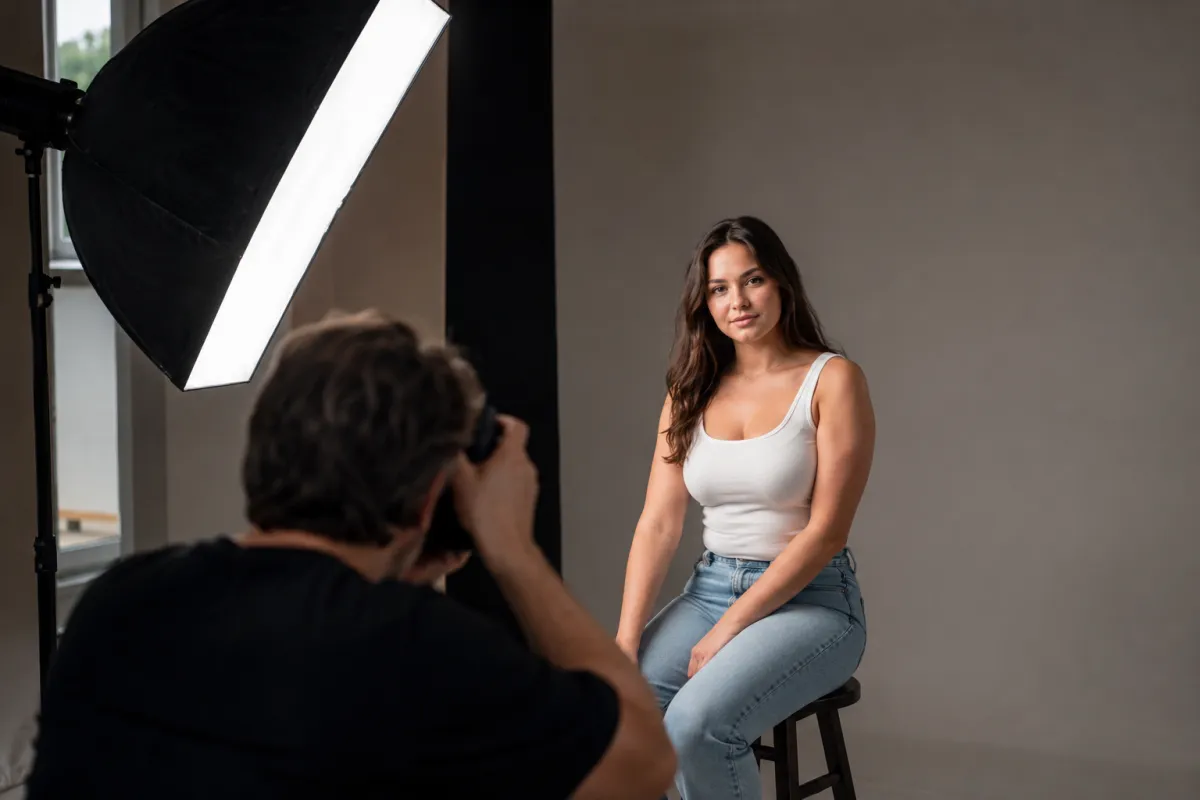
A clean source frame with one clear light source is the foundation every realistic clip is built on.
Pick the right model for the shot
Not every model is good at every job. Match the model to the shot and you stop fighting weaknesses that were never yours to fix.
- Subtle, lifelike human motion (a glance, a breath, a small smile): pick a model tuned for natural human movement and identity stability.
- Bigger physical action or scene-level realism: a newer high-fidelity model handles motion and physics better. See what's possible with Veo 3.1 image-to-video.
- Keeping a specific real face: use a model with strong identity preservation plus a real-face reference.
When a clip looks fake no matter how carefully you prompt, the model is often the bottleneck. Re-run the same image and prompt through a different one before assuming your setup is wrong.
Mind lighting and consistency
The last 10% of realism is consistency. If your source image has clear, motivated lighting, the model knows where shadows belong and keeps them stable. Flat or conflicting light makes shadows crawl and skin tone shift, the classic AI flicker.
Quick consistency checks:
- One dominant light direction in the source photo, and a prompt that doesn't ask the lighting to change.
- Stable color and contrast. Don't request dramatic lighting shifts mid-clip unless you're ready to babysit them.
- Matching style across stitched clips so a multi-shot sequence reads as one continuous piece.
Frequently asked questions
Why does my AI video look fake even with a great photo?
Almost always over-animation. A great photo with a "do everything" prompt still melts. Cut the motion down to one clear action, shorten the clip, and lock the camera. The photo was never the problem; the instructions were.
How long should an AI video clip be for realistic results?
Aim for 4-6 seconds per clip. Realism decays the longer a render runs, because the model has to keep faces, hands, and backgrounds consistent across more frames. Generate several short clips and stitch them instead of forcing one long take.
How do I stop faces and hands from morphing?
Keep the action slow and simple, keep the clip short, and supply a real-face reference so the model has an identity anchor. For hands specifically, skip complex hand gestures; keep hands relaxed or partly out of frame where you can.
Do I need an expensive camera or studio to get realistic AI video?
No. You need a sharp, well-lit photo, which any decent phone can produce in good light, plus disciplined prompting. Even lighting, a clean background, and sharp focus matter far more than expensive gear.
What's the difference between this and your mistakes-and-fixes guide?
The mistakes-and-fixes post troubleshoots hard errors, the things that broke. This guide is about technique for realism: avoiding the subtle uncanny look even when nothing technically failed.
Which model gives the most realistic AI video?
It depends on the shot. Subtle human motion rewards models tuned for natural movement and identity stability; bigger action and scene physics favor newer high-fidelity models. Test the same image and prompt across a couple of models and keep the best result.
Ready to make a clip that actually looks real?
Pick your sharpest photo, write one calm action, keep it short, and let the model do the rest. Animate your photo on ClipTrend.ai and see how believable a single well-prompted clip can look.