AI Video Templates for Talking Objects
AI video templates for talking objects work when the object still looks like itself and its line sounds connected to what it does. Start with one recognizable product or prop, give it one personality, and use the Talking Object template to make a short visual joke or brand moment rather than a complicated scene.
Last updated: July 12, 2026 - about 6 min read
Quick answer
Choose an object with a simple silhouette: a mug, sneaker, lamp, bottle, toaster, or game controller. Give it one point of view and one short line. Then build the clip around a single beat: it complains, gives advice, reacts to a situation, or introduces itself.
The object should be easy to identify in the first frame. If viewers need several seconds to work out what they are looking at, the dialogue has no setup.
Start with an object that can carry a character
Talking object AI video ideas work best when the personality comes from the object's ordinary job. A coffee mug can be exhausted before Monday. A desk lamp can be dramatic about late-night work. A sneaker can complain about being left in the closet.
| Object | Clear personality angle | Simple first beat |
|---|---|---|
| Coffee mug | Sleepy, overworked | "I have seen too many Mondays." |
| Water bottle | Earnest coach | Reminds its owner to take a break |
| Desk lamp | Serious helper | Reacts to another late-night task |
| Sneaker | Slightly jealous | Wants to leave the house |
Avoid an object that is tiny, obscured, reflective, or surrounded by several competing products. A template has a better chance when one prop owns the frame.
Make the first frame do the setup
Use a clean photo with the whole object visible and enough space around it. Avoid hands covering the key feature or a background so busy that the object disappears.
Then use one clear direction:
- Pick the object and a single personality trait.
- Write a line that is short enough to understand once.
- Generate with AI video templates, then watch without sound first to see whether the setup is visible.
The sound-off check is useful. If the visual already tells you "this coffee mug is grumpy," the line lands better. If the image tells no story, more dialogue will not fix the clip.
Keep dialogue brief and specific
The funny part is usually the mismatch between an ordinary object and a human reaction. One or two sentences are enough. Do not write a monologue or force a product claim into every word.
Better: "I am not empty. I am emotionally unavailable."
Harder to make work: a long explanation of every product feature, a joke with several characters, or a paragraph that needs subtitles just to make sense.
If this is for a brand, use the object as a mascot or scene opener. Put exact prices, legal claims, and promotional details in the caption or final edit where they can be reviewed.
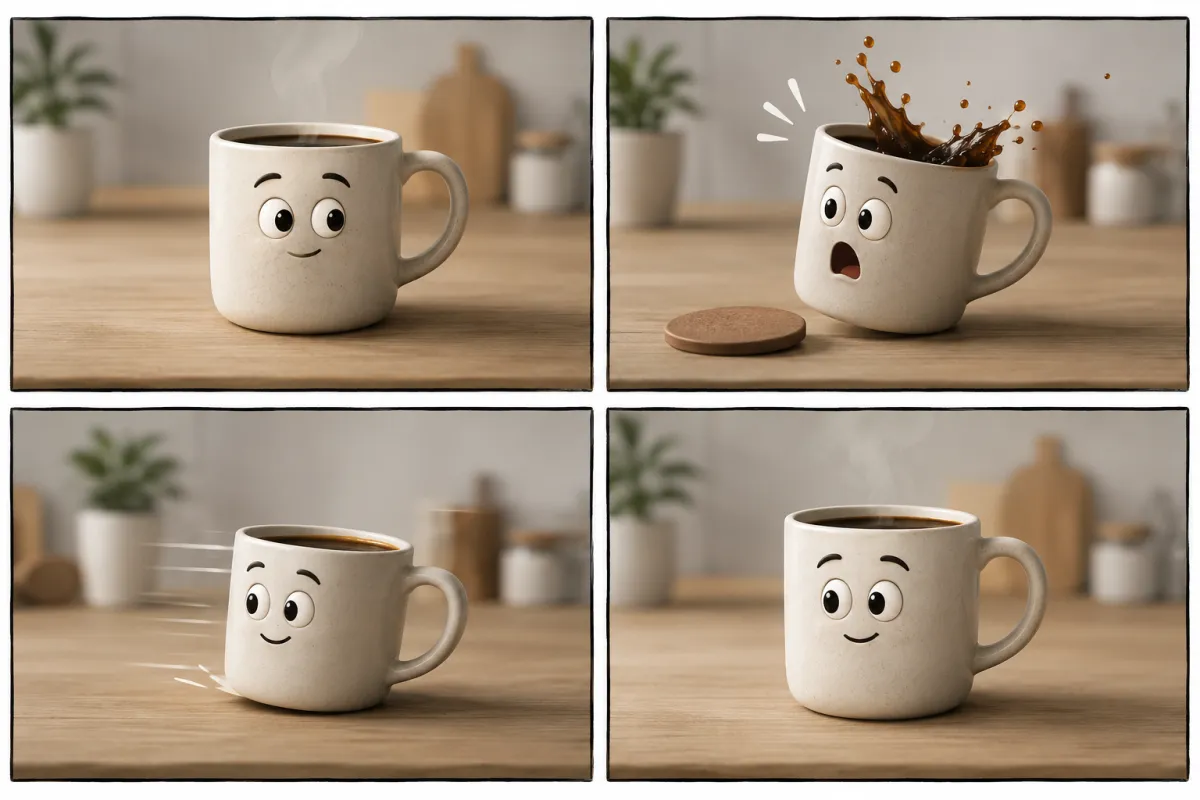
A recognizable object plus one readable reaction is usually enough for a short clip.
Make a series without repeating yourself
A talking object format is useful when it can become a series. Keep the basic visual language stable but change the object, mood, and situation.
- Monday: an exhausted coffee mug.
- Midweek: a desk lamp that refuses another late night.
- Weekend: a sneaker impatient to get outside.
This creates a recognizable pattern without uploading the same clip three times. Each object has a different visual silhouette and a different reason to speak.
Check permissions and expectations
Use photos you have permission to upload. Do not make a real person appear to endorse a product through a talking-object gag, and do not use the format to impersonate someone. If the clip is promotional, make the brand relationship clear in the accompanying post.
FAQ
What is a talking object AI video?
It is a short generated clip where an everyday object is animated as a character with voice, expression, or personality. The strongest versions keep the object recognizable and the idea simple.
What kind of photo works best?
Use a clear, front-facing or three-quarter photo of one object with clean edges and enough open space around it. Avoid crowded scenes and tiny subjects.
Can I use this for a product launch?
Yes, as a character-led opener or social teaser. Keep factual product information, pricing, and claims in a reviewed caption or end card rather than inside generated dialogue.
Browse the Talking Object template once you have an object, one personality, and one line worth hearing.