AI Video Templates: How to Pick the Right Template for a Viral Clip
The best AI video template is not the flashiest one in the gallery. It is the one that matches your input, your motion goal, and the platform you are posting to. Start with the ClipTrend.ai templates page, then choose by asset type: photo, product, character, object, or trend format.
Last updated: June 30, 2026 - about 7 min read
Templates are useful because they remove the blank-page problem. Instead of writing a whole video prompt from scratch, you start from a proven structure: a talking object, a dance motion, a product reveal, a photo animation, or a social trend. The mistake is picking a template only because the preview looks cool.
This guide shows how to choose one that will actually work with your source material.
Start with the source asset
Every AI video template has an input it likes. If you ignore that, the result gets messy.
| Source asset | Template type to start with | Why |
|---|---|---|
| One portrait photo | Image-to-video or portrait motion | Keeps identity and pose stable |
| Product photo | Product reveal or ad template | Highlights object shape and lighting |
| Animal photo | Pet animation template | Uses small natural motion |
| Object or prop | Talking object template | Turns the object into the character |
| Character image | Dance, action, or character template | The subject can carry motion |
| No image | Text-to-video style template | Builds the scene from a prompt |
If your source is weak, the template will not save it. A clean image with one clear subject gives the model less to invent.
Pick by motion, not mood
Many users pick a template by vibe: cinematic, cute, dramatic, funny. That helps later, but the first decision should be motion. What actually needs to move?
Use this rule:
- Small motion for portraits, old photos, pets, and meaningful stills.
- Camera motion for landscapes, real estate, travel, and product shots.
- Performance motion for characters, dances, memes, and trend clips.
- Transformation motion for before/after effects and reveals.
- Mouth or face motion only when consent and likeness rules are clear.
For example, a portrait usually does not need a full head turn. A soft blink, slight hair movement, or subtle camera push-in looks more believable. A product shot can handle more motion, because shape and lighting matter more than facial identity.
A viral template spreads because it is easy to reuse, not because every output is loud. The best template makes the user's asset do one memorable thing.
Choose the platform format early
TikTok, Reels, Shorts, ads, and website embeds do not reward the same layout. Decide the destination before you generate.
| Platform | Safer format | Template notes |
|---|---|---|
| TikTok / Reels | 9:16 vertical | Strong first second, centered subject |
| YouTube Shorts | 9:16 vertical | Clear motion and simple visual hook |
| Product ad | 1:1 or 9:16 | Keep product readable, avoid over-warping |
| Website hero | 16:9 or wide crop | Slower motion, no chaotic cuts |
| Pinterest / idea pin | 9:16 | Strong before/after or step-style sequence |
If you generate in the wrong shape, cropping can ruin the clip. A character's face may get cut off. A product label may disappear. A vertical trend template is not always the right choice for a homepage video.
Template examples by goal
Goal: make a product feel alive
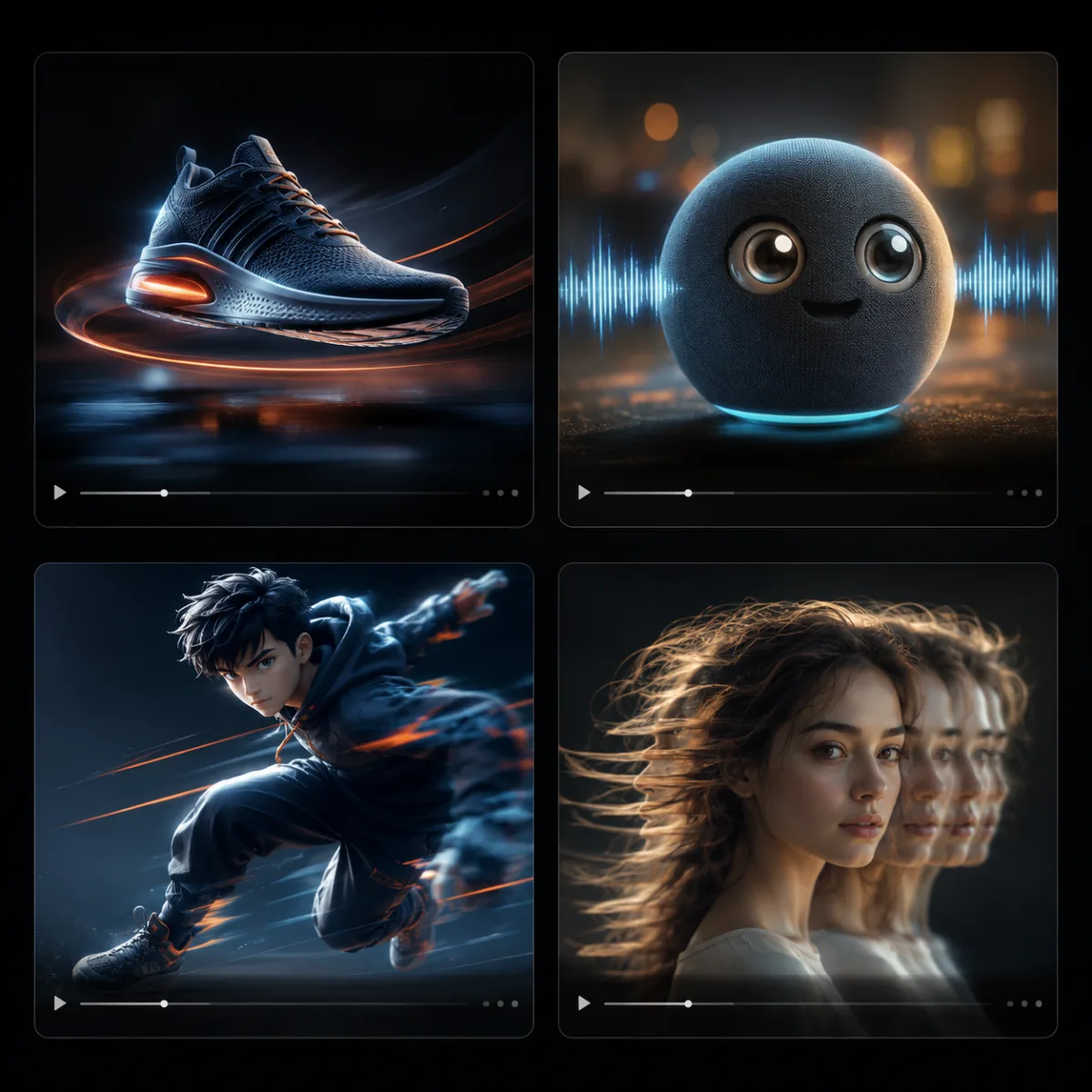
Use a product reveal, camera orbit, or short ad template. Keep the product centered and describe motion around the product, not a complete scene rewrite. For a product photo workflow, the image-to-video tool is usually the cleanest starting point.
Goal: make a trend clip quickly
Use a trend template that already defines the motion. Your job is to supply a strong source image and keep the prompt short. Trend templates fail when users pile on extra camera moves, styles, and scene changes.
Goal: animate a prop or object
Use a talking object template when the object itself is the character. It works best for products, toys, food, collectibles, and simple props with a clear silhouette.
Goal: create a character performance
Use a dance or character-motion template when the subject is full-body and the pose is readable. Cropped portraits are not good inputs for body-motion templates.
What makes a template reusable
A reusable template has three traits:
- Clear input rules. Users can instantly tell what image or prompt they need.
- A recognizable motion pattern. The output has one repeatable idea, such as an orbit, blink, reveal, or dance beat.
- Room for personal assets. The user can bring their own face, product, pet, or object without fighting the template.
This is why generic "cinematic AI video" templates often disappoint. They look impressive in a demo but do not tell the user what to upload.
How to test a template before spending time
Run one small test before committing to a batch:
- Upload your cleanest source image.
- Use the template's default motion first.
- Change only one detail in the prompt.
- Check whether the subject stays stable.
- Save the prompt only if the first result is close.
If the first output changes the person, melts the product, or ignores the main motion, switch templates instead of fighting it for ten renders.
Frequently asked questions
What are AI video templates?
AI video templates are reusable motion workflows. They give you a starting structure, such as a product reveal, talking object, dance motion, or photo animation, so you do not have to write the whole video prompt from zero.
How do I choose an AI video template?
Start with your source asset. A portrait needs a portrait motion template, a product photo needs a product reveal, and an object works well with a talking object template. Then choose the platform format.
Are AI video templates good for TikTok trends?
Yes, if the template has a clear motion pattern and vertical framing. Trend templates should be quick to understand, easy to repeat, and strong in the first second.
Should I use a template or write a prompt?
Use a template when you want a known format fast. Write a prompt when you need a custom scene, unusual camera movement, or more control over the story.
Related guides
Pick the template your asset wants
Open ClipTrend.ai templates, choose by source asset first, then tune the motion. A good template should make your image easier to animate, not force it into a format it was never meant for.