
The Kling AI video generator, built for the tightest prompt control
The Kling AI video generator follows the prompt others ignore
The Kling AI video generator is tuned for instruction fidelity — running Kling 3, it honors subject, action, camera move, lighting and shot order from a single description instead of drifting to a generic look. Spell out a dolly-in on a runner at golden hour and that is the clip the Kling AI video generator hands back, not an approximation.
- ✓Literal direction — camera moves, blocking and timing land as written
- ✓2,500-char prompts — room to script a full scene, beat by beat
- ✓Fewer rerolls — hits the brief on take one, not take ten

The Kling AI video generator renders multi-shot sequences in one pass
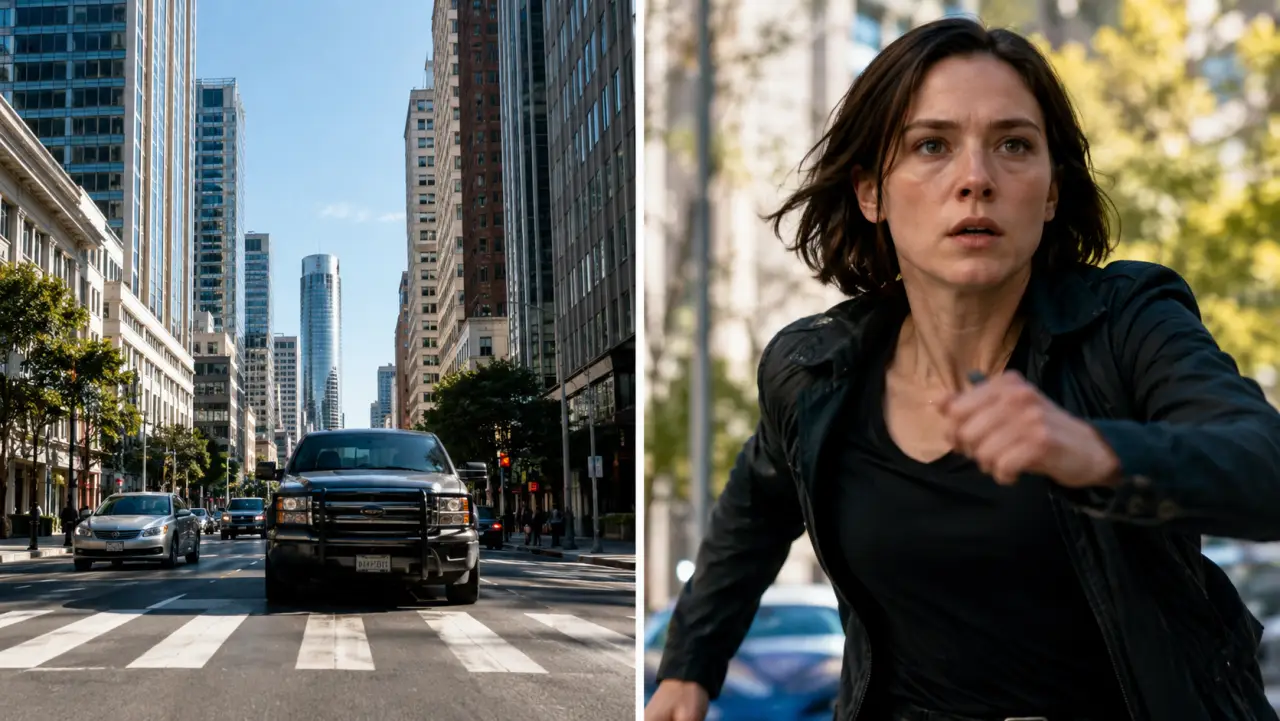
Most models give you one continuous take. The Kling AI video generator sequences multiple shots — a wide, a cut to a close-up, a reverse — inside a single 5–15s render, so a short scene already feels edited instead of flat. It is the standout reason creators run the Kling AI video generator online on Kling 3 instead of a lighter tier.
- ✓Built-in cuts — wide → close → reverse without stitching clips
- ✓Up to 15 seconds — the longest single render in the Kling AI line
- ✓Native audio — ambience and motion-synced sound baked in
Kling AI image to video — animate any photo
Upload a still and the Kling AI video generator adds grounded, physically believable motion — natural gait, cloth and hair physics, stable faces — instead of the warping cheaper tiers produce. Kling AI image to video lets you set an end frame to control exactly where the shot lands, all powered by Kling 3.
- ✓Photoreal physics — weight, momentum and contact look real
- ✓End-frame control — pin the target last frame of the move
- ✓720p or 1080p — deliver crisp vertical or widescreen masters

For ads, trailers & narrative shorts
The Kling AI video generator fits work where the script is exact and the look must be real: product and brand spots, mini-trailers and concept reels, narrative shorts that need a cut mid-scene, and any storyboard where you describe the shot precisely and expect it back. Running Kling 3, built-in audio and 1080p masters mean fewer tools in the chain.
Try Kling AI free →Kling 3 vs Kling 2.5 Turbo vs Veo 3 vs Seedance 2
| Feature | Kling AI (Kling 3) | Kling 2.5 Turbo | Veo 3 | Seedance 2 |
|---|---|---|---|---|
| Output | 5–15s · up to 1080p | 5 / 10s · 720p | 8s · 1080p | 4–15s · 720p |
| Prompt following | Tightest in catalog | Good | Strong | Good |
| Multi-shot in one render | Yes | No | No | No |
| Built-in audio | Yes | No | Yes | Yes |
| Ideal project | Scripted, photoreal, multi-shot | Cheap photoreal drafts | Native audio + fidelity | Flexible duration + reference |
Verdict — Run the Kling AI video generator on Kling 3 when the prompt is exact and you need photoreal motion or a multi-shot cut in one render; pick Kling 2.5 Turbo for cheap drafts, Veo 3 for an 8s audio-first clip, Seedance 2 when you have reference assets and want flexible duration.
Kling 3, explained
What is the Kling AI video generator, and who is Kling 3 for?⌄
The Kling AI video generator is Kuaishou's flagship tool, and ClipTrend.ai runs its latest Kling 3 release through the Kie video endpoint so you can generate without a Kuaishou developer account. The Kling AI video generator animates a still photo or renders a prompt into a 5, 8, 10 or 15-second clip at up to 1080p, with built-in audio and the ability to sequence multiple shots inside a single render.
Its defining strength is prompt adherence: the Kling AI video generator honors the exact subject, action, camera move and shot order you write instead of drifting to a generic look. That makes Kling 3 the one to reach for when the script is fixed — ads, trailers, narrative shorts — and you expect the clip back as directed rather than reinterpreted. Both Kling AI image to video and text to video run from the same generator box here.
The Kling AI video generator vs Kling 2.5 Turbo and Veo 3⌄
Against Kling 2.5 Turbo, the Kling AI video generator on Kling 3 wins on prompt fidelity, photoreal motion, 15-second length, 1080p output, built-in audio and multi-shot sequencing; Turbo wins on raw speed and cost for throwaway drafts. Against Veo 3, it wins on longer duration and native multi-shot cuts in a single render, while Veo 3 holds an edge on its tightly integrated 8-second audio clips. For scripted, multi-shot, photoreal work the Kling AI video generator is the stronger pick; for the cheapest fast draft, drop to Kling 2.5 Turbo.
Frequently asked questions
What is the Kling AI video generator?⌄
The Kling AI video generator is Kuaishou's flagship text-to-video and image-to-video tool, available online here on the latest Kling 3 release. Type a prompt or upload a photo and the Kling AI video generator renders 5–15s of photoreal motion at up to 1080p with built-in audio — no Kuaishou account needed, pay-as-you-go in credits.
How does Kling AI image to video work?⌄
Open the image-to-video tab, upload a still, and the Kling AI video generator adds grounded, physically believable motion — natural gait, cloth and hair physics, stable faces. Kling AI image to video runs on Kling 3 and lets you set an end frame to control exactly where the shot lands, then exports a 720p or 1080p master.
Can I run the Kling AI video generator online for free?⌄
Yes — you can run the Kling AI video generator online right here on Kling 3, no install and no Kuaishou account. New accounts start with free credits, then it is pay-as-you-go, so you only spend on the renders you keep.
Can the Kling AI video generator really do multiple shots in one clip?⌄
Yes — the Kling AI video generator can sequence multiple shots, such as a wide that cuts to a close-up, inside a single 5–15s render. Describe the shot order in your prompt and Kling 3 returns an already-edited beat instead of one continuous take you'd have to stitch yourself.
Are Kling AI clips watermark-free and licensed for commercial ads?⌄
Yes — a finished Kling AI render comes back as a clean MP4 with no ClipTrend overlay, so the multi-shot ad spots and trailers it is built for go straight into paid placements. Kuaishou licenses Kling output for commercial work, and ClipTrend.ai's terms add nothing on top; the automated check that runs after each render can hold back a flagged clip before it reaches you.




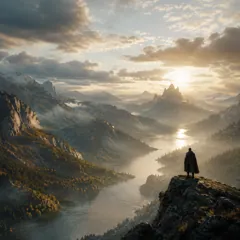

Direct the shot, get it back as written
The Kling AI video generator is the catalog's tightest prompt follower — running Kling 3 you get photoreal motion, multi-shot cuts and 1080p audio, watermark-free with no subscription.
Generate with Kling AI